
Jul 23, 2026
Bulk Messaging in WABA NXCMSG lets enterprises send compliant, large-scale WhatsApp broadcasts for notifications, alerts, promotions, reminders, and transactional updates. Each message is delivered as a personal 1:1 conversation with support for template approvals, dynamic variables, segmentation, scheduling, throttling, and analytics. Bulk messaging is essential for banks, businesses, ecommerce, education, logistics, healthcare, and service industries experience and revenue outcomes.
What Are WhatsApp Bulk Messages?
WABA WhatsApp Bulk Messages allow businesses to send approved marketing,
transactional, and service messages to thousands of customers at once through
the official Meta WhatsApp API. This advanced broadcasting capability is widely
used by brands for promotions, alerts, reminders, ticketing, OTP, commerce, and
customer support.
Unlike normal WhatsApp broadcast, Meta’s bulk messaging system ensures
higher delivery, verified sender identity, compliance, and template approval to
maintain user privacy and security.
What is Meta?
Meta is the parent company of WhatsApp, Facebook, and Instagram. Meta
provides an official WhatsApp Business Platform (API) that enables large-scale
messaging, automation, chatbots, and integration with CRMs, ERPs, and marketing
tools.
To use WABA WhatsApp bulk messaging legally, businesses must onboard through
an authenticated Meta Business Partner (BSP).
What is a Meta Partner (BSP)?
✔ WhatsApp bulk messaging dashboards
✔ Template creation & approval
✔ WABA WhatsApp chatbot integration
✔ Analytics & campaign tools
✔ Customer support
Onboarding Checklist
1. Create Meta Business Manager- Needed for
business verification & API access.
2. Verify Business Legal Documents- Meta
verifies company identity
3. Create WABA WhatsApp Business Account- This
includes phone number registration & display info.
4. Select a WABA WhatsApp BSP- Helps with API
provisioning & technical setup.
5. Device / Number Registration- A dedicated
phone number is linked to WABA WhatsApp API.
6. Template Creation & Approval- Meta must
approve all outbound bulk templates.
7. WABA WhatsApp Bulk Broadcasting Setup- Campaigns
can now be launched using allowed
Template Creation
✔ Buttons
✔ Media
✔ Variables
✔ List menus
| Marketing | Offers, Promotions, Reminders |
| Utility | Order updates, Delivery alerts |
| Authentication | OTP & Login verifications |
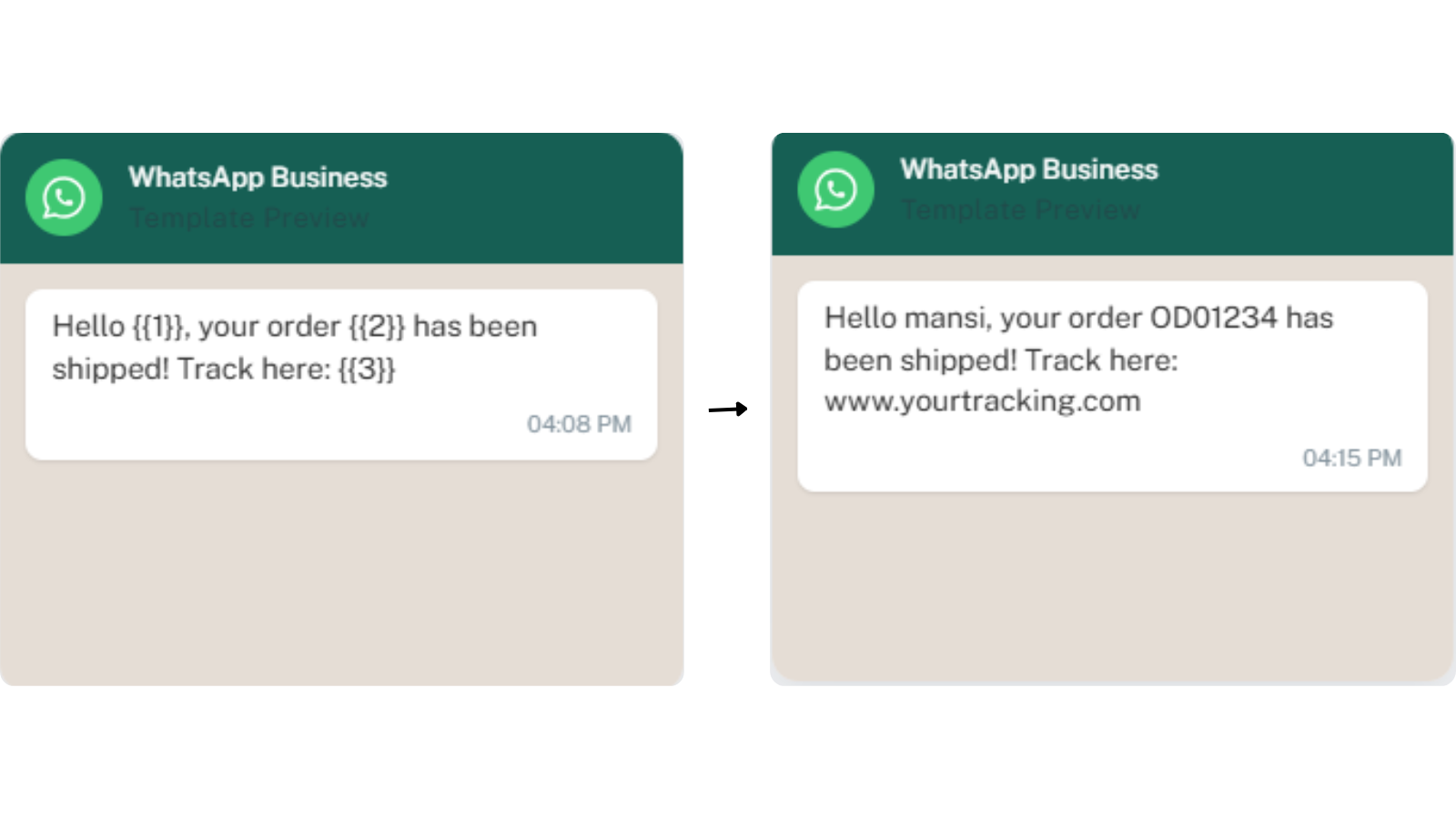
Example template:
Hello {{1}}, your order {{2}} has been shipped! Track here: {{3}}
Bulk Broadcasting
Once approved templates are ready, WABA whatsapp businesses can send bulk messages to:
✔ Leads
✔ Customers
✔ Subscribers
✔ Users who opted-in
Benefit:
• High-scale messaging
• Compliant with WhatsApp API
• Segmentation & targeting
• Real-time analytics & CTR
• Higher open rates
• Instant delivery & feedback
• Two-way communication
• Media support
• No spam folder issues
• Verified business trust
• Automated workflows via chatbots
• Personal 1:1 experience at scale
Website - https://waba.nxccontrols.in/


