Feb 23, 2026
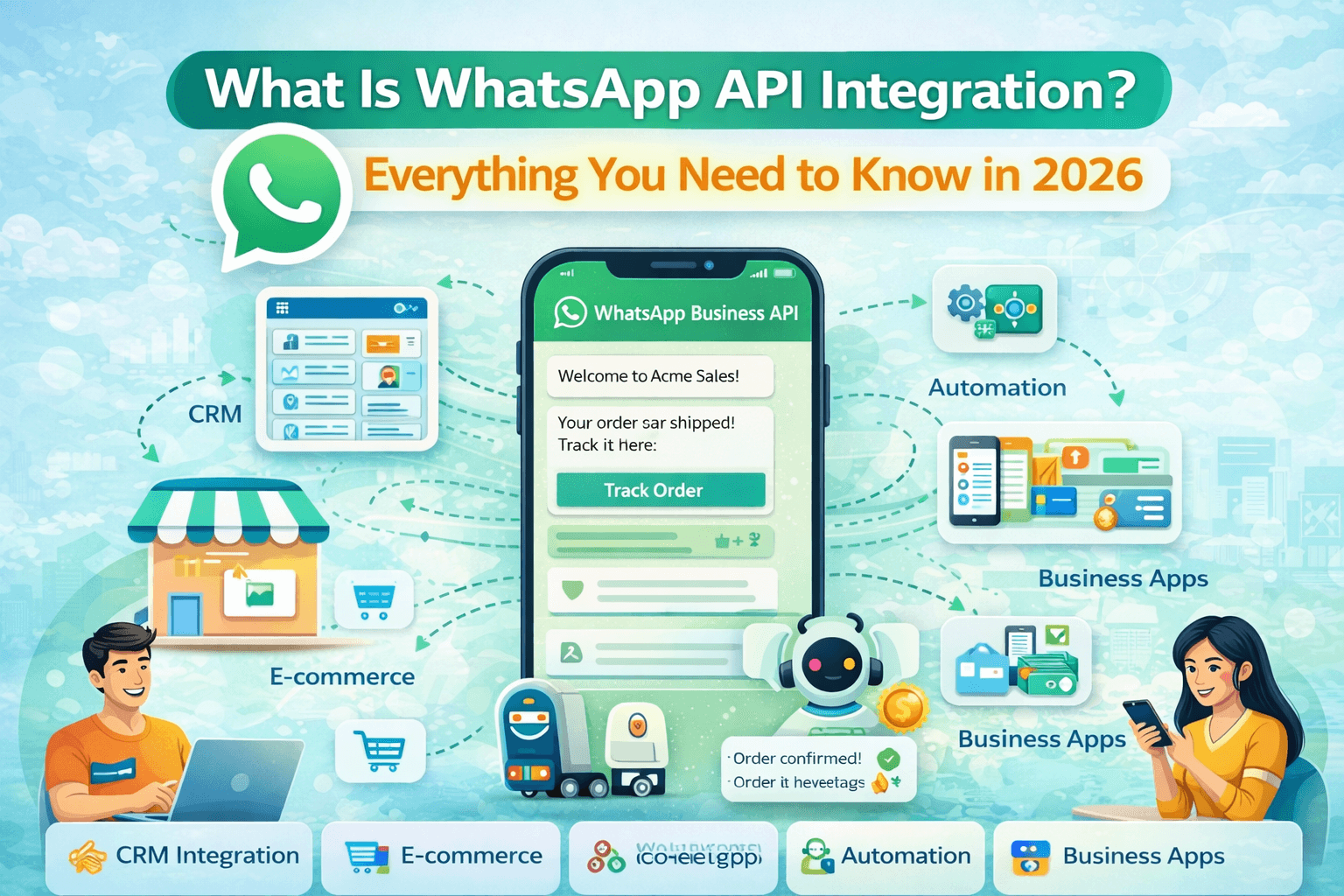
What is WhatsApp API integration and how does it work in 2026? Complete guide covering setup, features, message types, CRM integration, webhook, pricing and use cases for Indian businesses via WABA NXCMSG.
Why WhatsApp API Integration Is the Most Important Tech Decision for Indian
Businesses in 2026
Every Indian business uses WhatsApp. But most
are using it the way it was never meant to be used at scale — one phone, one
SIM, one person manually typing replies to hundreds of customers. No
automation, no CRM sync, no analytics, no team coordination. Just a phone being
passed around or 15 people added to a group chat, creating chaos instead of
customer service.
WhatsApp API integration changes everything.
It is the technology bridge that connects WhatsApp's massive communication
reach — 600 million Indian users, 98 percent open rates, messages read within
90 seconds — with your business systems, automation tools, CRM, and customer
service workflows. The result is a professionally managed, fully automated,
data-driven customer communication engine running on the channel your customers
already prefer above all others.
This complete guide explains exactly what WhatsApp API integration is, how it works technically, the difference between the Business App and API, all 10 key features, documents required for India, step-by-step integration process with WABA NXCMSG, message types and pricing, CRM and webhook integration, industry use cases, 2026 policy updates, common mistakes, and a complete FAQ section. Everything you need to make an informed decision about WhatsApp API integration for your business.
WhatsApp API Integration — 2026 Key Statistics for India
|
Stat / Fact |
Value |
|
WhatsApp Users in India
2026 |
600
Million+ active users — world's largest market |
|
WhatsApp Message Open Rate |
98% —
messages read within 90 seconds of delivery |
|
WhatsApp CTR on Promotions |
45 to 60%
click-through rate vs 2 to 5% for email |
|
Support Cost Reduction via
API |
60 to 70%
lower than traditional phone support |
|
Abandoned Cart Recovery via
WhatsApp |
45 to 60%
recovery rate vs 5 to 10% via email |
|
Cloud API Message Speed |
Up to 500
messages per second — no server required |
|
MM Lite Delivery Rate
Improvement |
Up to 9%
higher than standard Cloud API (Meta test, Jan 2025) |
|
On-Premise API Status |
Officially
deprecated October 2025 — Cloud API is only option |
|
72-Hour CTWA Free Window |
All
messages free for 72 hours after Click-to-WhatsApp ad |
|
Marketing Message Rate
India |
Rs. 0.88
to Rs. 1.09 per message |
|
Utility Message Rate India |
Rs. 0.13
to Rs. 0.145 per message |
|
Service Messages |
Always
FREE within 24-hour customer reply window |
|
API Go-Live Timeline |
3 to 7
business days from signup to live account |
|
WABA NXCMSG Platform Fee |
Rs. 3,000
per month — unlimited agents — zero markup |
What Is WhatsApp API Integration? — Complete Definition
WhatsApp API integration is the process of
connecting the official WhatsApp Business API to your business systems — CRM
platforms, e-commerce stores, ERP systems, helpdesk tools, chatbot frameworks,
and custom applications — enabling seamless, automated, bidirectional customer
communication at scale through WhatsApp.
The WhatsApp Business API — officially called
the WhatsApp Business Platform — is not an app you download. It is a set of
programming interfaces (APIs) provided by Meta that allow authorized businesses
and their approved software platforms to send and receive WhatsApp messages
programmatically — meaning automatically, at scale, triggered by business
events, and integrated with other business software.
Think of API integration as connecting WhatsApp's powerful communication channel to your business's operating system. Once integrated, every customer interaction on WhatsApp can trigger actions in your CRM, update your order management system, notify your support team, activate a chatbot flow, and generate analytics data — all automatically, without human intervention for routine processes.
WhatsApp App vs WhatsApp Business App vs WhatsApp Business API — Complete
Comparison
Understanding the difference between WhatsApp's three tiers is essential before making any integration decision:
|
Feature |
Personal App |
Business App |
Business API
(WABA NXCMSG) |
|
Who It Is
For |
Personal
use only |
Solo or very small business |
Growing and scaling
businesses |
|
Number of
Users |
1 device |
1 phone + 4 linked devices |
Unlimited agents
simultaneously |
|
Automation |
None |
Basic greeting + away only |
Full chatbot + flow
automation |
|
CRM
Integration |
None |
None |
Zoho, HubSpot, Salesforce,
custom |
|
Bulk
Messaging |
Strictly
prohibited |
256 contacts maximum |
Unlimited opted-in
customers |
|
Message
Templates |
None |
None |
Full Meta-approved
templates |
|
Chatbot
Flows |
None |
None |
Drag-and-drop Flow Builder |
|
Team Inbox |
None |
None |
Shared multi-agent inbox |
|
Analytics
Dashboard |
None |
Very basic |
Full performance analytics |
|
Webhook
Integration |
None |
None |
Full real-time webhooks |
|
Catalog
Messages |
View only |
Basic catalog |
Full API catalog messages |
|
Interactive
Buttons |
None |
None |
Buttons, lists, WhatsApp
Flows |
|
Monthly
Cost |
Free |
Free |
From Rs. 3,000/month |
|
Message
Limits |
Personal
limit |
Broadcast 256 max |
Scales to unlimited |
WhatsApp Cloud API vs On-Premise API — 2026 Update
Meta originally offered two ways to access the WhatsApp Business API: the On-Premise API (self-hosted on your own servers) and the Cloud API (hosted on Meta's infrastructure). In October 2025, Meta officially deprecated the On-Premise API. The Cloud API is now the only supported architecture for all WhatsApp Business API integrations.
|
Factor |
Cloud API
(Current) |
On-Premise
API (Deprecated) |
|
Hosting |
Meta's servers — zero
infrastructure |
Your own servers — heavy
infrastructure |
|
Status in
2026 |
Active — only supported
option |
Deprecated October 2025 |
|
Server
Management |
Not required — fully
managed by Meta |
Requires dedicated DevOps
team |
|
Message
Speed |
Up to 500 messages per
second |
Limited by your server
capacity |
|
Scalability |
Auto-scales with demand |
Manual scaling required |
|
New
Features |
Gets all new Meta features
first |
No longer receives updates |
|
MM Lite
Access |
Fully supported |
Not available |
|
Cost |
No infrastructure cost |
Server + maintenance costs |
|
Setup Time |
Hours to days |
Weeks to months |
|
Recommended
For |
All businesses in 2026 |
Legacy — migrate
immediately |
10 Key Features of WhatsApp API Integration in 2026
|
01 |
Message Templates and
Rich Media Send Meta-approved
message templates containing text, images, videos, documents, and interactive
buttons to customers outside the 24-hour service window. Templates are the
foundation of all proactive business communication on WhatsApp — order
updates, payment reminders, promotional campaigns, appointment confirmations,
and authentication messages. Each template must be submitted and approved by
Meta before use. |
|
02 |
Chatbot and Flow
Automation — 24/7 Customer Engagement Build sophisticated
automated conversation flows using WABA NXCMSG Flow Builder — no coding
required. Chatbots handle FAQ queries, product recommendations, lead
qualification, appointment booking, order status checks, and payment
collection automatically — 24 hours a day, 7 days a week. Complex queries are
seamlessly escalated to human agents with full conversation context. In 2026,
chatbots must perform specific business tasks — open-ended AI conversation is
not permitted by Meta policy. |
|
03 |
Multi-Agent Team Inbox
— Unlimited Simultaneous Agents Your entire team —
sales, support, operations, accounts — all access and manage customer
conversations from a shared cloud-based inbox simultaneously, from a single
WhatsApp business number. Every chat is assigned to a specific agent, routed
based on skill or availability, tracked from open to resolved, and visible to
management in real time. No more shared phones or forwarded screenshots. |
|
04 |
Webhook Integration —
Real-Time Business System Connectivity Webhooks are HTTP
callbacks that Meta sends to your business systems whenever something happens
in a WhatsApp conversation — message delivered, message read, button clicked,
reply sent. Without webhooks, there is no automation and no CRM integration.
WABA NXCMSG manages webhook configuration, delivery, and error handling — so
your CRM and business systems receive real-time WhatsApp data automatically. |
|
05 |
CRM and ERP Integration
— Full Business System Sync Connect WhatsApp API
bidirectionally to Zoho CRM, HubSpot, Salesforce, Freshdesk, Zendesk, SAP,
Oracle, and custom systems via REST API webhook. New WhatsApp contacts
automatically create CRM records. Conversations are logged as activities.
Customer CRM data appears inside every WhatsApp conversation for agents.
Sales pipeline stages update automatically based on conversation outcomes. |
|
06 |
Bulk Broadcasting —
Unlimited Opted-In Customers Send personalized
WhatsApp campaigns to your entire opted-in customer base — thousands or lakhs
of customers — simultaneously. Each message is individually personalized with
the customer's name, purchase history, and relevant content. Bulk broadcasts
via WhatsApp API achieve 45 to 60 percent CTR compared to 2 to 5 percent for
the same campaigns via email. |
|
07 |
Interactive Buttons,
Lists, and WhatsApp Flows Replace plain text
conversations with interactive UI elements: Reply Buttons for quick response
options, List Messages for menu-style selections, and WhatsApp Flows for
complete in-chat form experiences — appointment booking, lead qualification,
product selection, address entry, and payment confirmation — all without the
customer leaving WhatsApp. Interactive messages achieve significantly higher
response and conversion rates than plain text. |
|
08 |
WhatsApp Catalog
Messages — In-Chat Product Shopping Send curated product
sets directly in WhatsApp conversations — bestsellers, new arrivals,
personalized recommendations, or category-specific collections — with product
images, prices, descriptions, and add-to-cart functionality. Customers
browse, select, and inquire about products without ever leaving WhatsApp.
Catalog messages are among the highest-converting formats available in
WhatsApp API. |
|
09 |
Template Pacing and
Quality Rating Management Every new template
campaign is first sent to a small test group — approximately 1,000
recipients. If quality signals are positive (low blocks, good engagement),
Meta automatically expands delivery to the full audience. WABA NXCMSG's
analytics dashboard tracks your template quality rating in real time and
alerts you if a template's performance is affecting your account health or
delivery speed. |
|
10 |
Real-Time Analytics and
Delivery Receipts Track every message's
journey: sent, delivered, read, and replied — in real time. Measure campaign
open rates, click-through rates, conversion rates, and revenue attribution by
campaign. Track agent performance: response time, resolution time, CSAT scores,
and chats handled per day. WhatsApp API analytics provide data-driven
insights that were completely impossible with the basic Business App. |
How WhatsApp API Integration Works — Technical Overview
Understanding the technical architecture helps businesses and teams make better decisions about implementation and what to expect from the integration:
The API Message Flow — End to End
|
Step |
What Happens |
Who Handles
It |
|
Step 1 —
API Request |
Your business system or
WABA NXCMSG sends an API request to Meta's servers with message content,
recipient number, and template details |
WABA NXCMSG or your
developer |
|
Step 2 —
Meta Verification |
Meta verifies the request —
checks template approval status, account health, rate limits, and recipient
opt-in status — before accepting |
Meta's Cloud API
infrastructure |
|
Step 3 —
Message Delivery |
Meta's servers deliver the
message to the customer's WhatsApp — with delivery receipt (double tick)
returned to your system |
Meta's global server
network |
|
Step 4 —
Read Receipt |
When the customer opens the
message, Meta sends a read receipt webhook to your WABA NXCMSG dashboard —
double blue tick |
Meta webhook to WABA NXCMSG |
|
Step 5 —
Customer Reply |
Customer replies — Meta
sends the reply content to your WABA NXCMSG dashboard via webhook — appears
in team inbox instantly |
Meta webhook to WABA NXCMSG |
|
Step 6 —
CRM Sync |
WABA NXCMSG sends the
conversation data to your CRM — contact updated, activity logged, pipeline
stage changed if configured |
WABA NXCMSG to your CRM |
|
Step 7 —
Agent or Automation |
Team inbox assigns the
conversation to the right agent, or chatbot automation handles the reply
based on configured flows |
WABA NXCMSG Flow Builder |
What Is a WhatsApp API Webhook and Why Is It Critical?
A webhook is an HTTP callback — a URL on your
server or WABA NXCMSG's infrastructure that Meta calls (sends data to) whenever
something happens in your WhatsApp account. Webhooks are the data pipeline that
makes real-time automation possible.
Without webhooks configured and working, you cannot receive customer replies in your CRM, cannot trigger automated responses based on customer actions, cannot track message delivery and read status, and cannot sync WhatsApp conversation data with any other business system. Webhooks are not optional — they are the foundation of any meaningful WhatsApp API integration.
|
Webhook
Event Types — What Meta Sends to Your System messages → New customer message received message_status → Delivered (✓✓), Read (✓✓ blue) button_clicked → Customer clicked a reply button list_selected → Customer selected from a list menu flow_completed → Customer completed a WhatsApp Flow template_status → Template approved / rejected by Meta account_alerts → Quality rating, limit changes |
Documents Required for WhatsApp API Integration in India
Meta requires business verification before granting access to the WhatsApp Business API. Here is exactly what you need to prepare for a smooth integration in India:
|
Document /
Requirement |
Details for
Indian Businesses |
|
Meta
Business Manager Account |
Create and verify at
business.facebook.com — use your business Facebook account |
|
Business
Legal Name |
Must exactly match
documents — company name, proprietorship name, or LLP name |
|
GST
Registration Certificate |
Most accepted business
proof for Indian businesses — GSTIN must be active |
|
Certificate
of Incorporation |
For Pvt Ltd, LLP, or public
companies — from Ministry of Corporate Affairs |
|
Udyam /
MSME Certificate |
Acceptable for small and
micro businesses registered on Udyam portal |
|
Business
Website |
Active website with your
business name, services, privacy policy, and contact details |
|
Privacy
Policy Page |
Required — must state how
customer data is collected and used via WhatsApp |
|
Dedicated
Phone Number |
New number not linked to
any personal or business WhatsApp account |
|
Business
Email Address |
Company domain email —
yourname@yourbusiness.com — not Gmail or Yahoo |
|
Payment
Method |
Credit/debit card or bank
account for Meta message charge billing in INR |
Step-by-Step: How to Integrate WhatsApp API in India via WABA NXCMSG
Here is the complete integration process from signup to live account — with realistic timelines for each step:
|
STEP 1 |
Sign
Up for WABA NXCMSG Account Visit
waba.nxccontrols.in and create your account with your business email and
phone number. Select your plan — Enterprise at Rs. 3,000 per month or Unicorn
at Rs. 3,500 per month. Both plans include all features with zero markup on
Meta message rates and unlimited agents. Timeline: 5 minutes. |
|
STEP 2 |
Create
or Connect Meta Business Manager Log in to
business.facebook.com with your business Facebook account. If you do not have
a Meta Business Manager, create one and add your business legal name,
business email, and business website. This is your official Meta business
identity. Timeline: 15 to 30 minutes. |
|
STEP 3 |
Verify
Your Business with Meta In Meta Business
Manager, go to Business Settings then Security Center. Click Start
Verification. Upload your GST certificate or Certificate of Incorporation.
Meta reviews your documents and verifies your business identity. Timeline: 1
to 3 business days. WABA NXCMSG's team guides you through this process. |
|
STEP 4 |
Create
WhatsApp Business Account (WABA) Once your Meta Business
Manager is verified, create your WhatsApp Business Account inside WABA NXCMSG
— or let the WABA NXCMSG onboarding team create it for you. Configure your
business profile: display name, business category, description, address, website,
and business hours. |
|
STEP 5 |
Register
and Verify Your WhatsApp Phone Number Submit your dedicated
WhatsApp business number for API registration. You will receive a
verification OTP via SMS or voice call to the number. Enter the OTP in WABA
NXCMSG to verify. Your number is now registered as a WhatsApp Business API
number — it cannot be used on regular WhatsApp simultaneously. Timeline: 15
to 30 minutes. |
|
STEP 6 |
Create
and Submit Message Templates In WABA NXCMSG, go to
Templates and create your first message templates — order confirmation,
greeting message, promotional campaign, or OTP template. WABA NXCMSG submits
templates to Meta for approval on your behalf. Most templates are approved
within 24 to 48 hours. Timeline: Template creation 30 minutes — approval 24
to 48 hours. |
|
STEP 7 |
Configure
Webhook and CRM Integration In WABA NXCMSG
Settings, configure your CRM integration — paste your Zoho, HubSpot, or
Salesforce details. WABA NXCMSG sets up the webhook automatically — no manual
webhook configuration required. Test the webhook by sending a test message
and verifying it appears in your CRM. Timeline: 30 to 60 minutes. |
|
STEP 8 |
Set Up
Team Inbox and Add Agents Go to Management then
Agents in WABA NXCMSG. Add each team member with their email and role —
Admin, Supervisor, or Agent. Configure routing rules: skill-based,
round-robin, keyword-based. Set agent working hours. Train your team on the
dashboard — a 30-minute session is sufficient for most teams. Timeline: 30 to
60 minutes. |
|
STEP 9 |
Build
Chatbot Flows and Automation In WABA NXCMSG Flow
Builder, create your first automation flows — greeting message for new
contacts, FAQ auto-reply for common keywords, abandoned cart recovery
trigger, order status inquiry flow, and lead qualification chatbot. Start
with 3 to 5 flows and expand based on analytics. Timeline: 1 to 3 hours for
initial flows. |
|
STEP 10 |
Test
Everything and Go Live Test your complete
setup: send a test message from your business number, verify delivery and
read receipt, test chatbot trigger keywords, verify CRM sync, test team inbox
assignment. Once all tests pass, update your website WhatsApp link, social
media profiles, and marketing materials with your new API number. Go live.
Timeline: 1 to 2 hours. |
WhatsApp API Message Types — The 4 Categories India 2026
WhatsApp API messages in 2026 are classified into four types — each with different costs, approval requirements, and use cases. Understanding these categories is essential for managing your WhatsApp API budget effectively:
|
Message Type |
India Rate
2026 |
When to Use |
Free Window |
|
Marketing |
Rs. 0.88
to 1.09 |
Promotions, campaigns,
flash sales, re-engagement |
72-hour free window after
CTWA ad click |
|
Utility |
Rs. 0.13
to 0.145 |
Order updates, delivery
alerts, appointment reminders |
Free in 24-hour customer
service window |
|
Authentication |
Rs. 0.13
to 0.145 |
OTP, login verification,
2FA codes |
No free window — always
charged |
|
Service |
FREE — Rs.
0 |
Replies to customer
messages within 24hr window |
Entire 24-hour window is
always free |
WhatsApp API CRM Integration — How It Works in 2026
CRM integration is the feature that transforms WhatsApp API from a messaging tool into a complete revenue and customer management system. Here is how it works and which platforms are supported:
Supported CRM and Business System Integrations via WABA NXCMSG
|
Platform /
System |
Integration
Type |
What Gets
Synced |
|
Zoho CRM |
Native connector + webhook |
Contacts, deals,
activities, lead stages, notes |
|
HubSpot |
Native connector + webhook |
Contacts, companies, deals,
tickets, conversations |
|
Salesforce |
Webhook API |
Contacts, opportunities,
cases, activities |
|
Freshdesk
/ Zendesk |
Webhook API |
Tickets, customer profiles,
conversation history |
|
Shopify |
Native connector |
Orders, customers, cart
events, product catalog |
|
WooCommerce |
Webhook API |
Orders, customers, cart
events, product catalog |
|
SAP /
Oracle ERP |
Custom webhook |
Order status, inventory,
payment data |
|
Tally |
Custom webhook |
Invoice status, payment
confirmation |
|
Custom
Systems |
REST API + webhook |
Any data via JSON payload
to your endpoint |
What CRM Integration Enables — Practical Workflows
•
New lead from WhatsApp Click-to-WhatsApp ad → Contact
automatically created in Zoho CRM → Assigned to sales agent → Follow-up task
created — all within seconds of first message
•
Customer messages about order status → CRM shows agent
the full order history, payment status, and previous conversations — agent
replies with full context in 30 seconds
•
Agent marks WhatsApp conversation as 'Closed' → Zoho
CRM deal stage automatically updated → CSAT survey message automatically
triggered → Survey response logged in CRM
•
Shopify order placed → WABA NXCMSG sends WhatsApp order
confirmation automatically → Order update messages triggered at each
fulfillment stage → Delivery confirmation logged in Shopify
• WhatsApp lead does not respond for 3 days → CRM triggers re-engagement WhatsApp message automatically → Response or non-response updates CRM lead score
WhatsApp API Integration — 8 Key Industry Use Cases in India 2026
|
Industry |
Integration
Use Case |
Key Result
Achieved |
|
E-Commerce
/ D2C |
Order confirmation,
abandoned cart recovery, delivery updates, cross-sell campaigns via Shopify
integration |
45-60% cart recovery — 50%
reduction in WISMO support queries |
|
BFSI /
Fintech |
OTP authentication, loan
application updates, EMI reminders, KYC document collection via ERP
integration |
72% reduction in call
centre volume — faster loan processing |
|
Healthcare
/ Clinic |
Appointment booking via
WhatsApp Flows, lab report delivery, medication reminders, doctor follow-up
via HMS integration |
60% reduction in no-shows —
90% query automation |
|
EdTech /
Coaching |
Admission inquiry
automation, fee payment reminders, class alerts, result delivery via CRM
integration |
83% reduction in manual
admissions workload |
|
Real
Estate |
Lead qualification chatbot,
site visit booking, property catalog, follow-up sequences via CRM integration |
5x faster lead response —
3x higher site visit conversion |
|
Logistics |
Shipment tracking, delivery
confirmation, rescheduling, POD collection via WMS integration |
95% delivery query
automation — driver coordination |
|
Retail /
Salon |
Appointment booking,
product catalog, flash sale campaigns, loyalty notifications via POS
integration |
35% increase in repeat
bookings — higher CSAT |
|
Manufacturing
/ B2B |
Dealer query routing,
supply order status, payment follow-up, specification sharing via ERP
integration |
50% reduction in dealer
support calls |
WhatsApp API 2026 Policy Updates — Everything That Changed
Meta made several significant changes to WhatsApp Business API policies in 2025 and 2026. Every business using or planning to use WhatsApp API must understand these updates:
|
Policy
Update |
What Changed |
Impact on
Your Business |
|
On-Premise
API Deprecated |
Official deprecation
October 2025 — Cloud API is the only option |
Migrate immediately if
still on On-Premise — WABA NXCMSG provides free migration |
|
AI Chatbot
Compliance |
Open-ended AI chatbots
banned — bots must perform specific tasks only |
Redesign general AI bots
into task-specific flows — support, booking, ordering |
|
Per-Message
Pricing |
Moved from per-24hr
conversation to per-delivered-template-message (July 2025) |
Utility messages (Rs. 0.13)
significantly cheaper than Marketing (Rs. 0.88) — classify correctly |
|
72-Hour
CTWA Free Window |
All message types free for
72 hours after Click-to-WhatsApp ad click |
Use CTWA ads aggressively
for zero-cost marketing follow-up |
|
Template
Pacing |
New templates tested on
small group first — quality rating determines expansion |
Test templates with small
audiences before major campaign launches |
|
MM Lite
API |
New marketing delivery
infrastructure with up to 9% higher delivery rates |
Available via WABA NXCMSG
for eligible high-volume marketing accounts |
|
DPDP Act
2023 Compliance |
India's Digital Personal
Data Protection Act requires explicit opt-in consent |
Implement opt-in consent
management — WABA NXCMSG includes DPDP compliance tools |
8 Common WhatsApp API Integration Mistakes to Avoid
|
Mistake |
Why It Hurts |
The Fix |
|
Using
wrong number — personal or Business App |
Cannot run
API and Business App on same number simultaneously |
Get a
fresh dedicated number for API — migrate contacts gradually |
|
No opt-in
consent collected |
Meta account
flagged or banned — service disruption |
Implement
explicit WhatsApp opt-in on website, checkout, and ads before any broadcast |
|
Classifying
Utility messages as Marketing |
Paying Rs.
0.88 instead of Rs. 0.13 per message — Rs. 7,500 extra per 10,000 messages |
Audit all
templates and reclassify order updates, reminders as Utility |
|
No webhook
configured for CRM |
No automation
possible — all CRM data entry manual — defeats API purpose |
Configure
webhook in first week — WABA NXCMSG does this automatically |
|
Generic
open-ended AI chatbot deployed |
Violates Meta
2026 policy — account at risk of suspension |
Redesign
into task-specific flows: support, booking, order status |
|
Launching
full campaign on new templates |
Template
pacing stalls campaign — delivery to all customers delayed |
Test new
templates on 200 to 500 recipients first — let quality rating establish |
|
No
template backup plan |
Single
rejected template stops all proactive communication |
Have 2 to
3 alternative templates approved for each use case |
|
Ignoring
account quality rating |
Quality drops
below threshold — messaging limits reduced automatically |
Monitor
quality rating weekly in WABA NXCMSG dashboard — act at first warning |
Frequently Asked Questions — WhatsApp API Integration 2026
Q1: What exactly is WhatsApp API integration and who needs it?
WhatsApp API integration is the process of connecting Meta's official WhatsApp Business API to your business systems — CRM, e-commerce, helpdesk, or custom applications — enabling automated, scalable, bidirectional customer communication through WhatsApp. Any business receiving more than 50 WhatsApp messages per day, managing a customer service team of 2 or more people, wanting to send bulk messages to customers, or needing automation for order updates, reminders, or lead follow-up needs WhatsApp API integration.
Q2: Do I need coding skills to integrate WhatsApp API in India?
No — with WABA NXCMSG, you do not need any coding skills to integrate WhatsApp API. WABA NXCMSG provides a no-code dashboard for all features — chatbot flow builder, team inbox, template management, campaign broadcasting, and CRM integration — all configurable through visual interfaces. The only situation where coding skills are needed is if you want to build a fully custom integration with your own proprietary system via raw REST API calls — which WABA NXCMSG's developer documentation and support team can assist with.
Q3: How long does WhatsApp API integration take in India?
With WABA NXCMSG, the complete integration timeline from signup to fully live account is typically 5 to 7 business days. The breakdown is: WABA NXCMSG account setup (1 day), Meta Business Manager verification (1 to 3 business days depending on document completeness), WhatsApp number registration (1 day), template creation and approval (1 to 2 days), and team inbox plus CRM configuration (1 day). WABA NXCMSG's onboarding team guides you through every step.
Q4: What is the difference between WhatsApp Cloud API and On-Premise API?
The WhatsApp On-Premise API required businesses to host the API infrastructure on their own servers — requiring a technical team, significant infrastructure investment, and ongoing maintenance. The Cloud API is hosted entirely on Meta's servers — requiring no infrastructure from your side. The On-Premise API was officially deprecated in October 2025, making the Cloud API the only available option. The Cloud API handles up to 500 messages per second, auto-scales with demand, and gets all new Meta features first.
Q5: Can I keep my existing WhatsApp Business number when integrating the
API?
Yes — your existing WhatsApp Business App number can be migrated to the WhatsApp Business API. However, you cannot run the Business App and the API on the same number simultaneously — once migrated to API, the number works exclusively through the API (via WABA NXCMSG dashboard) and not through the Business App. The migration preserves your display name and business profile. Some historical message history may not transfer. WABA NXCMSG's team provides full migration assistance.
Q6: What types of messages can I send via WhatsApp API and what are the
costs?
WhatsApp API messages are classified into four types in India 2026: Marketing messages (Rs. 0.88 to Rs. 1.09 per message) for promotions and campaigns, Utility messages (Rs. 0.13 to Rs. 0.145) for order updates and reminders, Authentication messages (Rs. 0.13 to Rs. 0.145) for OTP and verification, and Service messages (always free) for replies to customer-initiated messages within the 24-hour window. All messages except Service require pre-approved Meta templates.
Q7: How does WhatsApp API integration work with my CRM?
WABA NXCMSG connects to your CRM via direct native connectors (Zoho, HubSpot) or REST API webhooks. Once connected, new WhatsApp contacts are automatically created as CRM leads or contacts. All WhatsApp conversations are logged as activities in your CRM. Customer CRM data — purchase history, deal stage, previous interactions — appears inside every WhatsApp conversation in the agent dashboard. Changes in conversation status automatically update CRM pipeline stages. No manual data entry required.
Q8: Are open-ended AI chatbots allowed on WhatsApp API in 2026?
No — Meta's 2026 AI policy explicitly prohibits open-ended chatbots on WhatsApp Business API. Your chatbot must perform specific, defined business tasks — customer support for product queries, appointment booking, order status checking, lead qualification — with clear boundaries on what the bot can and cannot do. General-purpose AI assistants or chatbots that engage in open-ended conversation without a specific business purpose violate Meta's current policy and risk account suspension.
Q9: What is WhatsApp template pacing and how does it affect my campaigns?
Template pacing is Meta's quality control mechanism for new campaign templates. When you send a campaign using a new template for the first time, Meta initially delivers it to a small test group (approximately 1,000 recipients). If the quality signals from that test group are positive — low blocks, low spam reports, good engagement — Meta automatically expands delivery to your full campaign audience. If signals are poor, pacing restricts further delivery. This means new templates should be tested with small groups before major campaign launches to establish a quality history.
Q10: How much does complete WhatsApp API integration cost in India 2026?
With WABA NXCMSG, WhatsApp API integration costs Rs. 3,000 per month (Enterprise plan) or Rs. 3,500 per month (Unicorn plan) as the platform fee — which includes unlimited agents, all features, zero markup on Meta rates, and full support. Additionally, Meta charges per message at India rates: Marketing at Rs. 0.88 to Rs. 1.09, Utility at Rs. 0.13 to Rs. 0.145, Authentication at Rs. 0.13 to Rs. 0.145, and Service messages are always free. There are no setup fees, no per-agent fees, and no hidden costs with WABA NXCMSG.
Why WABA NXCMSG Is India's Most Trusted WhatsApp API Integration Partner
|
Stat / Fact |
Value |
|
Official Meta BSP Status |
Authorized
WhatsApp Business Solution Provider — not a reseller |
|
Zero-Code Integration |
No
technical skills needed — full no-code dashboard for all features |
|
Cloud API Ready |
Fully
migrated and optimized for Cloud API — MM Lite support included |
|
CRM Native Connectors |
Zoho,
HubSpot, Salesforce, Freshdesk — connect in under 30 minutes |
|
Webhook Auto-Configuration |
WABA
NXCMSG configures all webhooks automatically — no manual setup |
|
Template Submission Support |
WABA
NXCMSG team submits and tracks all Meta template approvals |
|
Zero Markup on Meta Rates |
Exact Meta
rates — Marketing Rs. 0.88, Utility Rs. 0.13, Service FREE |
|
Unlimited Agents Included |
No
per-seat fees — your entire team for one flat monthly rate |
|
India-Based Support |
Local
support team in IST hours — Hindi language assistance available |
|
DPDP Act 2023 Compliance |
Opt-in
consent management and data protection tools built in |
|
Free Migration Assistance |
Migrate
from On-Premise API or any other BSP at no cost |
|
32,000+ Indian Businesses |
India's
most trusted WhatsApp API integration platform |
Conclusion — WhatsApp API Integration Is the Foundation of Modern Indian
Business Communication
WhatsApp API integration is not a technical
project — it is a business transformation. It is the difference between
manually managing 50 customer conversations per day on a shared phone and
professionally operating a scalable, automated, analytics-driven customer
communication system that handles 5,000 conversations per day with a team of 10
agents and a chatbot handling 70 percent of routine queries automatically.
In 2026, with the On-Premise API deprecated,
Cloud API as the only supported architecture, MM Lite delivering higher
marketing message performance, and the 72-hour CTWA free window making WhatsApp
the most cost-effective marketing channel in India — there has never been a
better time to integrate WhatsApp API into your business operations.
WABA NXCMSG makes the entire integration process simple, fast, and affordable — with no-code setup, automatic CRM connection, guided Meta verification, template submission support, and complete India-based onboarding assistance. Start your free trial today and go from signup to fully live WhatsApp API integration in 5 to 7 business days.