

Jun 24, 2026
Discover 12 proven tips to boost sales with WhatsApp Business API in 2026 — from personalised outreach and cart recovery to chatbots, broadcasts, and closing tactics.
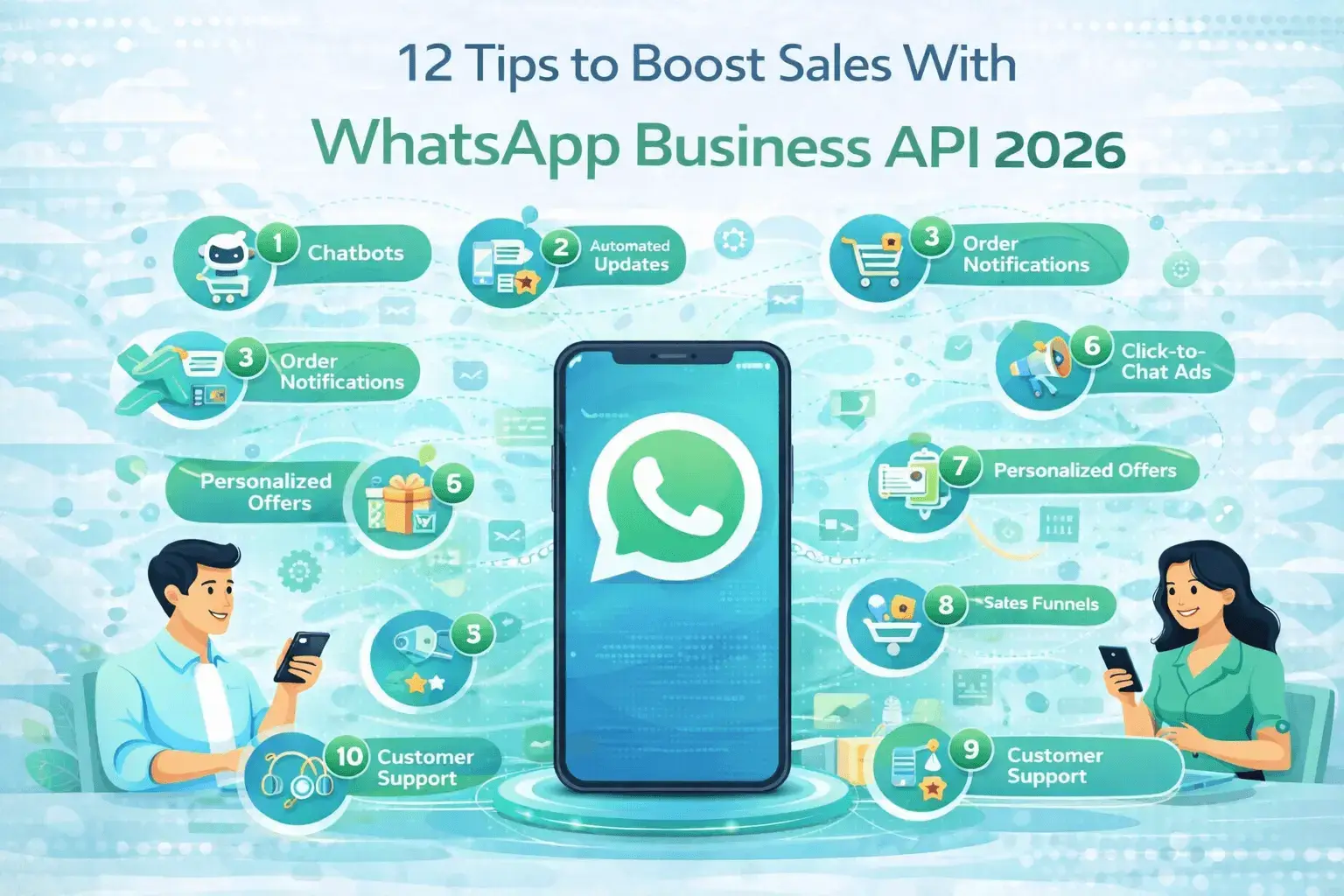
Here is a
number worth pausing on: 98%. That is the average open rate for messages sent
via WhatsApp Business API. Your email campaigns are averaging 21%. Your social
media posts are reaching perhaps 5% of your followers organically. Your paid
ads are seen, scrolled past, and forgotten. And your WhatsApp messages are
being opened by virtually every single person they reach — within minutes.
WhatsApp
Business API is the most powerful sales channel available to businesses in 2026
— not because it is new or trendy, but because of what happens when you combine
near-universal message reach with the personalisation of a one-to-one
conversation, the automation capability of a modern CRM, and the trust that
comes from meeting customers on the platform they use for their most important
daily communications. The businesses using it well are reporting revenue
increases of 20 to 35% within six months of deployment. The businesses ignoring
it are watching those gains go to their competitors.
This guide gives you 12 specific, actionable tips to build a WhatsApp sales machine — from the foundational list-building strategy that makes everything else work, to the advanced automation flows that generate revenue while your team sleeps. Each tip comes with the mechanism explained, implementation guidance, and template examples you can put to work this week. Start with the tips most relevant to where your sales process currently breaks down, and build from there.
|
98% WhatsApp Message Open Rate vs 21% for
Email |
45–60% WhatsApp Cart Recovery Rate vs 5–10%
for Email |
3–5x Higher Conversion Rate for
Click-to-WhatsApp Ads |
|
68% Of Consumers More Likely to Buy via
Direct WhatsApp |
20–35% Revenue Increase Within 6 Months of
WhatsApp API Deployment |
10x Faster Lead Qualification With WhatsApp
Sales Chatbot |
Why WhatsApp Business API Is Your Most
Powerful Sales Channel in 2026
The Sales Performance Gap — Why Businesses Are Moving to WhatsApp
The fundamental
problem with traditional digital sales channels — email, social media DMs,
website live chat — is the gap between message sent and message seen. Your
email lands in an inbox competing with 120 other messages. Your social DM sits
in a message request folder the recipient rarely checks. Your live chat widget
sits dormant on a page the prospect has already left. WhatsApp closes this gap
entirely. Messages arrive in the same interface as the recipient's most
important personal conversations — they are seen, they feel personal, and they
invite an immediate response in a way that no other digital channel can
replicate.
The result is a
sales channel where 98% of your messages are opened, where response rates range
from 40 to 60%, where conversations happen in real time rather than across days
of email back-and-forth, and where the combination of text, images, video, documents,
and interactive buttons gives you a richer communication palette than any other
channel. For businesses that master WhatsApp sales, this combination of reach,
engagement, and capability creates a compounding revenue advantage that widens
with every passing month.
WhatsApp API vs. WhatsApp Business App — What Sales Teams Need to Know
The WhatsApp
Business App is a free mobile application that small businesses use to manage a
modest volume of customer conversations manually. It has a 256-contact limit on
broadcast messaging, no automation capability, no CRM integration, no
multi-agent team inbox, and no analytics beyond read receipts. It is a useful
tool for sole traders and micro-businesses. It is not a sales infrastructure.
The WhatsApp
Business API connects WhatsApp to your CRM, your marketing automation platform,
your e-commerce system, and your sales tools — enabling unlimited broadcast
messaging to opted-in contacts, AI-powered chatbot qualification, automated
sales sequences triggered by customer behaviour, product catalog sharing,
interactive message buttons, multi-agent team inboxes, and the full analytics
visibility needed to measure and optimise sales performance. If you are serious
about using WhatsApp for sales, the API is the only version of the platform you
should be building on.
Who Should Be Using WhatsApp API for Sales?
WhatsApp Business API delivers measurable sales impact for e-commerce brands with customers in WhatsApp-dominant markets, SaaS companies with global customer bases, retail businesses with repeat purchase models, service businesses where the sale requires qualification and conversation, B2B companies selling in markets where WhatsApp is a standard business communication channel (the Middle East, South Asia, Latin America, Southeast Africa), and recruitment and professional services firms where relationship and speed are both commercially critical. If your customers are on WhatsApp — and in most markets, the majority of them are — WhatsApp Business API should be part of your sales architecture.
The 12 Tips — At-a-Glance
|
# |
Tip |
Primary
Benefit |
Key Metric
Impact |
|
1 |
Build a
segmented opt-in list |
Higher
relevance, lower block rates |
+40% reply
rate vs unsegmented lists |
|
2 |
Broadcast
to the right audience |
Mass reach
with a personal feel |
85–95% open
rate on opt-in broadcasts |
|
3 |
Deploy an
AI sales chatbot |
24/7 lead
qualification without headcount |
10x faster
qualification vs manual process |
|
4 |
Recover
abandoned carts |
Recapture lost
revenue automatically |
45–60% cart
recovery rate |
|
5 |
Personalise
with CRM data |
More relevant,
higher-converting conversations |
30–50%
higher conversion rate |
|
6 |
Run
Click-to-WhatsApp ads |
High-intent
pipeline filling from Meta ads |
3–5x higher
ad conversion rate |
|
7 |
Send
proactive sales notifications |
Timely revenue
triggers at scale |
20–35%
revenue increase within 6 months |
|
8 |
Share
WhatsApp product catalog |
In-chat
shopping without friction |
3x higher
CTR vs product links in chat |
|
9 |
Use quick
replies and CTA buttons |
Frictionless
guided path to purchase |
+25%
conversation-to-conversion rate |
|
10 |
Build
post-purchase sequences |
Repeat
purchase acceleration |
+25–40%
repeat purchase rate within 90 days |
|
11 |
Optimise
business profile |
Trust and
credibility signals that convert |
Measurable
reduction in buyer friction |
|
12 |
Monitor and
optimise performance |
Compound
revenue growth through iteration |
15–25%
month-on-month performance improvement |
|
TIP 1 |
Build a Segmented, Opt-In Contact List Before You Send
a Single Message List
quality beats list size — every time. Your WhatsApp sales success starts
here. |
Why List Quality Beats List Size Every Time
The single
biggest mistake businesses make when launching WhatsApp sales is treating it
like email marketing — acquiring as many contacts as possible and sending to
them all. WhatsApp is fundamentally different. Every contact who marks your
message as spam or blocks your number directly damages your quality rating —
the score that determines how many conversations you can initiate per day. A
list of 500 highly engaged, opted-in contacts who genuinely want to hear from
you will consistently outperform a list of 5,000 contacts acquired through
questionable means, and will protect the account quality that is the foundation
of your entire WhatsApp sales operation.
How to Collect WhatsApp Opt-Ins at Every Touchpoint
•
Website chat widget —
invite visitors to continue the conversation on WhatsApp with a clear opt-in
prompt
•
Checkout opt-in checkbox —
offer WhatsApp order updates, restock alerts, and exclusive offers at the point
of purchase
•
Click-to-WhatsApp ads —
every ad click is an implicit opt-in signal; confirm preference in the opening
message
•
Email migration campaign —
ask your existing email subscribers to opt in to WhatsApp for faster, more
personal communication
•
In-store or event QR codes
— physical touchpoints scanning directly to a WhatsApp opt-in flow
• Social media — WhatsApp link in bio with a clear value proposition for why they should connect
Segmentation Strategies That Drive Relevant Conversations
Segment your WhatsApp contact list by purchase history, product interest, stage in the buying journey, geographic market, and engagement recency. A customer who bought from you six months ago and has not returned needs a very different message from a new subscriber who has never purchased. A prospect who clicked on your premium product page needs different content from one who has only browsed entry-level options. Segmentation makes every message more relevant — and relevant messages get responses while irrelevant ones get blocks.
|
TIP 2 |
Use Broadcast Messaging to Reach the Right Audience at the Right Time 85–95%
open rates. The most effective mass communication tool in your sales arsenal. |
How WhatsApp Broadcast Works via the API
WhatsApp
Business API broadcast messaging allows you to send a single message — or a
personalised variation of that message — to hundreds, thousands, or hundreds of
thousands of opted-in contacts simultaneously. Unlike the WhatsApp Business
App's 256-contact broadcast limit, the API has no practical ceiling on
broadcast reach. Every recipient receives the message as a personal, direct
message — not as a group message or a mass communication — maintaining the
personal feel that makes WhatsApp engagement so strong. Personalisation fields
allow you to include the recipient's name, their most recent purchase, their
location, or any other CRM data point that makes the message feel individually
crafted.
The Difference Between a Broadcast and Spam
The line
between a high-performing WhatsApp broadcast and a spam message that destroys
your quality rating is relevance and consent. A broadcast to opted-in contacts
with content that is genuinely useful, timely, and relevant to their
demonstrated interests achieves open rates of 85 to 95% and drives direct
revenue. The same message sent to a purchased list, sent too frequently, or
sent with content that does not match the interest signals contacts provided at
opt-in will generate blocks, complaints, and quality rating damage that
restricts your account's messaging capability. The discipline of sending less,
more relevantly, to properly segmented lists is the defining discipline of
successful WhatsApp broadcast strategy.
Timing, Frequency, and Cadence Best Practices
WhatsApp broadcast frequency should be informed by your audience's engagement patterns and the commercial calendar of your business. For most businesses, one to three broadcast messages per week is the upper limit before recipients begin to feel over-messaged and block rates rise. Send during the times your audience is active — typically mid-morning and early evening on weekdays for B2C, and mid-morning on weekdays for B2B. Avoid Mondays (crowded with returning-to-work communications) and Fridays after 3pm (recipients mentally checked out for the weekend). Always give recipients an easy opt-out path — a STOP reply mechanism — both for compliance and to keep your list clean of disengaged contacts who would otherwise become block risks.
|
TIP 3 |
Deploy an AI Sales Chatbot for 24/7 Lead Qualification Your best
salesperson — available every hour, qualifying every lead, never calling in
sick. |
What a WhatsApp Sales Chatbot Can and Cannot Do
A WhatsApp AI
sales chatbot excels at the high-volume, rule-followable elements of the sales
process: initial greeting and brand introduction, qualification question
delivery and response processing, lead scoring based on answers, routing
qualified leads to the right sales team member, sharing relevant product
information and catalog links, booking discovery calls into a sales
representative's calendar, and following up on warm leads who have not yet
converted. It cannot replace the human elements of complex consultative selling
— empathy, nuanced negotiation, creative problem-solving, and
relationship-building for high-value deals. The best WhatsApp sales setups use
the chatbot for qualification and the human for closing.
Building a Qualification Flow That Converts
|
Step |
Message Type |
Purpose |
Example
Content |
|
1 |
Opening
greeting |
Warm welcome
and context |
'Hi [Name]!
Thanks for reaching out to [Brand]. I'm here to help. Can I ask a few quick
questions to find the right solution for you?' |
|
2 |
Need
identification |
Primary pain
or goal |
'What are
you looking to achieve? A) Save time B) Grow revenue C) Improve customer
experience D) Something else' |
|
3 |
Profile
context |
Qualify the
lead type |
'What best
describes your business? A) E-commerce B) Service business C) Agency D)
Other' |
|
4 |
Budget /
timeline |
Commercial
qualification |
'What's
your timeline? A) This month B) Next quarter C) Just exploring options right
now' |
|
5 |
Contact
capture |
Data for
follow-up |
'To connect
you with the right specialist, could you share your email address?' |
|
6 |
Handoff or
booking |
Convert to
next step |
'Connecting
you with [Name] who specialises in [area]. They will be in touch within 2
hours — or book a call directly: [link]' |
Handing Off From Bot to Human at the Right Moment
The most important moment in a chatbot-led sales conversation is the handoff — the transition from automated qualification to human engagement. Trigger the handoff too early and your sales team is overwhelmed with unqualified conversations. Trigger it too late and a warm, ready-to-buy prospect feels like they are being ignored by a machine. The right handoff triggers are: a lead score above your defined qualification threshold, a direct request from the prospect to speak with a human, a question that falls outside the chatbot's defined knowledge scope, or the completion of a calendar booking. Train your sales team to pick up handoff conversations with the chatbot's qualification summary pre-loaded — they should know exactly who they are speaking to and what they need before they type their first message.
|
TIP 4 |
Recover Abandoned Carts With Automated WhatsApp
Sequences 45–60%
recovery rates. The highest-ROI automation in e-commerce sales. |
Why WhatsApp Cart Recovery Outperforms Email
Cart
abandonment represents one of the most concrete and measurable revenue losses
in e-commerce — an average of 70% of shopping carts are abandoned before
checkout, and most of that revenue is recoverable if the right follow-up
arrives fast enough and on a channel the shopper actually sees. Email cart
recovery sequences achieve recovery rates of 5 to 10% — respectable, but
limited by the fundamental problem that email is read intermittently and
competes with every other message in the inbox. WhatsApp cart recovery achieves
45 to 60% recovery rates because the message arrives on a channel the shopper
checks constantly, is seen immediately, and the one-tap response mechanism
makes it frictionless to return to the cart and complete the purchase.
The 3-Message Abandoned Cart Recovery Sequence
|
📝 Template Example:
Message 1 — 1 hour after abandonment:
'Hi [Name], you left something behind! Your [Product Name] is still in your
cart waiting for you. Complete your order here: [Cart Link]. Need any help?
Just reply and we will sort it for you.' |
|
📝 Template Example:
Message 2 — 24 hours after
abandonment: 'Still thinking it over? Here's what other customers say about
[Product Name]: [Review/Social Proof]. Questions about [specific feature or
common objection]? Reply here and we'll help. Your cart is saved: [Cart Link]' |
|
📝 Template Example:
Message 3 — 72 hours after
abandonment: 'Last chance, [Name] — [Product Name] is selling fast and we
cannot guarantee stock much longer. Complete your order now and we will add
[small incentive — free shipping / 10% off] at checkout. Offer expires tonight:
[Cart Link with Discount]' |
Personalisation Tactics That Re-Engage Abandoners
The most effective cart recovery sequences reference the specific products abandoned — not just a generic 'you left something behind' message. Include the product name, the product image (via WhatsApp image message), and if possible the specific variant (size, colour, configuration) the shopper selected. This specificity signals that the message was generated because of their specific action, not as a generic broadcast — which dramatically increases the likelihood of re-engagement. For abandoners who have purchased before, reference their purchase history: 'Based on your previous order of [Previous Product], we think you'll love [Abandoned Product] even more.'
|
TIP 5 |
Personalise Every Conversation With CRM Data The right
message, to the right person, at the right moment — at any scale. |
What CRM Integration Unlocks for WhatsApp Sales
CRM-integrated
WhatsApp messaging transforms your broadcasts and automated sequences from
generic communications into individually tailored conversations. When your
WhatsApp platform has access to your CRM data, every message can be dynamically
personalised with the recipient's name, their purchase history, the specific
products they have browsed, their account tier or loyalty status, their
geographic location, the sales representative assigned to their account, and
any other data point your CRM tracks. This level of personalisation — which was
previously only achievable through manual, one-at-a-time sales outreach — is
now deliverable at the scale of thousands of conversations simultaneously.
Dynamic Message Personalisation at Scale
Build your
WhatsApp message templates with dynamic fields that pull from CRM data at send
time. A message that reads 'Hi Sarah, we noticed you have been looking at our
[Specific Product] — here is what our customers in the retail sector (like you)
are saying about it' will consistently outperform 'Hi there, we have a great
product you might like' by margins of 30 to 50% on conversion rate. The more
specific and relevant the personalisation — the more it references something
the recipient actually did or cares about — the more powerful its impact on
engagement and conversion.
Using Purchase History to Drive Upsell and Cross-Sell
Purchase history is your richest personalisation data source for upsell and cross-sell WhatsApp campaigns. A customer who bought your entry-level product three months ago and has been actively using it is a warm target for an upgrade conversation. A customer who bought product A is statistically more likely to need product B based on what other customers with the same purchase pattern bought next. These CRM-driven signals, expressed through a personal WhatsApp message at exactly the right moment in the customer's journey, create the feeling of a knowledgeable salesperson who knows their situation — rather than a generic marketing message that could have been sent to anyone.
|
TIP 6 |
Use Click-to-WhatsApp Ads to Fill Your Pipeline The
highest-intent pipeline source available — prospects who want to talk. |
How Click-to-WhatsApp Ads Work
Click-to-WhatsApp
ads are Meta advertising units — running on Facebook or Instagram — that
replace the standard 'Learn More' or 'Shop Now' button with a 'Send Message'
button that opens a WhatsApp conversation with your business directly. When a
prospect clicks the ad, they are taken immediately into a WhatsApp chat with
your business, with a pre-populated opening message related to the ad they
clicked. Your WhatsApp sales chatbot or team then engages them in real time —
while their interest and intent are at their highest point.
Meta Ad + WhatsApp API — The High-Intent Traffic Strategy
The conversion
advantage of Click-to-WhatsApp ads over standard traffic ads is significant and
consistent: 3 to 5 times higher conversion rates. The reason is structural — a
prospect who clicks a standard ad arrives on a landing page, reads some copy,
fills in a form, and then waits for a follow-up that may arrive hours later. A
prospect who clicks a Click-to-WhatsApp ad is immediately in a conversation
with your brand, getting their questions answered in real time, being guided
toward the purchase decision while their attention is fully engaged. The intent
is the same at the moment of click — but WhatsApp capitalises on that intent
instantly, while the landing page squanders it through friction and delay.
Landing Page vs. WhatsApp — Which Converts Better?
For high-consideration products and services where the prospect typically has questions before purchasing, WhatsApp consistently outperforms landing pages as a conversion destination. For impulse or low-consideration purchases where the prospect is ready to buy immediately, a well-optimised landing page with a frictionless checkout may perform comparably. The most effective strategy tests both destinations with the same audience and ad creative, measures cost-per-conversion for each, and allocates budget toward the higher performer. In most categories and markets, WhatsApp wins — particularly in markets where WhatsApp is the dominant digital communication channel.
|
TIP 7 |
Send Proactive Sales Notifications and Offers Timely,
relevant messages that trigger purchases — delivered when intent is highest. |
Types of Proactive Messages That Drive Sales
Proactive
WhatsApp sales notifications are business-initiated messages sent to opted-in
contacts at commercially strategic moments — when their likelihood of
purchasing is highest and when your message provides genuine value. The
highest-converting proactive message types are: flash sale announcements with a
countdown to urgency, back-in-stock alerts for products the recipient
wishlisted or previously enquired about, personalised re-engagement offers for
customers who have not purchased in a defined period, seasonal campaign
launches tailored to demonstrated product preferences, price drop notifications
for products in the recipient's browse or wishlist history, and exclusive early
access announcements for loyal customers ahead of public launches.
Template Message Strategy for Sales Notifications
All proactive
WhatsApp messages must use pre-approved message templates — submitted through
your BSP and approved by Meta before sending. Build a library of sales
notification templates covering every commercially significant moment in your
sales calendar. Each template must be genuinely useful and relevant — not
disguised advertising in service-message clothing. Meta's template approval
criteria are strict about promotional content masquerading as informational
messages. The most successful sales notification templates lead with the value
to the recipient — what they gain from the message — rather than the commercial
objective of the business.
Flash Sales, Restock Alerts, and Limited-Time Offers via WhatsApp
|
📝 Template Example:
Flash Sale Example: 'Hi [Name], our
[Category] flash sale is live — 40% off for the next 6 hours only. As a
valued customer, you get first access before we open to everyone. Shop now:
[Link]. Offer ends at midnight.' |
|
📝 Template Example:
Restock Alert Example: 'Great news,
[Name] — [Product Name] is back in stock! You enquired about this last month
and we wanted you to be the first to know. Stock is limited this time. Grab
yours here: [Link]' |
|
📊 Key Stat: WhatsApp restock alert campaigns sent to contacts who
previously enquired about out-of-stock products achieve average conversion
rates of 25 to 35% — making them among the highest-ROI messages in any
brand's WhatsApp arsenal. |
|
TIP 8 |
Share Your WhatsApp Product Catalog in Sales
Conversations Turn every
sales conversation into a shopping experience — without leaving WhatsApp. |
Integrating Your Catalog Into the Sales Chat
WhatsApp
Business API allows you to share individual product cards — with image, title,
description, and price — directly within a chat conversation, or to share a
link to your full catalog for independent browsing. In a sales conversation,
sharing a specific product card at the moment when the prospect's interest is
engaged is significantly more effective than sending a generic website link —
the product is presented in context, the price is visible immediately, and the
visual format captures attention in a way that a text link cannot. Train your
sales team (and your sales chatbot) to use catalog product sharing as a
standard part of the qualification and recommendation flow.
How to Present Products Conversationally — Not Like an Ad
The WhatsApp
channel's strength is its conversational, personal feel — and product
presentation should honour that rather than disrupting it with overtly
promotional messaging. Rather than 'Check out our amazing [Product] at the
incredible price of [X]', a conversational product share sounds like 'Based on
what you've told me about your situation, I think [Product] would be the best
fit — here is what it includes and what it costs. Want to know more about how
it works?' This framing positions the product share as a helpful recommendation
rather than a sales pitch — increasing the likelihood of engagement and
reducing the likelihood of the conversation being perceived as spam.
Using Catalog Links in Broadcast Campaigns
Catalog links in broadcast campaigns allow you to send a single message to thousands of opted-in contacts that directs them to a curated collection of products relevant to the segment receiving the message. A broadcast to customers who previously purchased in the homeware category might include a catalog link to your new homeware arrivals. A broadcast to prospects who enquired about your premium product range links directly to the premium collection. This relevance — the right catalog section to the right segment — drives significantly higher engagement than a generic homepage or full catalog link.
|
TIP 9 |
Close Deals Faster With Quick Replies and
Call-to-Action Buttons Remove
every obstacle between interest and purchase — one tap at a time. |
Interactive Message Features in WhatsApp API
WhatsApp
Business API supports a suite of interactive message types that go far beyond
plain text — enabling structured, button-driven conversations that guide
prospects toward a conversion decision with minimal friction. Interactive
message types include list messages (presenting up to ten options in a
searchable list format), reply buttons (up to three quick-reply buttons per
message), call-to-action buttons (linking to a URL or triggering a phone call),
and product messages (presenting catalog products with add-to-cart
functionality in markets where WhatsApp Pay is available). These interactive
elements transform WhatsApp from a chat tool into a structured sales interface
— one that is still conversational in feel but intentional in its direction.
Button Types — Call-to-Action vs. Quick Reply
Call-to-action
buttons are used when you want the prospect to take a specific, defined next
action — Book a Call, Complete Your Order, Download the Guide, View Your Quote.
They link directly to the relevant destination, removing the step of the
prospect having to copy a URL or navigate to a page independently. Quick reply
buttons are used when you want to gather information or guide a decision
through a multiple-choice structure — Yes / No / Tell me more, or Small /
Medium / Large, or This week / Next month / Just exploring. Quick replies keep
the conversation flowing naturally while gathering the qualification or
preference data you need to personalise the next step.
Designing Conversation Flows That Guide Buyers to Purchase
The most effective WhatsApp sales conversation flows follow a clear structure: open with a personalised, relevant hook that references something specific about the prospect, use a quick reply button set to understand their primary need or current situation, deliver targeted product or service information based on their response, handle the most common objection with social proof or a direct answer, and present a call-to-action button that takes them to the specific next step — a booking, a checkout, a quote request. Every button press is both a micro-conversion that moves the prospect forward and a data point that tells you more about what they need.
|
TIP 10 |
Build a Post-Purchase Sequence That Drives Repeat Sales Your most
valuable customer is the one who already bought — WhatsApp keeps them coming
back. |
The Post-Purchase WhatsApp Journey
The moment of
first purchase is the beginning of the customer relationship — not the end of
the sales process. A well-designed post-purchase WhatsApp sequence converts
one-time buyers into repeat customers by maintaining the relationship,
delivering ongoing value, and presenting the right products at the right moment
in the customer's post-purchase journey. The post-purchase sequence typically
covers: immediate order confirmation and delivery tracking updates, delivery
confirmation with product setup or usage guidance, Day 7 check-in — how are
they getting on with the product, Day 14 review request — capturing social
proof while satisfaction is high, Day 30 complementary product recommendation
based on their purchase, and Day 60 to 90 replenishment reminder or upgrade
conversation.
Review Requests, Loyalty Rewards, and Re-Engagement Triggers
WhatsApp review
request messages achieve 3 to 5 times higher completion rates than email review
requests because the ask arrives in a channel the customer is actively using,
the friction of responding is minimal (a link tap), and the conversational
context makes the request feel personal rather than automated. Loyalty reward
notifications sent via WhatsApp — point balances, tier upgrades, exclusive
member offers — achieve the same engagement advantage. And re-engagement
campaigns targeting customers who have not purchased in 60, 90, or 180 days
perform significantly better via WhatsApp than email — particularly when
personalised to reference their specific purchase history and include a
relevant, time-limited incentive.
|
📝 Template Example:
Day 7 Check-In Example: 'Hi [Name],
it's been a week since your [Product] arrived — hope you're loving it! Any
questions about getting the most out of it? Our team is here if you need
anything. Reply anytime.' |
Turning One-Time Buyers Into Repeat Customers
The economics of repeat purchase are compelling: acquiring a new customer costs 5 to 7 times more than retaining an existing one, and repeat customers spend on average 67% more per order than first-time buyers. WhatsApp post-purchase sequences are the most cost-effective mechanism for repeat purchase activation because they reach customers on a channel with near-universal engagement, at exactly the right moments in the post-purchase journey, with personalised content that makes each message feel like individual customer care rather than automated marketing. Businesses with well-designed WhatsApp post-purchase sequences report 25 to 40% higher repeat purchase rates within 90 days of first purchase — a direct impact on customer lifetime value that compounds with every new customer acquired.
|
TIP 11 |
Use WhatsApp Status and Business Profile to Build Trust Your
profile is your shop front — make it work as hard as your messages. |
Optimising Your WhatsApp Business Profile for Sales
Your WhatsApp
Business Profile is the first thing a new contact sees when they receive a
message from your business — and first impressions in WhatsApp, as everywhere,
drive trust and engagement decisions. A complete, professional business profile
includes: your official business name (exactly matching your legal name and
Meta Business Manager registration), a high-quality profile image (your logo,
clearly recognisable at small size), a compelling business description that
explains what you do and who you serve (under 256 characters), your website
URL, your business address and hours, and your product catalog linked directly
from the profile. Incomplete profiles signal low professionalism and reduce the
trust that drives response rates.
Getting the Green Tick — WhatsApp Verified Business Badge
The WhatsApp
green tick (the Official Business Account verification badge) appears next to
your business name in conversations — visually signalling to recipients that
your account is verified and legitimate. Achieving the green tick requires Meta
Business Manager verification, a consistent and established brand presence
across Meta platforms, and demonstrating that your business meets WhatsApp's
Official Business Account eligibility criteria. Not every business qualifies
immediately, but pursuing verification is a worthwhile investment — businesses
with the green tick report measurably higher response rates, lower block rates,
and stronger overall account performance metrics compared to unverified
accounts of equivalent size and quality.
How a Credible Profile Reduces Buyer Friction
Buyer friction in WhatsApp sales is not primarily about price or product — it is about trust. A prospect who receives a message from an unrecognised number with an incomplete profile, no website link, and no verification badge faces a trust deficit that no amount of great copy can fully overcome. A prospect who receives the same message from a fully optimised, verified business profile with a professional presence and clear identity starts the conversation with the trust foundation that makes every subsequent sales message more effective. Invest the time to make your WhatsApp profile the most professional, complete, and trust-building version of your brand it can be — it pays dividends across every conversation your sales team and chatbot conduct.
|
TIP 12 |
Monitor, Measure, and Optimise Your WhatsApp Sales
Performance What gets
measured gets improved — and WhatsApp gives you more to measure than any
other channel. |
Key Sales Metrics to Track in WhatsApp Business API
•
Message delivery rate —
percentage of messages successfully delivered (target 98%+)
•
Message open rate —
percentage of delivered messages opened (target 85%+)
•
Response rate — percentage
of opened messages that receive a reply (target 40%+ for broadcasts, 60%+ for
personalised sequences)
•
Conversation-to-qualified
lead rate — percentage of WhatsApp conversations that produce a qualified
prospect
•
Conversation-to-sale rate —
end conversion rate for WhatsApp-originated conversations (benchmark against
your other channels)
•
Cart recovery rate —
percentage of abandoned carts recovered via WhatsApp sequence
•
Post-purchase sequence
repeat purchase rate — percentage of post-purchase sequence recipients who make
a second purchase within 90 days
•
Quality rating — your
WhatsApp account quality score (maintain Green status; investigate any Yellow
or Red signals immediately)
•
Average order value from
WhatsApp-originated sales — vs other channels
• Customer lifetime value of WhatsApp-engaged customers — vs non-WhatsApp customers
A/B Testing Message Templates for Maximum Conversion
WhatsApp
message template performance varies significantly based on subject matter,
tone, timing, personalisation depth, and call-to-action design. The only way to
know what works best for your specific audience is to test systematically. Run
A/B tests with at least 500 message sends per variant before drawing
conclusions — smaller samples produce statistically unreliable results. Test
one variable at a time — headline versus headline, button text versus button
text, timing versus timing — to isolate the impact of each change. The
cumulative impact of consistent A/B testing across your WhatsApp template
library — finding and implementing the highest-performing version of each
message — compounds into a significant conversion rate advantage over time.
Building a WhatsApp Sales Performance Dashboard
Build a weekly WhatsApp sales performance dashboard that tracks all key metrics by campaign, sequence, and message template. Include trend lines so you can see whether performance is improving, stable, or deteriorating over time. Review the dashboard in your weekly sales team meeting and use the data to identify the highest-priority optimisation opportunities — which templates are underperforming, which sequences have high drop-off rates, which segments are generating the best conversion rates. The businesses that treat WhatsApp as a data-driven sales channel — measuring, testing, and iterating continuously — achieve compounding performance improvements that widen their advantage over competitors running WhatsApp intuitively rather than analytically.
WhatsApp vs Other Sales Channels —
Performance Comparison
|
Metric |
Email |
SMS |
Social DM |
WhatsApp API |
|
Open Rate |
21% |
89% |
15–30% |
98% —
highest of any channel |
|
Click-Through
Rate |
2–5% |
10–15% |
3–8% |
45–60% —
10x email CTR |
|
Response
Rate |
6–10% |
20–30% |
5–15% |
40–60% —
highest engagement |
|
Cart
Recovery Rate |
5–10% |
15–20% |
3–8% |
45–60% —
6–8x email recovery |
|
Personalisation
Depth |
Medium |
Low |
Low |
High — full
CRM data integration |
|
Automation
Capability |
High |
Medium |
Low |
High — full
API automation |
|
Trust
Signal |
Medium |
Low |
Low |
High —
verified business profile |
|
Cost per
Conversion |
High |
Medium |
Med-High |
Low–Medium
— highest ROI channel |
Frequently Asked Questions (FAQ)
Optimised for featured snippet ranking targeting sales and marketing decision-makers evaluating WhatsApp Business API.
Q: Can WhatsApp Business
API really boost sales?
A: Yes. Businesses using WhatsApp Business API for sales
consistently report revenue increases of 20 to 35% within the first six months.
The core drivers are a 98% message open rate (vs 21% for email), 40 to 60%
response rates that far exceed other digital channels, cart recovery rates of
45 to 60% (vs 5 to 10% for email), and the ability to automate personalised
sales sequences that run 24/7 generating revenue without additional headcount.
The channel's combination of reach, engagement, personalisation, and automation
creates a compounding commercial advantage that widens with every month of
deployment.
Q: What is the difference
between WhatsApp Business App and API for sales?
A: The WhatsApp Business App is a free mobile app limited
to 256 contacts per broadcast, no automation, no CRM integration, single-device
use, and no analytics beyond read receipts. The WhatsApp Business API connects
WhatsApp to your CRM, automation platform, and sales systems — enabling
unlimited broadcast reach to opted-in contacts, AI chatbot lead qualification,
automated cart recovery and post-purchase sequences, multi-agent team inboxes,
product catalog sharing with interactive buttons, and full analytics. For any
sales use of WhatsApp beyond a sole trader managing a handful of conversations
manually, the API is essential.
Q: How do I build a
WhatsApp contact list for sales outreach?
A: Build your list through explicit opt-in collection at
every customer touchpoint — website chat widgets, checkout opt-in checkboxes,
Click-to-WhatsApp ad campaigns, email migration campaigns asking existing
subscribers to opt in to WhatsApp, in-store or event QR codes, and social media
WhatsApp link promotions. Every contact must explicitly consent to receive
WhatsApp messages from your business — both for GDPR compliance and to protect
the account quality rating that determines your daily messaging capacity. Never
purchase contact lists or add contacts without documented consent.
Q: How does WhatsApp cart
abandonment recovery work?
A: WhatsApp cart recovery sends an automated sequence to
shoppers who added products but did not complete checkout — triggered by your
e-commerce platform detecting the abandoned session. The standard sequence is
three messages: Message 1 at one hour after abandonment (gentle reminder with
cart contents and link), Message 2 at 24 hours (social proof or objection
handling), and Message 3 at 72 hours (urgency trigger — limited stock or
time-limited incentive). WhatsApp cart recovery achieves 45 to 60% recovery
rates compared to 5 to 10% for email, making it one of the highest-ROI
automations available to e-commerce businesses.
Q: What are
Click-to-WhatsApp ads and how do they boost sales?
A: Click-to-WhatsApp ads are Meta advertising units on
Facebook or Instagram with a button that opens a WhatsApp conversation with
your business instead of directing the prospect to a landing page. They convert
at 3 to 5 times the rate of equivalent traffic ads because they eliminate
landing page friction and replace it with an immediate, personal conversation
where your sales chatbot or team can qualify, engage, and convert the prospect
in real time while their interest is at its peak. They are particularly
effective for high-consideration purchases where prospects have questions, and
for markets where WhatsApp is the dominant communication channel.
Q: How many WhatsApp
messages can I send for sales per day?
A: WhatsApp Business API messaging volume is governed by
a tiered system based on your quality rating. New accounts start at Tier 1
(1,000 business-initiated conversations per day), progressing to Tier 2
(10,000), Tier 3 (100,000), and Tier 4 (unlimited) as your account demonstrates
consistent quality. Maintaining a Green quality rating — through opt-in only
contact lists, relevant messaging, and low block rates — enables tier
progression. Quality accounts can advance through tiers within weeks of launch
by consistently delivering valuable, relevant messages to properly consented
contacts.
Q: What WhatsApp messagetemplates work best for sales?
A: The highest-converting WhatsApp sales templates share four characteristics: personal address by name, clear and immediate value to the recipient (a relevant offer, useful information, or direct answer to a known need), a single clear call to action (one button or link), and brevity (under 160 words). Best-performing templates by category: flash sale announcements with urgency (time limit), restock alerts for wishlisted items (relevance), personalised product recommendations based on purchase history (personalisation), and cart recovery messages naming specific abandoned items (context). Always A/B test template variations with at least 500 sends per variant before drawing conclusions.
Conclusion: WhatsApp Is Not the Future of
Sales — It Is the Present
The 12 tips in
this guide are not theoretical frameworks or emerging best practices still
being validated in pilot programmes. They are the tactics that businesses
across e-commerce, SaaS, retail, and professional services are using right now
to drive 20 to 35% revenue increases, 45 to 60% cart recovery rates, and
customer lifetime values that far exceed those achieved through any other
digital channel.
The competitive
window for early-mover advantage in WhatsApp sales is still open — but it is
closing. Every month, more businesses in your market are deploying WhatsApp
Business API for sales. The ones who move first build the contact lists, the
automation infrastructure, the template libraries, and the account quality
ratings that compound into a durable advantage. The ones who wait start at a
disadvantage on every metric that matters — list size, account tier, quality
rating, and the accumulated optimisation data that makes each successive
campaign more effective than the last.
Start with the tips that address your most acute revenue problem — whether that is cart recovery, lead qualification, or repeat purchase activation. Build from that foundation. Measure the results. Invest in what works. And twelve months from now, your WhatsApp sales channel will be one of your most valuable and defensible commercial assets.


