

Jun 24, 2026
Discover how WhatsApp Business API (WABA) transforms eCommerce order updates, cart recovery & customer support in India. Complete guide with templates, setup steps & real ROI data for 2026.
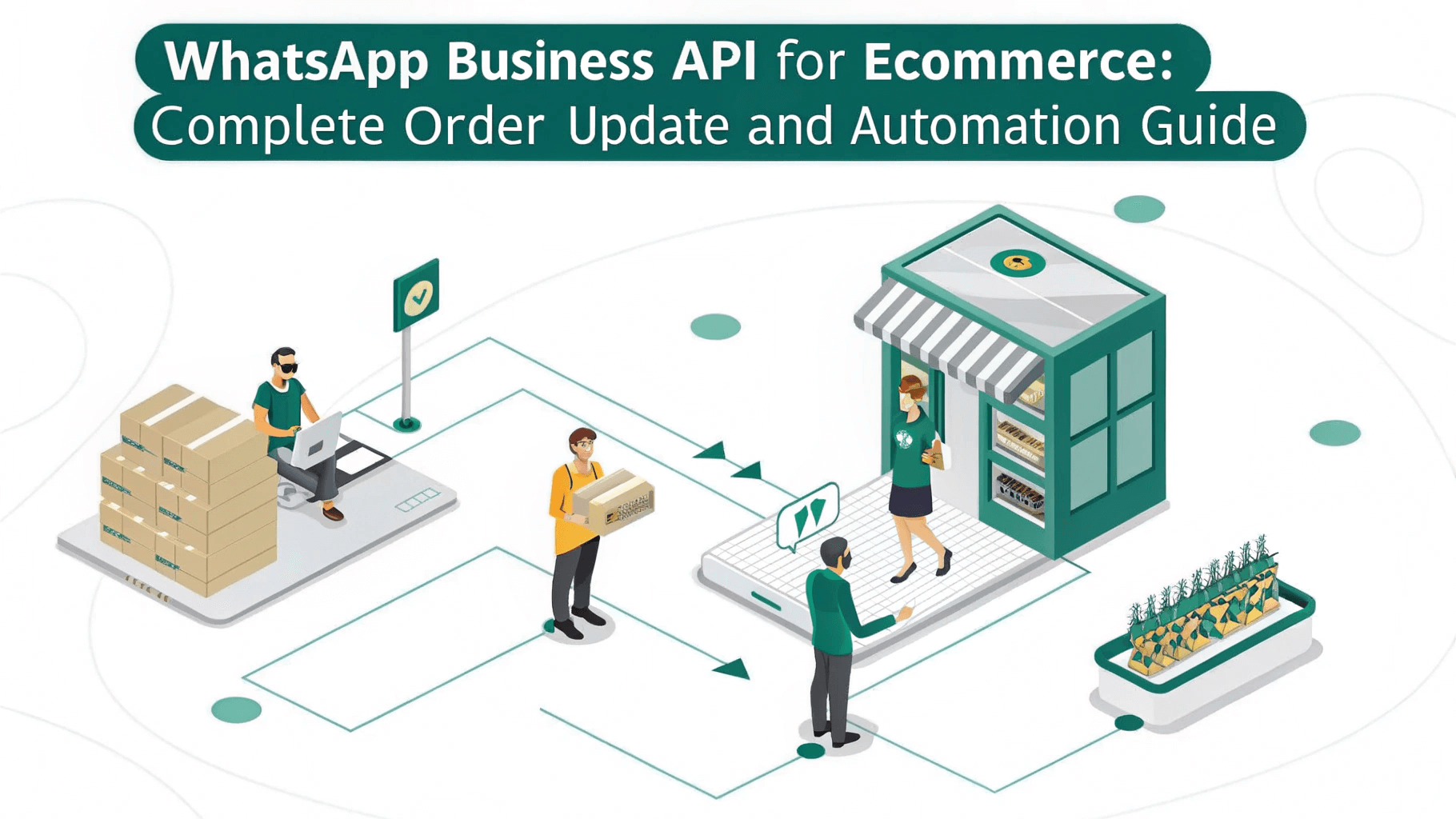
Your customers placed an order. Now what? In 2026, the answer is simple they expect a WhatsApp message. Not an email
buried in their promotions folder. Not an SMS they barely glance at. A WhatsApp
notification from your verified business account, arriving within seconds, with
a live tracking button and your brand name on it.
This
is exactly what WhatsApp Business API (WABA)
enables for eCommerce businesses. From the moment a customer taps 'Buy Now' to
the moment they leave a review, WhatsApp API automates every touchpoint order confirmation, shipment updates, COD
verification, delivery alerts, returns, and customer support all on the world's
most trusted messaging platform.
In
this complete guide, you will learn how to use WhatsApp Business API for
eCommerce order updates and automation, what templates to create, how to set up
integrations with Shopify and WooCommerce, and the exact ROI numbers that prove
why India's fastest-growing D2C brands have made WABA their primary
communication channel.
|
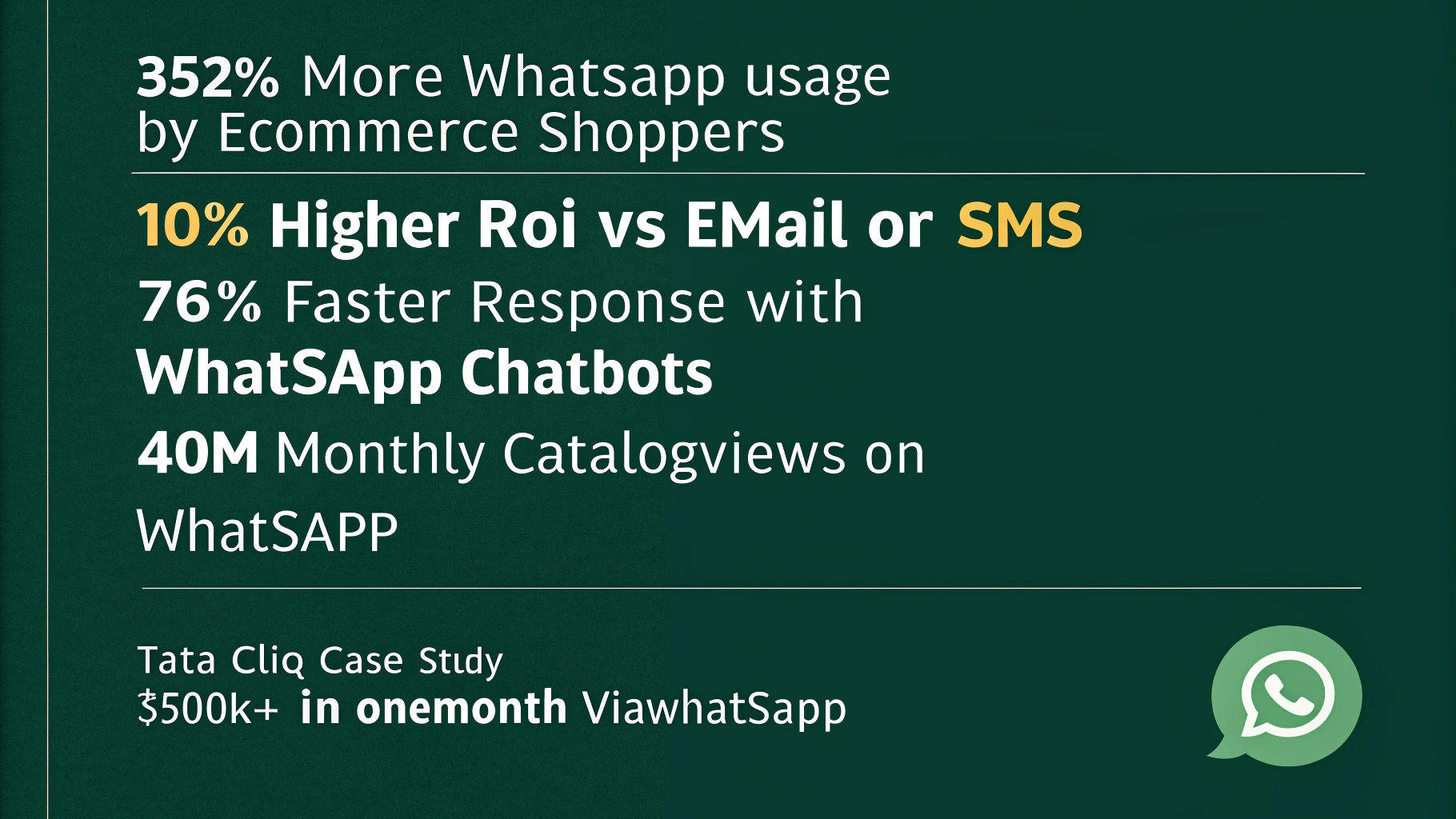
352% WhatsApp usage rise by eCommerce
shoppers |
98% WhatsApp message open rate |
10x Higher ROI vs email or SMS |
535M+ WhatsApp users in India |
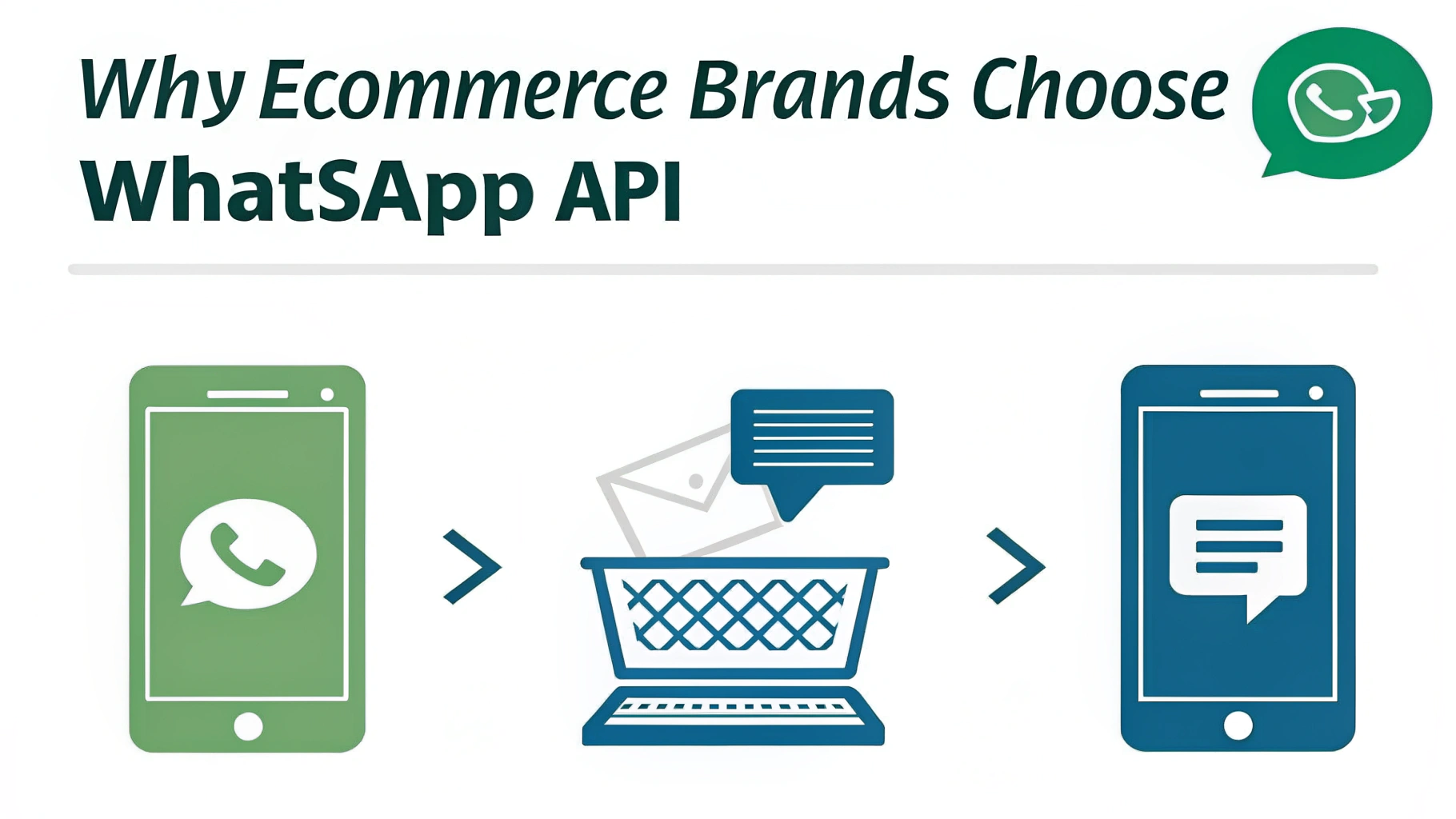
Why eCommerce Businesses Need WhatsApp Business API in 2026
 Traditional
post-purchase communication is broken. Email open rates hover around 21% for
eCommerce. SMS lacks interactivity, branding, and customer trust. Push
notifications face an 85% opt-out rate. Meanwhile, WhatsApp Business API
delivers:
Traditional
post-purchase communication is broken. Email open rates hover around 21% for
eCommerce. SMS lacks interactivity, branding, and customer trust. Push
notifications face an 85% opt-out rate. Meanwhile, WhatsApp Business API
delivers:
•
98% open rates
— customers actually read your order
updates
•
60%
click-through rate — on WhatsApp
message buttons vs 3% for email CTAs
•
99.5% delivery
rate — no DLT blocks, no spam
filters, no carrier delays
•
2-way
conversations — customers can reply,
ask questions, and track orders in real-time
•
Verified
business identity — your brand name
appears on every message, not a random number
The
result is measurable: Tata CLiQ generated over
₹4.2 crore in sales in a single month by sending personalised
WhatsApp messages based on browsing habits and abandoned carts — achieving 10x
higher ROI compared to email or SMS campaigns. This is the power of WhatsApp
Business API for eCommerce.
What Is WhatsApp Business API (WABA)? Quick Overview for eCommerce
WhatsApp
Business API — also called WABA — is Meta's official enterprise messaging
platform that allows eCommerce businesses to send automated, personalised,
high-volume messages through WhatsApp. Unlike the free WhatsApp Business App,
which is limited to 256 contacts per broadcast and has no automation, WABA is
built for scale.
Key
WABA capabilities for eCommerce:
✓
Send unlimited
bulk order notifications and marketing campaigns
✓
Automate entire
post-purchase journeys — from confirmation to review
✓
Integrate
directly with Shopify, WooCommerce, CRM, and ERP systems
✓
Run multi-agent
customer support from a single WhatsApp number
✓
Create
interactive messages with buttons, quick replies, and product catalogues
✓
Use WhatsApp
Flows to build checkout, return, and feedback flows inside WhatsApp
|
💡 |
WABA access requires a Meta-approved Business Solution Provider
(BSP). You cannot access WhatsApp Business API directly. Your BSP handles API
access, template approvals, and hosting. [Link: WhatsApp Business API Setup
Guide] |
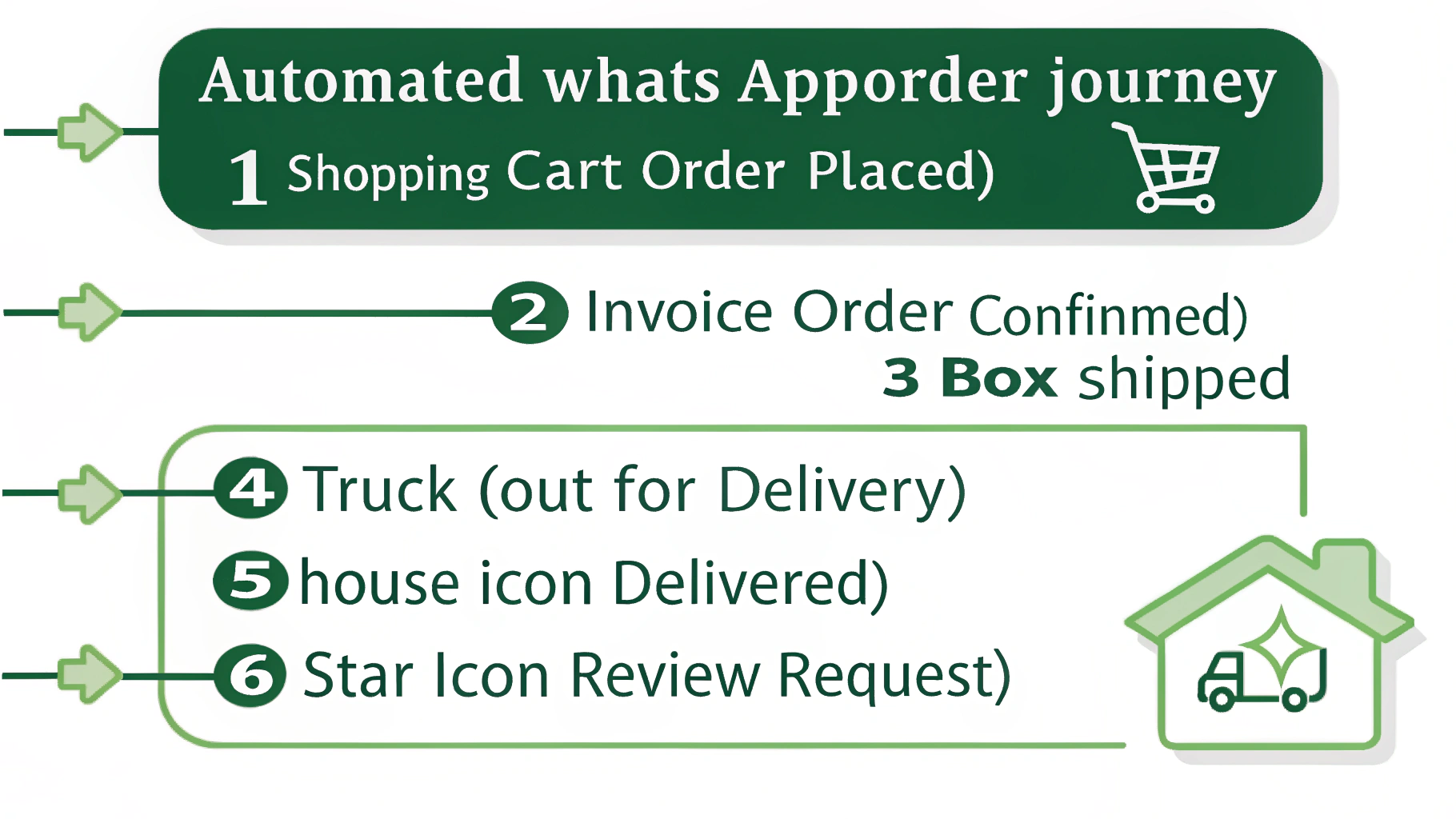
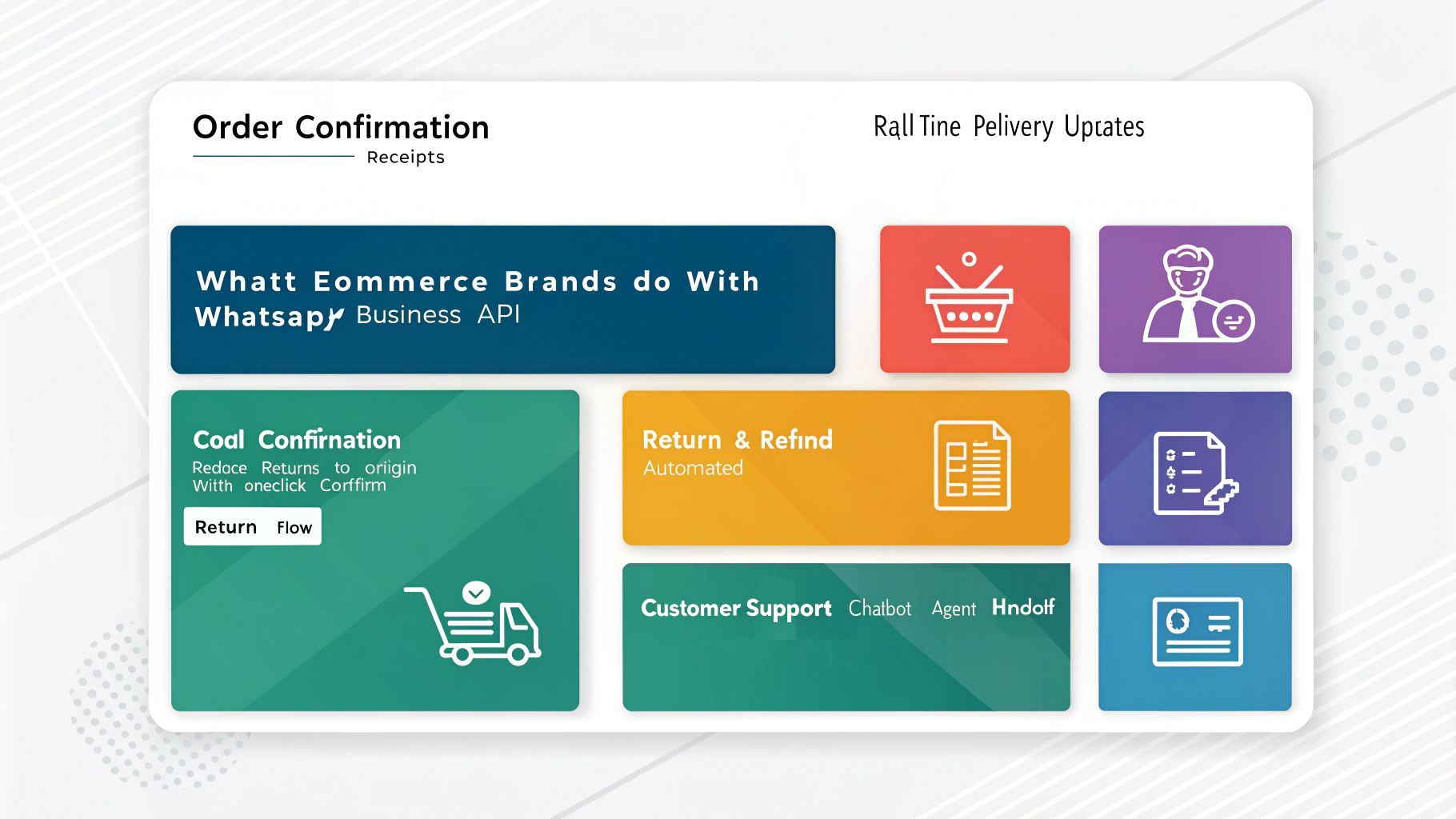
The Complete eCommerce Order Journey with WhatsApp Business API
Here
is the complete post-purchase flow that WABA enables for every order, fully
automated:
Stage
Trigger
Event
WhatsApp
Message Sent
Key Feature
1. Order
Placed
Payment
confirmed
Order
confirmation with invoice & order ID
PDF invoice
attachment
2. COD
Order
COD payment
type
Confirm/Cancel
buttons for cash on delivery
Reduces RTO
by 30-40%
3. Order
Packed
Warehouse
dispatch
Packed and
ready — estimated dispatch time
Reduces WISMO
calls
4. Shipped
AWB number
generated
Tracking
number + live tracking link button
One-tap
tracking
5. Out for
Delivery
Courier scan
event
Arriving
today! Delivery slot + agent contact
Reduces
failed delivery
6.
Delivered
Delivery
confirmed
Delivered
confirmation + rate your order CTA
Review
automation
7. Return
Request
Customer
initiated
Pickup
scheduled + return label shared
Self-serve
returns
8. Refund
Processed
Finance
system
Refund of ₹X
initiated, credit in 3-5 days
Reduces
support tickets
Here
is the complete post-purchase flow that WABA enables for every order, fully
automated:
|
Stage |
Trigger
Event |
WhatsApp
Message Sent |
Key Feature |
|
1. Order
Placed |
Payment
confirmed |
Order
confirmation with invoice & order ID |
PDF invoice
attachment |
|
2. COD
Order |
COD payment
type |
Confirm/Cancel
buttons for cash on delivery |
Reduces RTO
by 30-40% |
|
3. Order
Packed |
Warehouse
dispatch |
Packed and
ready — estimated dispatch time |
Reduces WISMO
calls |
|
4. Shipped |
AWB number
generated |
Tracking
number + live tracking link button |
One-tap
tracking |
|
5. Out for
Delivery |
Courier scan
event |
Arriving
today! Delivery slot + agent contact |
Reduces
failed delivery |
|
6.
Delivered |
Delivery
confirmed |
Delivered
confirmation + rate your order CTA |
Review
automation |
|
7. Return
Request |
Customer
initiated |
Pickup
scheduled + return label shared |
Self-serve
returns |
|
8. Refund
Processed |
Finance
system |
Refund of ₹X
initiated, credit in 3-5 days |
Reduces
support tickets |
WhatsApp Order Notification Templates — Copy-Ready Examples
Every
business-initiated WhatsApp message via WABA requires a pre-approved template.
Here are the most important order update templates for eCommerce, formatted for
Meta approval:
Every
business-initiated WhatsApp message via WABA requires a pre-approved template.
Here are the most important order update templates for eCommerce, formatted for
Meta approval:
Template 1: Order Confirmation (Utility
Category)
Hi {{1}},
your order #{{2}} has been confirmed! 🎉
Items: {{3}} | Total: ₹{{4}} | Expected delivery: {{5}}
Track your order anytime using the
button below.
[Track Order] [View
Invoice]
|
Hi {{1}},
your order #{{2}} has been confirmed! 🎉 Items: {{3}} | Total: ₹{{4}} | Expected delivery: {{5}} Track your order anytime using the
button below. [Track Order] [View
Invoice] |
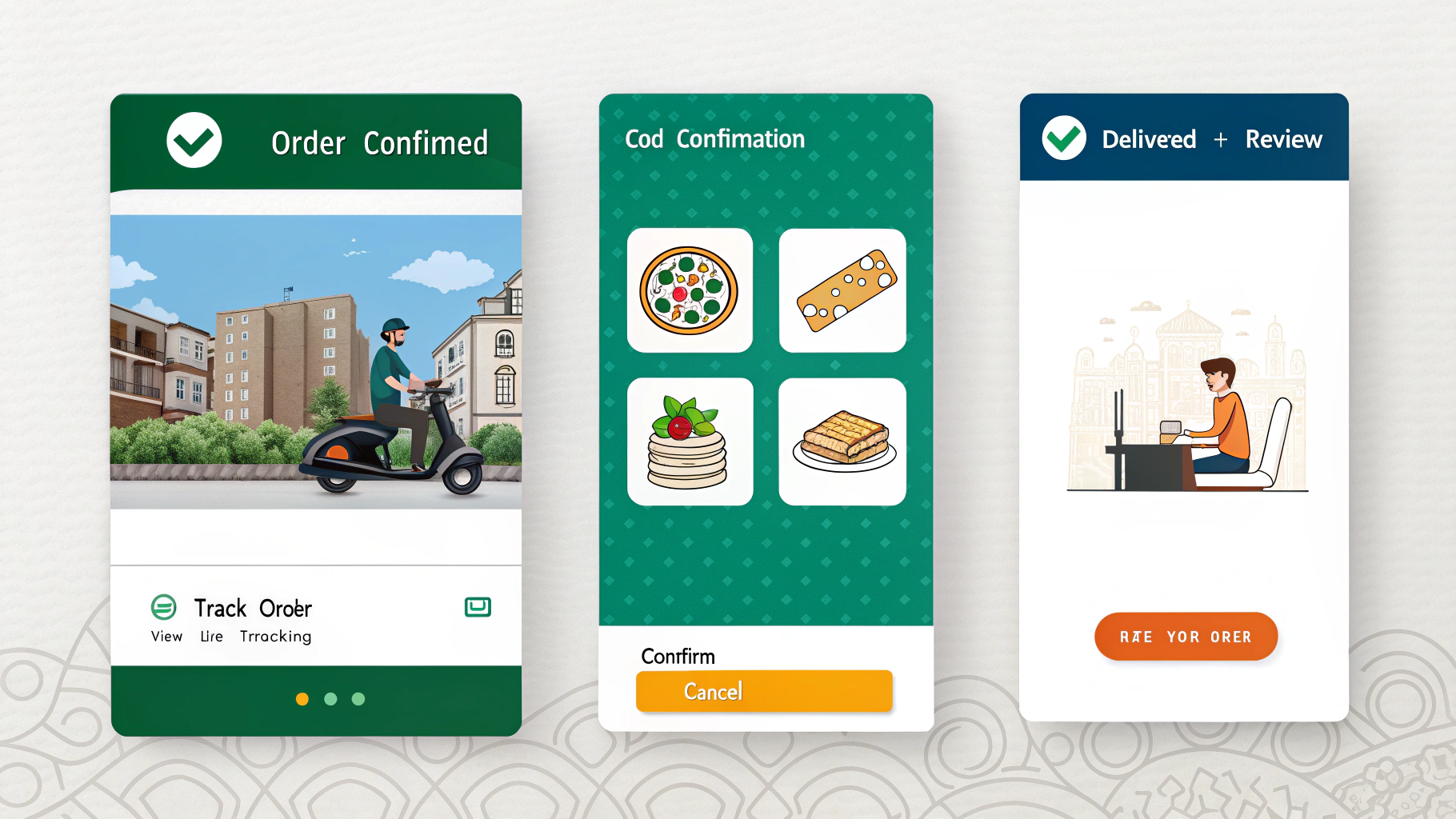
Template 2: COD Order Confirmation (Utility
Category)
Hi {{1}},
please confirm your COD order #{{2}} 📦
Item: {{3}} | Amount to pay: ₹{{4}} (Cash on Delivery)
Tap YES to confirm or NO to cancel
within 2 hours.
[✅ Confirm Order] [❌
Cancel Order]
|
Hi {{1}},
please confirm your COD order #{{2}} 📦 Item: {{3}} | Amount to pay: ₹{{4}} (Cash on Delivery) Tap YES to confirm or NO to cancel
within 2 hours. [✅ Confirm Order] [❌
Cancel Order] |
Template 3: Shipment Dispatched (Utility
Category)
Great
news, {{1}}! Your order #{{2}} has been shipped 🚚
Courier: {{3}} | AWB: {{4}} | Expected by: {{5}}
[📍 Track Live]
[Need Help?]
|
Great
news, {{1}}! Your order #{{2}} has been shipped 🚚 Courier: {{3}} | AWB: {{4}} | Expected by: {{5}} [📍 Track Live]
[Need Help?] |
Template 4: Abandoned Cart Recovery
(Marketing Category)
Hi {{1}},
you left something behind! 👀
Your cart: {{2}} | Total: ₹{{3}}
Complete your purchase in the next 24
hours and get {{4}}% off. Reply STOP to opt out.
[🛒 Complete Order]
[View Cart]
|
Hi {{1}},
you left something behind! 👀 Your cart: {{2}} | Total: ₹{{3}} Complete your purchase in the next 24
hours and get {{4}}% off. Reply STOP to opt out. [🛒 Complete Order]
[View Cart] |
Template 5: Delivery Confirmation + Review
Request (Utility + Marketing)
Your order
#{{1}} has been delivered! 🎉
We hope you love your {{2}}. How was your experience?
[⭐ Rate Your Order]
[Return/Exchange] [Need Help?]
⚠️
Marketing templates (like abandoned cart) require explicit opt-in
consent from the customer and must include an opt-out option. Utility
templates (order updates) can be sent to existing customers. Always follow
Meta's template policies to avoid rejection.
|
Your order
#{{1}} has been delivered! 🎉 We hope you love your {{2}}. How was your experience? [⭐ Rate Your Order]
[Return/Exchange] [Need Help?] |
|
⚠️ |
Marketing templates (like abandoned cart) require explicit opt-in
consent from the customer and must include an opt-out option. Utility
templates (order updates) can be sent to existing customers. Always follow
Meta's template policies to avoid rejection. |
WhatsApp API for Abandoned Cart Recovery — The Biggest eCommerce Win
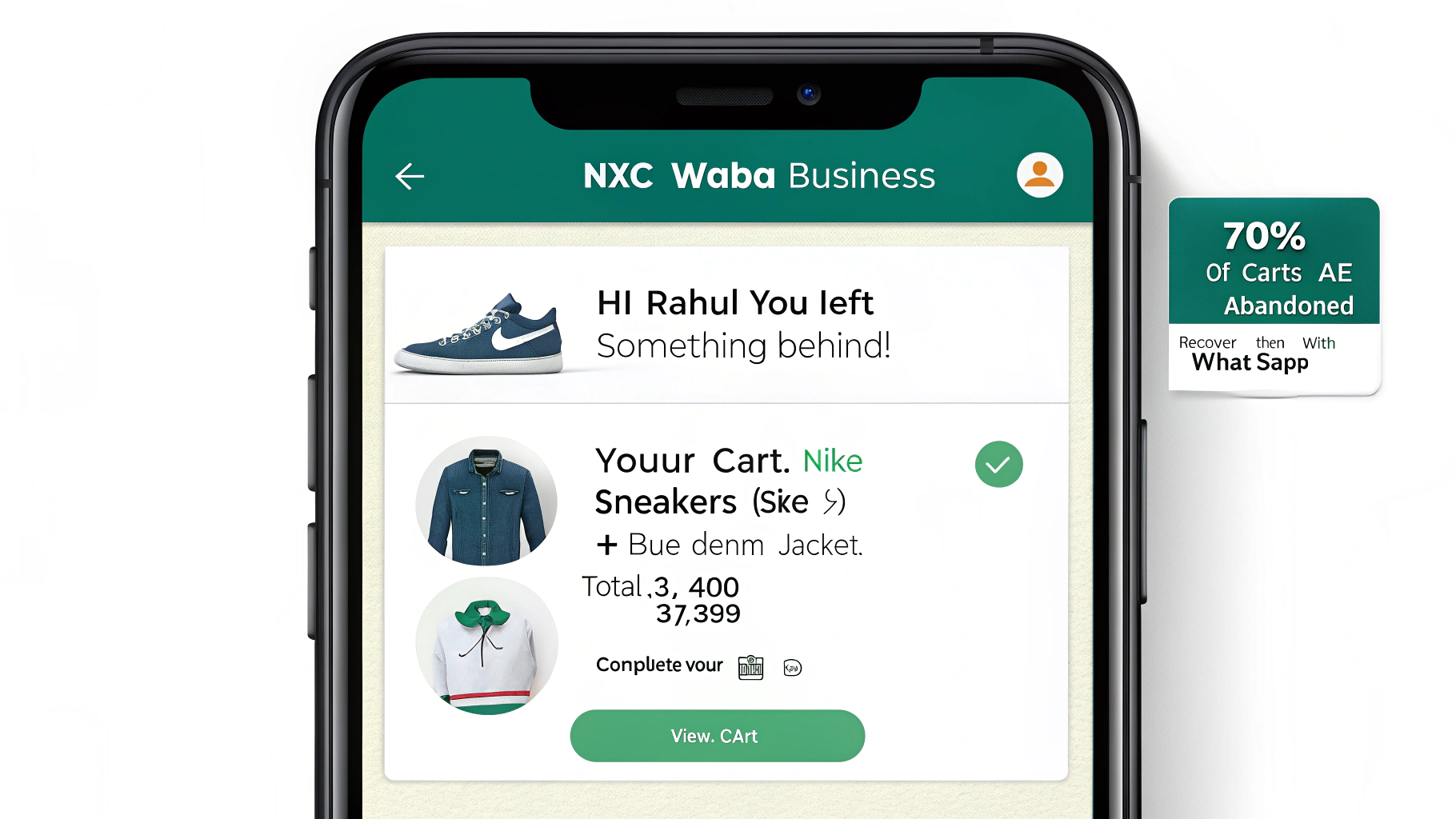 Cart
abandonment is the single biggest revenue leak in eCommerce. Globally, 70% of shopping carts are abandoned before
checkout. In India, impulse interruptions, payment failures, and price
hesitation drive this number even higher.
Cart
abandonment is the single biggest revenue leak in eCommerce. Globally, 70% of shopping carts are abandoned before
checkout. In India, impulse interruptions, payment failures, and price
hesitation drive this number even higher.
WhatsApp
Business API fixes this better than any other channel:
|
70% Cart abandonment rate globally |
45-60% WhatsApp cart recovery open rate |
10x ROI vs email recovery campaigns |
3hrs Best window to send recovery message |
The
WhatsApp cart recovery sequence that works best for Indian eCommerce:
1. Message 1 (1–3 hrs after abandonment): Gentle reminder with cart summary and product image.
CTA: 'Complete Your Order'.
2. Message 2 (24 hrs later if no purchase): Add a limited-time discount (5–10%). CTA: 'Claim
Offer'. This message must use a Marketing template.
3. Message 3 (48 hrs later for high-value carts only): Last chance message with urgency — 'Only 2 left in
stock' or 'Offer expires in 6 hours'.
|
💡 |
Always send cart recovery messages only to users who have
explicitly opted in to WhatsApp marketing. Use your checkout page, website
pop-up, or post-purchase WhatsApp opt-in flow to build your consented contact
list. |
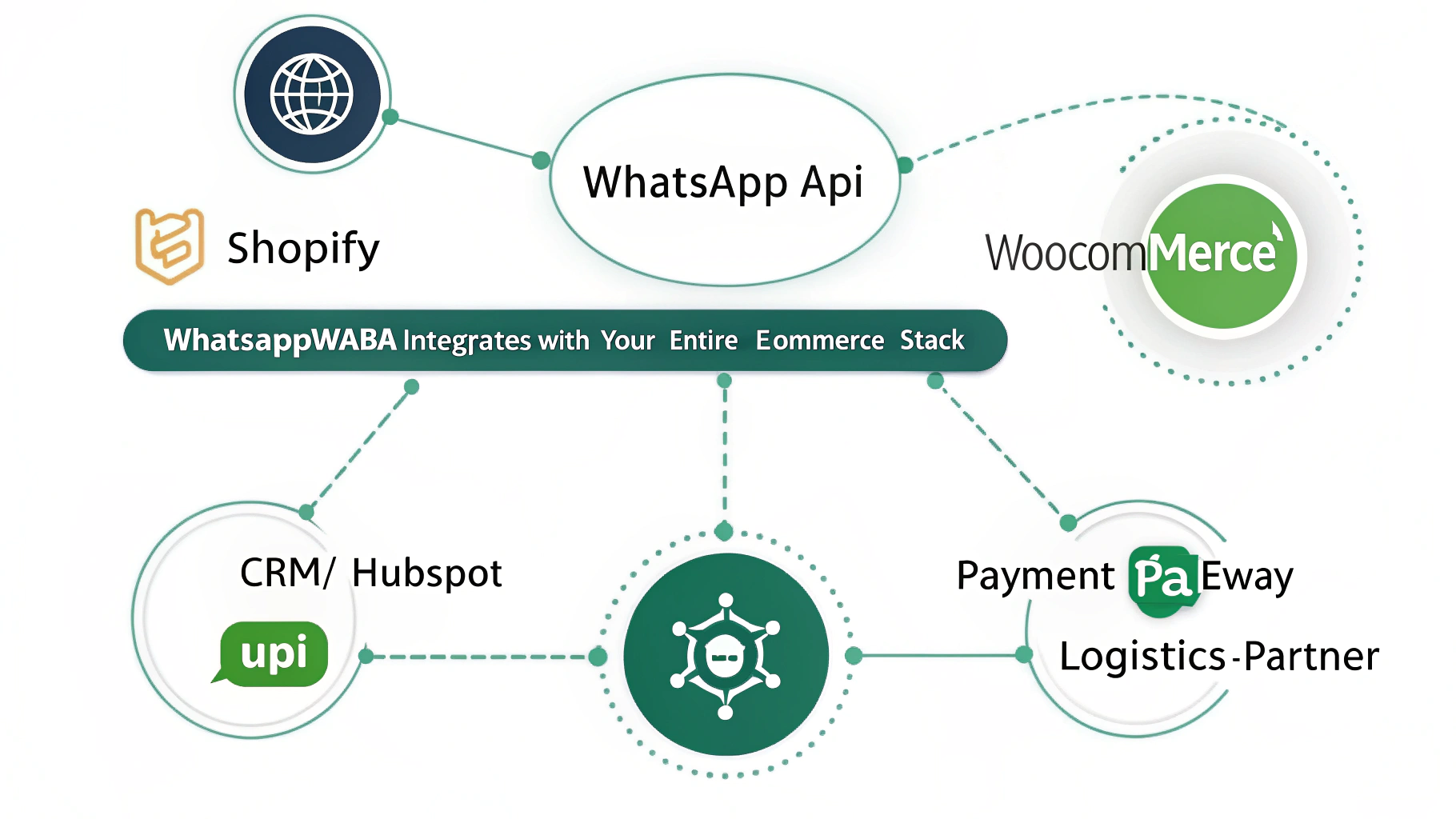
WhatsApp Business API Shopify & WooCommerce Integration
Integrating
WABA with your eCommerce platform automates order communication without any
manual effort. Here is how WhatsApp API connects with your tech stack:
Platform
What Gets
Automated
Integration
Method
Shopify
Order
confirm, ship, deliver, cart recovery, COD confirm
Native BSP
plugin / Shopify App Store
WooCommerce
All order
statuses, invoice sharing, review requests
Webhook +
WhatsApp API plugin
Custom
Ecom
Full order
lifecycle, custom triggers
REST API +
webhooks
CRM
(Zoho/HubSpot)
Customer
profile + order history in one view
CRM native
integration
ERP
(SAP/Tally)
Invoice
automation, payment confirmations
API
middleware layer
Logistics
Partners
Shiprocket,
Delhivery, Bluedart tracking
Webhook on
status change
For
Shopify stores, the easiest path is to use your BSP's native Shopify app which
connects in under 15 minutes and automatically syncs all order events to
WhatsApp API without any coding.
Integrating
WABA with your eCommerce platform automates order communication without any
manual effort. Here is how WhatsApp API connects with your tech stack:
|
Platform |
What Gets
Automated |
Integration
Method |
|
Shopify |
Order
confirm, ship, deliver, cart recovery, COD confirm |
Native BSP
plugin / Shopify App Store |
|
WooCommerce |
All order
statuses, invoice sharing, review requests |
Webhook +
WhatsApp API plugin |
|
Custom
Ecom |
Full order
lifecycle, custom triggers |
REST API +
webhooks |
|
CRM
(Zoho/HubSpot) |
Customer
profile + order history in one view |
CRM native
integration |
|
ERP
(SAP/Tally) |
Invoice
automation, payment confirmations |
API
middleware layer |
|
Logistics
Partners |
Shiprocket,
Delhivery, Bluedart tracking |
Webhook on
status change |
For
Shopify stores, the easiest path is to use your BSP's native Shopify app which
connects in under 15 minutes and automatically syncs all order events to
WhatsApp API without any coding.
How WhatsApp WABA Reduces COD Returns (RTO) — A Critical India Use Case
India's
eCommerce market is unique: 60–70% of orders are
still Cash on Delivery (COD). And India's RTO (Return to Origin)
rate for COD orders averages 30–40%. Every unconfirmed COD order is a direct
financial loss — shipping cost paid, revenue not collected.
WhatsApp
Business API solves this with COD confirmation automation:
✓
Order placed with
COD → WhatsApp message sent immediately with Confirm/Cancel buttons
✓
Customer taps
Confirm → order is processed and shipped
✓
Customer taps
Cancel → order is cancelled before dispatch, saving shipping cost
✓
No response in 2
hours → automated follow-up message or phone call triggered
📊
eCommerce brands using WhatsApp WABA for COD confirmation report
a 30–45% reduction in RTO rates. For a brand shipping 500 COD orders/day at
₹80 average shipping cost, this saves ₹12,000–18,000 per day — or up to ₹54
lakh per year. WABA pays for itself many times over.
WhatsApp Business API vs WhatsApp Business App vs
Email vs SMS for eCommerce
India's
eCommerce market is unique: 60–70% of orders are
still Cash on Delivery (COD). And India's RTO (Return to Origin)
rate for COD orders averages 30–40%. Every unconfirmed COD order is a direct
financial loss — shipping cost paid, revenue not collected.
WhatsApp
Business API solves this with COD confirmation automation:
✓
Order placed with
COD → WhatsApp message sent immediately with Confirm/Cancel buttons
✓
Customer taps
Confirm → order is processed and shipped
✓
Customer taps
Cancel → order is cancelled before dispatch, saving shipping cost
✓
No response in 2
hours → automated follow-up message or phone call triggered
|
📊 |
eCommerce brands using WhatsApp WABA for COD confirmation report
a 30–45% reduction in RTO rates. For a brand shipping 500 COD orders/day at
₹80 average shipping cost, this saves ₹12,000–18,000 per day — or up to ₹54
lakh per year. WABA pays for itself many times over. |
Feature
WhatsApp
API (WABA)
WhatsApp
Business App
Email
SMS
Open Rate
98%
98% (limited)
21%
75%
Click-Through
Rate
60%
60% (limited)
3%
7%
Bulk
Messaging
✓ Unlimited
✗ 256 only
✓
✓
Automation
✓ Full
✗ None
✓ Limited
✓ Limited
Multi-Agent
✓
✗
✓
✗
Interactive
Buttons
✓
✗
✗ (basic)
✗
Product
Catalogues
✓
✓ (basic)
✗
✗
CRM
Integration
✓
✗
✓
✗
COD
Confirmation
✓ Buttons
✗
✗
✓ (text only)
Verified
Business Badge
✓
✓ (basic)
✗
✗
Cost per
message
₹0.30-0.79
Free
₹0.03-0.15
₹0.15-0.30
Best for
eCommerce
✓ #1 choice
Small stores
only
Newsletters
OTP only
|
Feature |
WhatsApp
API (WABA) |
WhatsApp
Business App |
Email |
SMS |
|
Open Rate |
98% |
98% (limited) |
21% |
75% |
|
Click-Through
Rate |
60% |
60% (limited) |
3% |
7% |
|
Bulk
Messaging |
✓ Unlimited |
✗ 256 only |
✓ |
✓ |
|
Automation |
✓ Full |
✗ None |
✓ Limited |
✓ Limited |
|
Multi-Agent |
✓ |
✗ |
✓ |
✗ |
|
Interactive
Buttons |
✓ |
✗ |
✗ (basic) |
✗ |
|
Product
Catalogues |
✓ |
✓ (basic) |
✗ |
✗ |
|
CRM
Integration |
✓ |
✗ |
✓ |
✗ |
|
COD
Confirmation |
✓ Buttons |
✗ |
✗ |
✓ (text only) |
|
Verified
Business Badge |
✓ |
✓ (basic) |
✗ |
✗ |
|
Cost per
message |
₹0.30-0.79 |
Free |
₹0.03-0.15 |
₹0.15-0.30 |
|
Best for
eCommerce |
✓ #1 choice |
Small stores
only |
Newsletters |
OTP only |
How to Set Up WhatsApp Business API for Your eCommerce Store
Getting
your eCommerce store live on WhatsApp Business API takes 5–7 business days.
Here is the complete path:
Getting
your eCommerce store live on WhatsApp Business API takes 5–7 business days.
Here is the complete path:
Step 1: Choose a Meta-Approved BSP (WhatsAppAPI Provider)
You
cannot access WABA directly. You must apply through a Meta-certified Business
Solution Provider. Your BSP handles API access, infrastructure, template
submissions, and billing. For eCommerce, look for a BSP that offers native
Shopify/WooCommerce plugins and COD automation workflows. [Internal link:
WhatsApp API Provider Guide]
You
cannot access WABA directly. You must apply through a Meta-certified Business
Solution Provider. Your BSP handles API access, infrastructure, template
submissions, and billing. For eCommerce, look for a BSP that offers native
Shopify/WooCommerce plugins and COD automation workflows. [Internal link:
WhatsApp API Provider Guide]
Step 2: Create and Verify Your Meta BusinessManager
Set
up your Meta Business Manager with your business name, address, domain, and
legal documents (GST certificate or CIN). Meta verification takes 1–3 business
days. This is the most commonly delayed step — prepare your documents in
advance.
Set
up your Meta Business Manager with your business name, address, domain, and
legal documents (GST certificate or CIN). Meta verification takes 1–3 business
days. This is the most commonly delayed step — prepare your documents in
advance.
Step 3: Register Your Dedicated WhatsAppNumber
Register
a fresh phone number that is not currently on any WhatsApp account. This will
be your official eCommerce store WhatsApp number. Keep it professional —
customers will save this contact.
Register
a fresh phone number that is not currently on any WhatsApp account. This will
be your official eCommerce store WhatsApp number. Keep it professional —
customers will save this contact.
Step 4: Create Your eCommerce MessageTemplates
Submit
your order notification templates for Meta approval. Start with these five
priority templates: Order Confirmation, COD Confirmation, Shipment Dispatched,
Delivered + Review Request, and Abandoned Cart Recovery. Most templates are
approved within minutes to 24 hours.
Submit
your order notification templates for Meta approval. Start with these five
priority templates: Order Confirmation, COD Confirmation, Shipment Dispatched,
Delivered + Review Request, and Abandoned Cart Recovery. Most templates are
approved within minutes to 24 hours.
Step 5: Integrate with Your eCommerce Platform
Connect
your Shopify store (or WooCommerce, custom platform) to your WhatsApp API via
your BSP's plugin or API webhooks. Map each order status event (placed, packed,
shipped, delivered) to its corresponding WhatsApp template. Test with 5–10 live
orders before going fully live.
Connect
your Shopify store (or WooCommerce, custom platform) to your WhatsApp API via
your BSP's plugin or API webhooks. Map each order status event (placed, packed,
shipped, delivered) to its corresponding WhatsApp template. Test with 5–10 live
orders before going fully live.
Step 6: Go Live and Monitor Quality Rating
Once
live, monitor your WhatsApp quality rating dashboard daily for the first 30
days. Ensure your opt-in flow is working, your templates are not triggering
blocks, and your delivery rates are above 98%. Scale messaging volume gradually
— jumping from 0 to 10,000 messages/day overnight can flag your account.
Once
live, monitor your WhatsApp quality rating dashboard daily for the first 30
days. Ensure your opt-in flow is working, your templates are not triggering
blocks, and your delivery rates are above 98%. Scale messaging volume gradually
— jumping from 0 to 10,000 messages/day overnight can flag your account.
WhatsApp Business API ROI for eCommerce — Real Numbers
Here
is the measurable business impact eCommerce brands see after implementing WABA:
Metric
Before
WhatsApp API
After
WhatsApp API
Post-purchase
open rate
21% (email)
98%
(WhatsApp)
Customer
support calls
High (WISMO
calls)
Reduced by
40-60%
COD RTO
rate
30-40%
15-20%
Cart
recovery rate
2-5% (email)
20-35%
Customer
satisfaction
Moderate
Significantly
higher
Review
collection rate
3-5%
15-25%
Revenue
per customer
Baseline
2-3x with
WhatsApp upsells
Here
is the measurable business impact eCommerce brands see after implementing WABA:
|
Metric |
Before
WhatsApp API |
After
WhatsApp API |
|
Post-purchase
open rate |
21% (email) |
98%
(WhatsApp) |
|
Customer
support calls |
High (WISMO
calls) |
Reduced by
40-60% |
|
COD RTO
rate |
30-40% |
15-20% |
|
Cart
recovery rate |
2-5% (email) |
20-35% |
|
Customer
satisfaction |
Moderate |
Significantly
higher |
|
Review
collection rate |
3-5% |
15-25% |
|
Revenue
per customer |
Baseline |
2-3x with
WhatsApp upsells |
Frequently Asked Questions (FAQs)
Q1. What is WhatsApp Business API (WABA) and
how is it different from the WhatsApp Business App?
WhatsApp
Business API (WABA) is Meta's enterprise-grade messaging platform designed for
medium and large businesses. Unlike the free WhatsApp Business App, WABA
enables unlimited bulk messaging, full automation, multi-agent support, CRM
integration, and pre-approved message templates. For eCommerce businesses
processing more than 50 orders per day, the app's limitations make WABA
essential.
WhatsApp
Business API (WABA) is Meta's enterprise-grade messaging platform designed for
medium and large businesses. Unlike the free WhatsApp Business App, WABA
enables unlimited bulk messaging, full automation, multi-agent support, CRM
integration, and pre-approved message templates. For eCommerce businesses
processing more than 50 orders per day, the app's limitations make WABA
essential.
Q2. How much does WhatsApp Business API cost
for eCommerce in India?
WhatsApp
API pricing in India is conversation-based. Utility messages (order updates)
cost approximately ₹0.30 per conversation. Marketing messages (abandoned cart,
promotions) cost approximately ₹0.79 per conversation. Customer service replies
within the 24-hour window are free. Most eCommerce brands report that the ROI
from recovered carts and reduced RTO alone covers WABA costs 5–10x over.
WhatsApp
API pricing in India is conversation-based. Utility messages (order updates)
cost approximately ₹0.30 per conversation. Marketing messages (abandoned cart,
promotions) cost approximately ₹0.79 per conversation. Customer service replies
within the 24-hour window are free. Most eCommerce brands report that the ROI
from recovered carts and reduced RTO alone covers WABA costs 5–10x over.
Q3. Can I use WhatsApp API to send order
updates automatically from Shopify?
Yes.
Most BSPs offer native Shopify apps that connect your store to WhatsApp
Business API in under 15 minutes. Once connected, every Shopify order event —
placed, packed, shipped, delivered, refunded — automatically triggers the
corresponding WhatsApp template to the customer. No coding required for the
Shopify integration.
Yes.
Most BSPs offer native Shopify apps that connect your store to WhatsApp
Business API in under 15 minutes. Once connected, every Shopify order event —
placed, packed, shipped, delivered, refunded — automatically triggers the
corresponding WhatsApp template to the customer. No coding required for the
Shopify integration.
Q4. What WhatsApp message templates do I
need for eCommerce?
The
five essential templates for eCommerce are: Order Confirmation (Utility), COD
Confirmation with Confirm/Cancel buttons (Utility), Shipment Dispatched with
tracking (Utility), Delivered + Review Request (Utility), and Abandoned Cart
Recovery with discount (Marketing). You can create all five through your BSP's
template management dashboard.
The
five essential templates for eCommerce are: Order Confirmation (Utility), COD
Confirmation with Confirm/Cancel buttons (Utility), Shipment Dispatched with
tracking (Utility), Delivered + Review Request (Utility), and Abandoned Cart
Recovery with discount (Marketing). You can create all five through your BSP's
template management dashboard.
Q5. Does WhatsApp Business API help reduce
COD returns (RTO) in India?
Yes
— this is one of WABA's most impactful features for Indian eCommerce. By
sending an automated COD confirmation message with Confirm and Cancel buttons
immediately after order placement, businesses typically see a 30–45% reduction
in RTO rates. Customers who don't intend to accept the order cancel
immediately, saving you the full shipping cost.
Yes
— this is one of WABA's most impactful features for Indian eCommerce. By
sending an automated COD confirmation message with Confirm and Cancel buttons
immediately after order placement, businesses typically see a 30–45% reduction
in RTO rates. Customers who don't intend to accept the order cancel
immediately, saving you the full shipping cost.
Q6. Is WhatsApp API compliant for eCommerce
communication in India?
Yes.
WhatsApp Business API is fully compliant for eCommerce communication in India
when used correctly. Utility messages (transactional) can be sent to existing
customers without additional opt-in. Marketing messages require explicit
WhatsApp opt-in consent. All communication must use Meta-approved templates.
Your BSP will guide you on compliance requirements specific to your business
category.
Yes.
WhatsApp Business API is fully compliant for eCommerce communication in India
when used correctly. Utility messages (transactional) can be sent to existing
customers without additional opt-in. Marketing messages require explicit
WhatsApp opt-in consent. All communication must use Meta-approved templates.
Your BSP will guide you on compliance requirements specific to your business
category.
Q7. How do I build a WhatsApp opt-in list
for my eCommerce store?
The
most effective opt-in channels for Indian eCommerce stores are: checkout page
WhatsApp opt-in checkbox, post-purchase confirmation page with WhatsApp CTA,
Click-to-WhatsApp ads on Facebook and Instagram, website chat widget with
WhatsApp option, and in-store QR codes for offline customers. Always store
opt-in records with timestamp and source for compliance documentation.
The
most effective opt-in channels for Indian eCommerce stores are: checkout page
WhatsApp opt-in checkbox, post-purchase confirmation page with WhatsApp CTA,
Click-to-WhatsApp ads on Facebook and Instagram, website chat widget with
WhatsApp option, and in-store QR codes for offline customers. Always store
opt-in records with timestamp and source for compliance documentation.
Q8. Can WhatsApp API handle customer support
for my eCommerce store?
Yes.
WhatsApp API supports full two-way customer conversations. Most BSPs provide a
shared team inbox where multiple support agents handle chats simultaneously
from a single WhatsApp number. You can also deploy AI chatbots for common
queries (order status, return policy, tracking) and route complex issues to
human agents automatically. Businesses using WhatsApp support report a 40–60%
reduction in support call volume.
Yes.
WhatsApp API supports full two-way customer conversations. Most BSPs provide a
shared team inbox where multiple support agents handle chats simultaneously
from a single WhatsApp number. You can also deploy AI chatbots for common
queries (order status, return policy, tracking) and route complex issues to
human agents automatically. Businesses using WhatsApp support report a 40–60%
reduction in support call volume.
Conclusion — WhatsApp Business API Is Now the Backbone of eCommerce
Communication
In
2026, WhatsApp Business API is not just another marketing channel for eCommerce
— it is the primary post-purchase communication infrastructure for every
serious online brand in India. With 98% open rates, 10x better ROI than email,
native Shopify integration, and game-changing features like COD confirmation
and abandoned cart recovery, WABA delivers measurable results from day one.
Whether
you run a D2C Shopify store, a multi-category marketplace, or a logistics-heavy
eCommerce operation, WhatsApp API automates your entire customer journey — from
order confirmation to review collection — while reducing support costs, COD
returns, and customer churn simultaneously.
Ready to set up WhatsApp Business API for your eCommerce store? Connect with a Meta-approved WhatsApp API provider
today and get your store live on WABA in 5–7 business days. [Link to your
WhatsApp Business API Setup service page]
🚀
Your competitors are already using WhatsApp Business API to
recover carts, reduce RTOs, and automate order updates. Every day without
WABA is revenue left on the table. Get started with WhatsApp API for
eCommerce today.
In
2026, WhatsApp Business API is not just another marketing channel for eCommerce
— it is the primary post-purchase communication infrastructure for every
serious online brand in India. With 98% open rates, 10x better ROI than email,
native Shopify integration, and game-changing features like COD confirmation
and abandoned cart recovery, WABA delivers measurable results from day one.
Whether
you run a D2C Shopify store, a multi-category marketplace, or a logistics-heavy
eCommerce operation, WhatsApp API automates your entire customer journey — from
order confirmation to review collection — while reducing support costs, COD
returns, and customer churn simultaneously.
Ready to set up WhatsApp Business API for your eCommerce store? Connect with a Meta-approved WhatsApp API provider
today and get your store live on WABA in 5–7 business days. [Link to your
WhatsApp Business API Setup service page]
|
🚀 |
Your competitors are already using WhatsApp Business API to
recover carts, reduce RTOs, and automate order updates. Every day without
WABA is revenue left on the table. Get started with WhatsApp API for
eCommerce today. |


