Learn why WABA WhatsApp Business accounts get blocked and how to fix them. Explore causes, recovery steps, prevention tips, and compliance best practices.
How to Unblock WhatsApp Account: Causes, Fixes, and Best Practices
WhatsApp has become a mission-critical communication channel for brands, enabling customer support, alerts, promotions, and transactional messaging at scale. However, improper usage can trigger temporary or permanent account blocks, causing major disruption to marketing campaigns, customer conversations, and business operations. how to tell if you've been blocked on whatsapp?
If your waba WhatsApp Business Account or API number gets blocked, understanding the root causes and recovery process is essential to restoring uninterrupted communication. waba.nxcmsg. This guide outlines the key reasons for waba WhatsApp account restrictions, how to appeal blocks, and best practices to prevent future violations.
Types of WhatsApp Blocks
WhatsApp can impose different restrictions depending on severity and violation type:
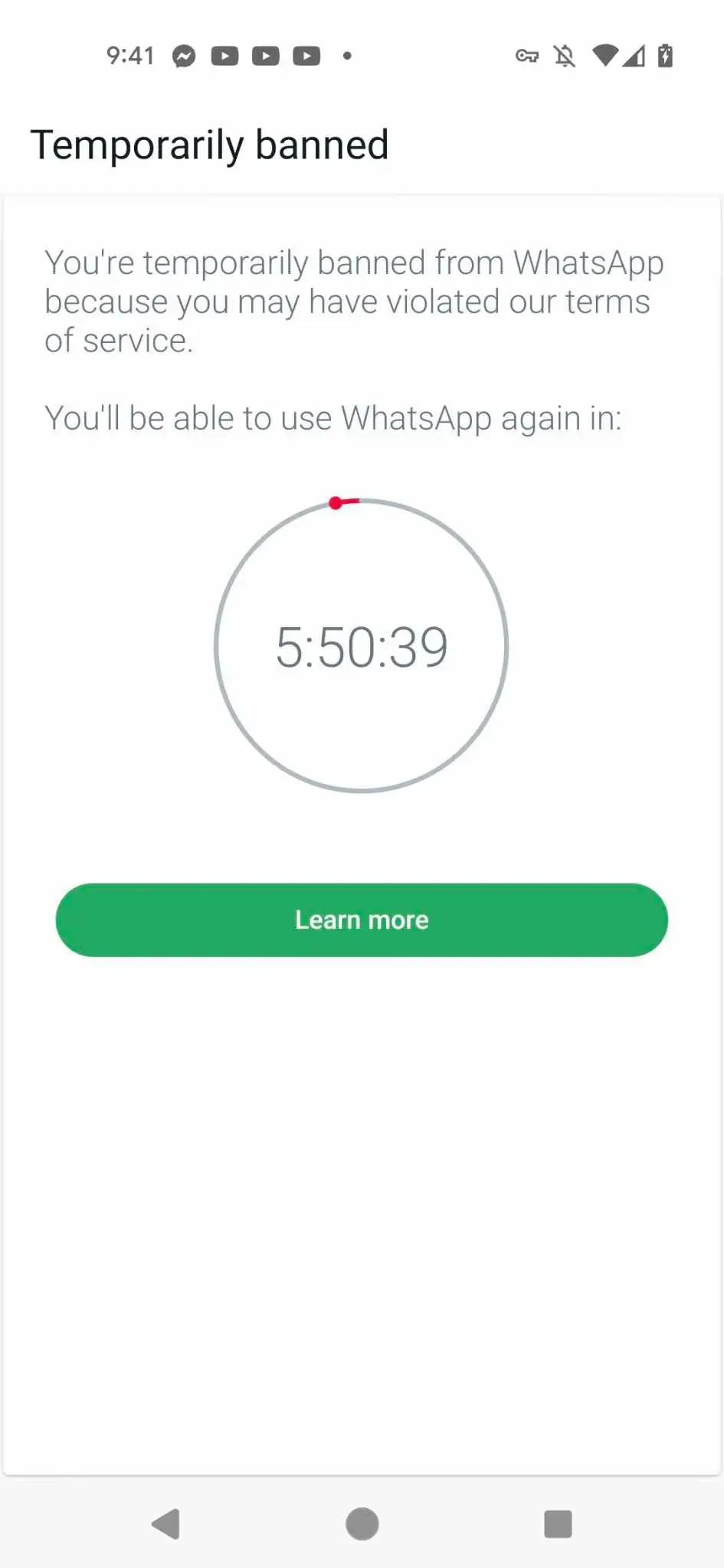
1. Temporary Block
A temporary block restricts messaging for a limited period. This usually occurs due to:
• High block/report rates from users
• Excessive messaging frequency
• Violating messaging rules
• Automation misuse without compliance
Temporary restrictions generally lift automatically once the timeout expires.
2. Quality-Based Limitations
Brands with low conversation quality may face:
• Messaging caps
• Lower daily volume allowance
• Template rejections
These limitations are triggered by negative user reactions such as blocking, reporting, or opting out.
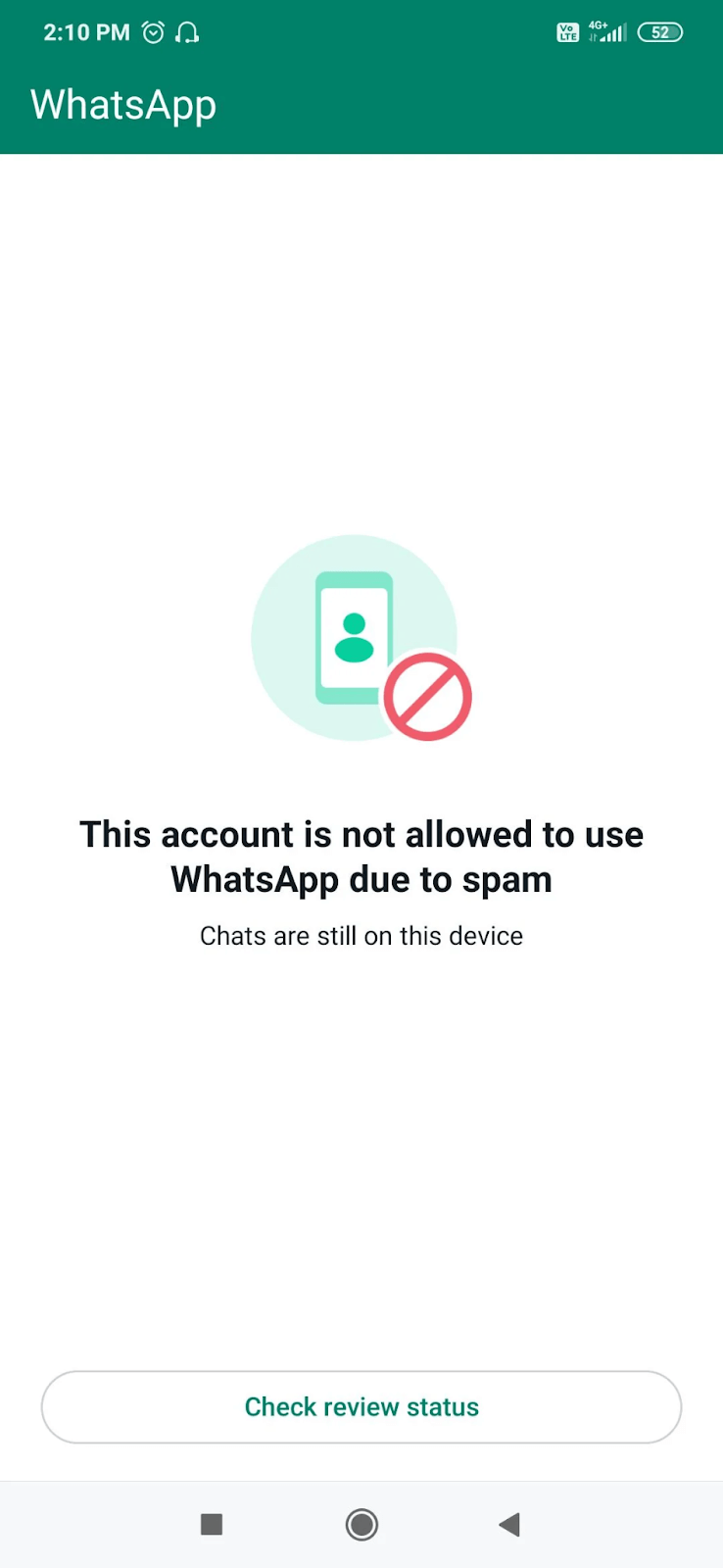
3. Permanent Ban
A permanent ban disables the account entirely and requires an appeal to WhatsApp. This typically results from:
• Repeated policy violations
• Disallowed industry usage
• Abuse or spam behavior at scale
Permanent bans are more difficult to reverse and require stronger evidence and compliance alignment.
Why WhatsApp Accounts Get Blocked
Below are the most common root causes:
Reason 1: Sending Spam or Unsolicited Promotions
Reason for account restrictions is aggressive promotional messaging without user consent. Examples include:
• Broad promotional blasts without opt-in
• Irrelevant campaigns
• High frequency broadcast messages
• Cold outreach to non-subscribers
• Purchased or scraped contact lists
waba WhatsApp measures negative recipient behavior (reports / blocks / opt-outs) as a direct spam signal.
Reason 2: Lack of Proper Opt-In and Consent
waba WhatsApp requires explicit opt-in to send marketing messages.
Contacting users without:
✔ Consent
✔ Permission
✔ Context
quickly leads to violations, even if the information is useful.
Reason 3: Violating WABA WhatsApp Business and Commerce Policies
Disallowed content categories include:
• Illegal services
• Adult content
• Regulated medication
• Harmful supplements
• Fake products
• High-risk financial schemes
waba WhatsApp’s Commerce Policy varies by jurisdiction and is updated frequently.
Reason 4: High Block & Report Rates
Users can:
• Block the business number
• Report as spam
When block/report rates exceed acceptable thresholds, quality rating drops to Yellow or Red, triggering restrictions.
Reason 5: Template Misuse or Category Mismatch
Message templates must correctly represent:
✔ Category (Marketing / Utility / Authentication)
✔ Content intent
✔ Language
Sending promotional content in utility templates is a common violation.
Reason 6: Automation Without Escalation
Automation must allow escalation to human assistance. Bots that trap users in non-human loops may lead to blocks.
How to Unblock a WhatsApp Account
If your account is blocked, here are the steps to restore it:
Step 1: Identify the Type of Restriction
Check via Business Manager or BSP dashboard for:
• Quality status (Green / Yellow / Red)
• Restriction notices
• Template status
• Messaging caps
Understanding the type determines the recovery path.
Step 2: Submit an Appeal via Meta
If permanently banned or severely restricted:
1. Go to Meta Business Support
2. Select WABA WhatsApp Business Account
3. Provide:
• Business details
• Use case explanation
• Compliance justification
• Request review
Appeal turnaround typically ranges from 24 hours to 7 days.
Step 3: Address Compliance Gaps
Meta may request:
✔ Proof of opt-in
✔ Conversation journey screenshots
✔ Industry compliance documentation
✔ Product/service info
Providing transparent evidence accelerates reinstatement.
Step 4: Monitor Quality Rating
Once unblocked, keep quality metrics healthy by reducing:
• Blocks
• Reports
• Opt-outs
• Template disapprovals
Most brands recover to Green within 7–21 days when compliance improves.
Best Practices to Prevent Future WhatsApp Blocks
To keep your WhatsApp Business Account safe and scalable, follow these safeguards:
1. Always Obtain Valid Opt-Ins
Acceptable opt-in channels include:
• Website forms
• Checkout flows
• Lead ads
• QR codes
• SMS confirmation
• In-app prompts
Never use scraped or purchased databases.
2. Segment and Personalize Messaging
Avoid mass blasts. Instead use segmentation based on:
✔ Behavior
✔ Transaction history
✔ Intent
✔ Preferences
✔ Geography
Personalization lowers block rates and boosts engagement.
3. Respect Conversation Categories
Only send promotional content through marketing templates. Never hide offers inside utility or service templates.
4. Provide Opt-Out Controls
Add a clear opt-out option such as: “Reply STOP to unsubscribe” Fast opt-outs reduce block events dramatically.
5. Maintain Suitable Frequency
Avoid over-messaging. Frequency should match the use case:
• Alerts: high frequency acceptable
• Promotions: lower frequency recommended
• Support: context-driven
6. Comply with Commerce Policies
Regularly review WhatsApp and Meta Business policies for:
• Disallowed content
• Restricted products
• Marketplace compliance
7. Monitor Templates and Feedback
Track quality through:
• Template approval rates
• Block rates
• Opt-out rates
• Quality score
• Messaging limits
Most BSPs (Business Solution Providers) display these metrics.
Role of Platforms Like NXCMSG
Platforms such as WABANXCMSG help brands avoid compliance issues through:
✔ Template governance
✔ Opt-in and opt-out flows
✔ Messaging frequency controls
✔ Segmentation and personalization
✔ Quality analytics and alerts
✔ Policy-compliant automation
By integrating compliance into the workflow, NXCMSG reduces the chances of blocks and ensures scale.
Conclusion
Unblocking a WhatsApp account is possible, but prevention is far easier than recovery. Ultimately, WhatsApp is designed for permission-based, value-driven communication. Brands that respect user preferences and follow compliance standards experience:
✔ Higher delivery rates
✔ Better engagement
✔ Lower spam reports
✔ Increased campaign ROI
✔ Sustainable channel growth
WhatsApp Business API