

Jun 24, 2026
Learn how to send one message to multiple contacts on WhatsApp using Broadcast Lists, Groups, and WhatsApp Business API. Discover safe, spam-free, and scalable methods for businesses in 2026.
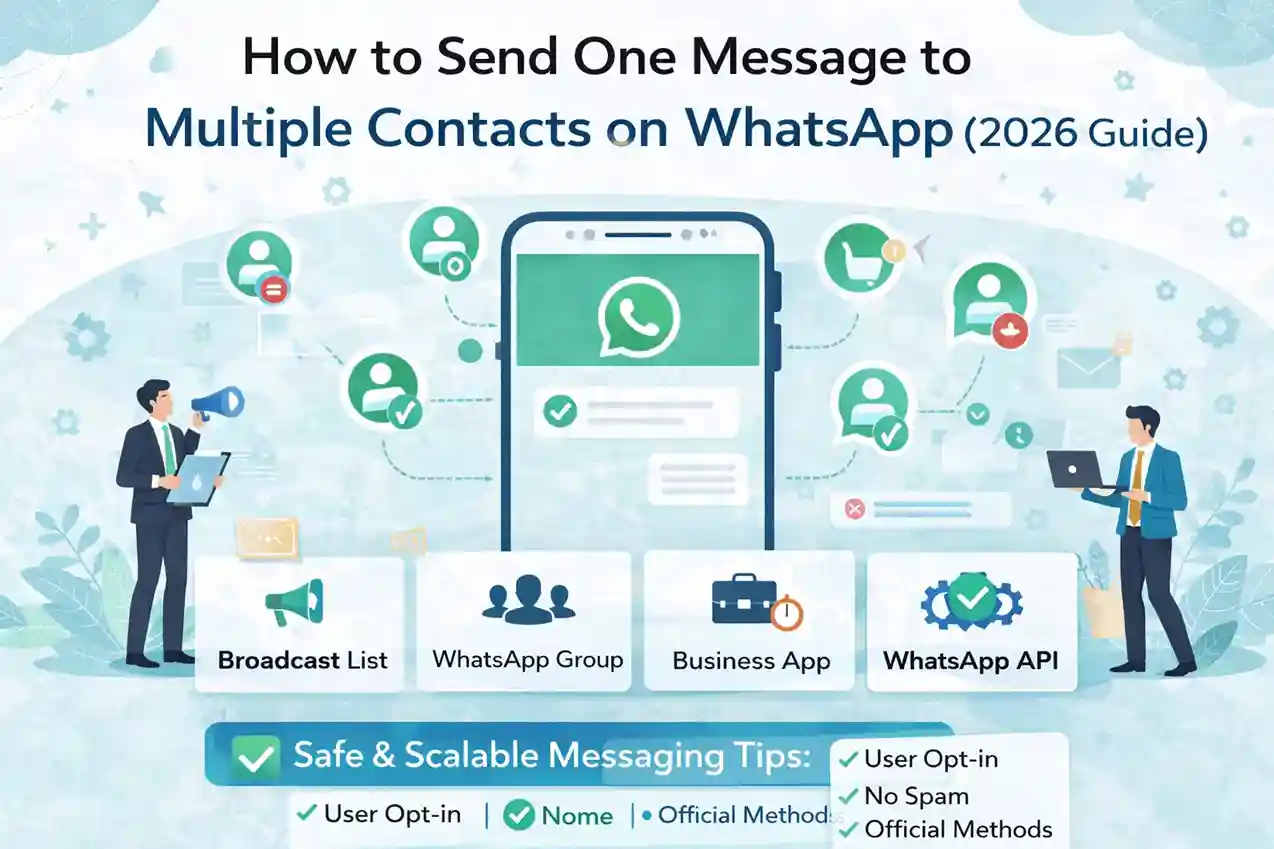
SECTION
01 ·
INTRODUCTION |
Send One WhatsApp Message to 1000+ Contacts Without Getting Banned (2026)
Sending the same message to
multiple contacts on WhatsApp is one of the most critical needs for businesses
and marketers in 2026. Whether you want to announce an offer, send order
updates, payment reminders, or product launches — WhatsApp gives you multiple
ways to do this.
But the critical part: each method
has different limits, risks, and compliance requirements. Choosing the wrong
one can get your number permanently banned.
In this guide you will learn all safe and effective ways to send one WhatsApp message to multiple contacts — from free Broadcast Lists all the way to the official WhatsApp Business API (WABA) used by thousands of businesses in India.
|
📊 WhatsApp by the Numbers (2026): 2+
billion active users · India's #1 messaging app · 98% message open rate ·
Average response time under 3 minutes. |
Why Do Businesses Need Bulk WhatsApp Messaging?
✓
Promotions & flash
offers to thousands of customers at once
✓
Order confirmation &
delivery update notifications
✓
Payment reminders &
overdue alerts
✓
Event notifications &
webinar reminders
✓
Customer support broadcast
alerts
✓
Product launch
announcements
✓ OTP & verification messages at scale
|
SECTION
02 ·
THE 4 METHODS — QUICK OVERVIEW |
2. The 4 Methods to Send One Message to Multiple Contacts
Here is a quick snapshot of all four methods before we dive into each one:
|
Method |
Contact
Limit |
Safe for
Business |
Automation |
Cost |
|
Broadcast
List |
256 |
Limited |
No |
Free |
|
WhatsApp
Group |
1,024 |
Risky |
No |
Free |
|
Business
App |
256 |
Limited |
No |
Free |
|
WhatsApp
API (WABA) |
Unlimited |
Yes |
Yes |
Paid |
|
SECTION
03 ·
METHOD 1: WHATSAPP BROADCAST LIST |
3. Method 1 — WhatsApp Broadcast List
What Is a WhatsApp Broadcast List?
A Broadcast List allows you to send one message to multiple contacts individually, without creating a group. Each recipient receives the message as a private 1-on-1 chat. Learn more at NXCMSG Dynamic Messages.
How to Send a Broadcast Message (Step-by-Step)
1. Open WhatsApp on your phone
Go to the
Chats tab.
2. Tap the Menu → New Broadcast
On iOS, tap
Broadcast Lists at the top left.
3. Select Contacts
Choose up to
256 contacts you want to message.
4. Type Your Message
Write your
message, add media if needed.
5. Tap Send
Each recipient gets the message as a private chat. They reply to you directly.
Important Limitations of Broadcast Lists
⚠️ Contacts MUST have your number saved —
otherwise they will not receive the message.
•
Maximum 256 contacts per
broadcast list
•
Manual process — no
scheduling, no automation
•
No delivery analytics or
read receipts per contact
• Not suitable for marketing campaigns at scale
|
✅ Best Use Cases ✓
Small businesses under
200 customers ✓
Internal team
announcements ✓
Personal or trusted
contact groups |
❌ When NOT to Use •
Marketing campaigns over
256 people •
Automated or scheduled
messages •
Contacts who have not
saved your number |
|
SECTION
04 ·
METHOD 2: WHATSAPP GROUPS |
4. Method 2 — WhatsApp Groups (Not Recommended for Marketing)
WhatsApp Groups allow you to send
one message to many users in a shared group. Manage your groups at NXCMSG
Groups Dashboard. However, this method
has serious risks for business messaging.
Why Groups Are Risky for Business Messaging
•
Everyone can see all
replies — no privacy for customers
•
Customers can see each
other's phone numbers
•
High chance of users
reporting your number as spam
•
Not compliant with WhatsApp
marketing rules
• Cannot control who replies or what they say
|
✅ Acceptable Use ✓
Internal team
coordination ✓
Community discussion
groups ✓
Closed VIP customer
communities |
❌ Never Use For •
Marketing campaigns to
customers •
Promotional offers or
sales messages •
Cold outreach to new
leads |
|
SECTION
05 ·
METHOD 3: WHATSAPP BUSINESS APP |
5. Method 3 — WhatsApp Business App
The WhatsApp Business App offers
some useful features for small businesses but does NOT support true bulk
messaging.
What the Business App Offers
✓
Labels to organise contacts
(New Customer, Pending, etc.)
✓
Quick replies for common
messages
✓
Greeting messages for
first-time contacts
✓
Away messages when you are
offline
✓ Business profile with address, hours, website
Critical Limitations
•
Broadcast limit is still
256 contacts maximum
•
No true automation or
scheduling
•
No CRM integration or team
inbox
• High risk of blocking if overused for bulk sending
|
💡 When to Upgrade:
If your business sends more
than 500 messages per month, move to WhatsApp Business API (WABA) for scheduling, automation, and analytics. |
|
SECTION
06 ·
METHOD 4: WHATSAPP BUSINESS API (OFFICIAL) |
6. Method 4 — WhatsApp Business API: The Official & Safest Way
The WhatsApp
Business API (WABA) is the official,
scalable, and safest way to send one message to thousands of contacts. It works
through Meta-approved providers like NXCMSG.
Key Features of WhatsApp Business API
✓
Send messages to unlimited
contacts — no 256 cap
✓
Pre-approved message
templates — zero ban risk
✓
Full automation — chatbots,
scheduled sends, drip campaigns
✓
CRM & e-commerce
platform integration
✓
Delivery, read, and click
analytics per message
✓
Team inbox — multiple
agents on one number
✓ Blue Tick (Official Business Account) eligibility
How WhatsApp Business API Works
1. Get WABA Access via an Approved Provider
Sign up at waba.nxccontrols.in — no technical knowledge needed. They
handle all Meta setup.
2. Connect Your Business WhatsApp Number
Verify your
business phone number through Meta's Business Manager.
3. Create & Get Message Templates Approved
Write your
broadcast message. Go to Templates Dashboard and submit for Meta approval (24–72 hrs).
4. Upload Your Opt-In Contact List
Import your
customer database via CSV at Contacts Manager. Ensure all contacts have opted in.
5. Launch Your Bulk Campaign
Select your
template, pick your contact list at Bulk Messages, schedule the send time, and launch.
6. Track Results in Real Time
View delivered, read, clicked, and failed counts in the Analytics Dashboard.
|
🔑 Why WABA is the Only Long-Term Solution: Unlimited
contacts + zero ban risk + automation + analytics = the only method that
grows with your business. Every other method hits a wall at 256 contacts. |
|
SECTION
07 ·
🆕 B2B SECTION: BULK
MESSAGING AT SCALE WITH WABA NXCMSG |
7. B2B Guide: Send Bulk WhatsApp Messages at Scale with WABA NXCMSG
NEW This section is
specifically for businesses that need to send messages to 500–1,00,000+
contacts and cannot afford account bans or downtime.
What is WABA NXCMSG?
WABA NXCMSG is a Meta-approved WhatsApp Business API platform based in India, built for businesses that need reliable, scalable, and compliant bulk WhatsApp messaging. Visit waba.nxccontrols.in to learn more or start your free trial.
WABA NXCMSG Platform Features for Businesses
|
Feature |
What It
Means for Your Business |
Dashboard
Link |
|
Unlimited
Bulk Messaging |
Send to 500
or 5,00,000 contacts in one campaign |
|
|
Meta-Approved
Templates |
Pre-approved
formats = zero ban risk |
|
|
Personalisation
Variables |
Address each
customer by name, order ID, custom data |
|
|
Campaign
Scheduler |
Set send time
in advance — runs automatically |
|
|
Real-Time
Analytics |
Delivered /
Read / Clicked / Failed per message |
|
|
Team Inbox
(Multi-Agent) |
Multiple team
members reply from one WhatsApp number |
|
|
Chatbot
Builder |
Automate
replies, FAQs, and lead qualification 24/7 |
|
|
CSV Bulk
Import |
Upload
10,000+ contacts in seconds |
|
|
CRM &
API Integration |
Connect to
your CRM, website, or e-commerce store |
|
|
14-Day
Free Trial |
Full platform
access — no credit card required |
Who Should Use WABA NXCMSG?
|
Ideal
Industries ✓
E-commerce stores (order
updates, cart recovery) ✓
Real estate agencies
(lead follow-up) ✓
Education institutes
(admission alerts, fees) ✓
Healthcare (appointment
reminders, reports) ✓
Finance & NBFC (loan
alerts, EMI reminders) ✓
Retail & D2C brands
(promotional campaigns) ✓
Travel agencies (booking
confirmations) ✓
Any business with 500+
customers |
Key
Benefits vs Competitors ✓
India-based support team
(IST hours) ✓
Lowest per-message
pricing in India ✓
Setup in under 24 hours ✓
No technical knowledge
required ✓
Free onboarding &
template approval help ✓
GDPR & WhatsApp
policy compliant ✓
Dedicated account manager ✓
14-day free trial — no
card needed |
Sample B2B Campaign Results
|
Campaign
Type |
Messages
Sent |
Delivered |
Read Rate |
Leads /
Orders |
ROI |
|
Flash Sale
Promo |
10,000 |
9,750 (97.5%) |
82% |
340 orders |
18x |
|
Payment
Reminder |
5,000 |
4,900 (98%) |
91% |
2,100 paid |
N/A |
|
Product
Launch |
25,000 |
24,400
(97.6%) |
76% |
1,200 clicks |
12x |
|
Appointment
Reminder |
3,000 |
2,970 (99%) |
88% |
2,450
confirmed |
N/A |
How to Get Started with WABA NXCMSG (Step-by-Step)
1. Sign Up for Free Trial
Go to waba.nxccontrols.in/pricing → click 'Get Started Free'. No credit card required. 14
days full access.
2. Connect Your Business WhatsApp Number
Our onboarding
team helps you connect and verify your number with Meta within 24 hours.
3. Create Your First Message Template
Go to Templates Dashboard → create your message → our team helps you get it
Meta-approved within 24–72 hours.
4. Import Your Contact List
Go to Contacts Manager → upload your customer CSV. We handle formatting and
deduplication.
5. Launch Your First Campaign
Go to Bulk Messages → select template → pick contacts → set schedule → click Send.
6. Track & Optimise
View real-time delivery, read, and click analytics in your Dashboard. A/B test templates to improve CTR with each campaign.
|
SECTION
08 ·
COMPLETE COMPARISON TABLE — ALL 4 METHODS |
8. Complete Comparison: Best Way to Send One Message to Multiple Contacts
|
Feature |
Broadcast
List |
WhatsApp
Group |
Business
App |
WhatsApp
API (WABA) |
|
Contact
Limit |
256 |
1,024 |
256 |
Unlimited |
|
Requires
Number Saved |
Yes |
Yes |
Yes |
No |
|
Recipients
See Each Other |
No |
Yes |
No |
No |
|
Message
Personalisation |
No |
No |
No |
Yes |
|
Automation
/ Scheduling |
No |
No |
No |
Yes |
|
Analytics
& Reporting |
No |
No |
No |
Yes |
|
Zero Ban
Risk |
Limited |
Risky |
Limited |
Yes |
|
CRM
Integration |
No |
No |
No |
Yes |
|
Chatbot
Support |
No |
No |
No |
Yes |
|
Blue Tick
Eligibility |
No |
No |
No |
Yes |
|
Recommended
for Business |
Small only |
No |
Small only |
Yes |
|
Cost |
Free |
Free |
Free |
Paid |
Ready to switch to the best method? Start your 14-day free WABA NXCMSG trial →
|
SECTION
09 ·
WHATSAPP RULES — AVOID GETTING BANNED |
9. WhatsApp Rules You Must Follow (Avoid Getting Banned)
WhatsApp actively monitors bulk messaging behaviour. Violating these rules leads to account restrictions or permanent bans:
Mandatory Rules
✓
Always get user opt-in
before sending any marketing message
✓
Only use official WhatsApp
Business API or the Business App for bulk messages
✓
Use Meta-approved message
templates for all outbound campaigns
✓
Respect opt-outs
immediately — never re-message someone who unsubscribed
✓ Never send spam, irrelevant, or repetitive content
What Gets You Banned
•
Using unofficial WhatsApp
bulk sender tools, mods, or scripts
•
Sending messages to
contacts who have not saved your number (Broadcast Lists)
•
Creating multiple broadcast
lists to bypass the 256 limit
•
High report rates — if many
users report your number as spam
• Sending promotional content via non-approved templates
|
🔒 Safe Messaging with WABA NXCMSG: All
messages sent through NXCMSG use Meta-approved templates, opt-in verified contact
lists, and compliant delivery infrastructure — giving you 100% protection
from bans. |
|
SECTION
10 ·
WHY BUSINESSES CHOOSE WABA NXCMSG |
10. Why Businesses Choose WhatsApp API with NXCMSG
Thousands of businesses across India trust NXCMSG for their WhatsApp marketing and transactional messaging. Here is why:
✓
Maintain 100% WhatsApp
policy compliance at all times
✓
Improve delivery rates
(consistently above 97%)
✓
Protect your WhatsApp
number from bans
✓
Scale marketing without
additional team headcount
✓
Track ROI on every campaign
with detailed analytics
✓
Get India-based support in
IST business hours
✓ Onboard and start sending in under 24 hours
Before vs After WABA NXCMSG
|
Before
NXCMSG Manual WhatsApp messages one by one Maximum 256 contacts per broadcast Zero analytics or tracking High risk of account ban 3 hours of
manual work per campaign |
After
NXCMSG One click to send to 10,000+ contacts via Bulk Messages Unlimited contacts per campaign Full delivery + read + click analytics in Dashboard 100% compliant — zero ban risk Campaign
setup in under 10 minutes |
|
SECTION
11 ·
CONCLUSION & NEXT STEPS |
11. Conclusion & Next Steps
If you are occasionally sending
messages to a small group of saved contacts, Broadcast Lists may work. But if
you want professional, scalable, and safe messaging to hundreds or thousands of
contacts — WhatsApp Business API is the only long-term solution.
For businesses serious about growth in 2026, sending one message to multiple WhatsApp contacts should always be done through official, compliant channels. WABA NXCMSG is the easiest and most affordable way to do it in India.
Your Next Steps
1. Start Your Free Trial
Go to waba.nxccontrols.in/pricing — 14 days free, no card needed.
2. Get Your Number Connected
Our team
connects and verifies your WhatsApp number within 24 hours.
3. Create Your First Template
We help you
write and get your first message template approved. Visit Templates Dashboard.
4. Import Contacts & Send
Upload your
customer list at Contacts Manager and send your first bulk campaign.
5. Track Results & Scale
View analytics
in your Dashboard, optimise your templates, and scale to
1,00,000+ contacts.


