

Jun 24, 2026
Learn how a multi-agent WhatsApp inbox helps teams manage customer chats, assign conversations, track performance, and improve response time using WhatsApp Business API.
📑 TABLE OF CONTENTSIn today's fast-paced digital economy, customers expect instant responses. Whether it's a product inquiry, service request, or support issue — delayed replies cost businesses valuable leads. As companies grow, managing customer chats from a single device becomes inefficient and chaotic.
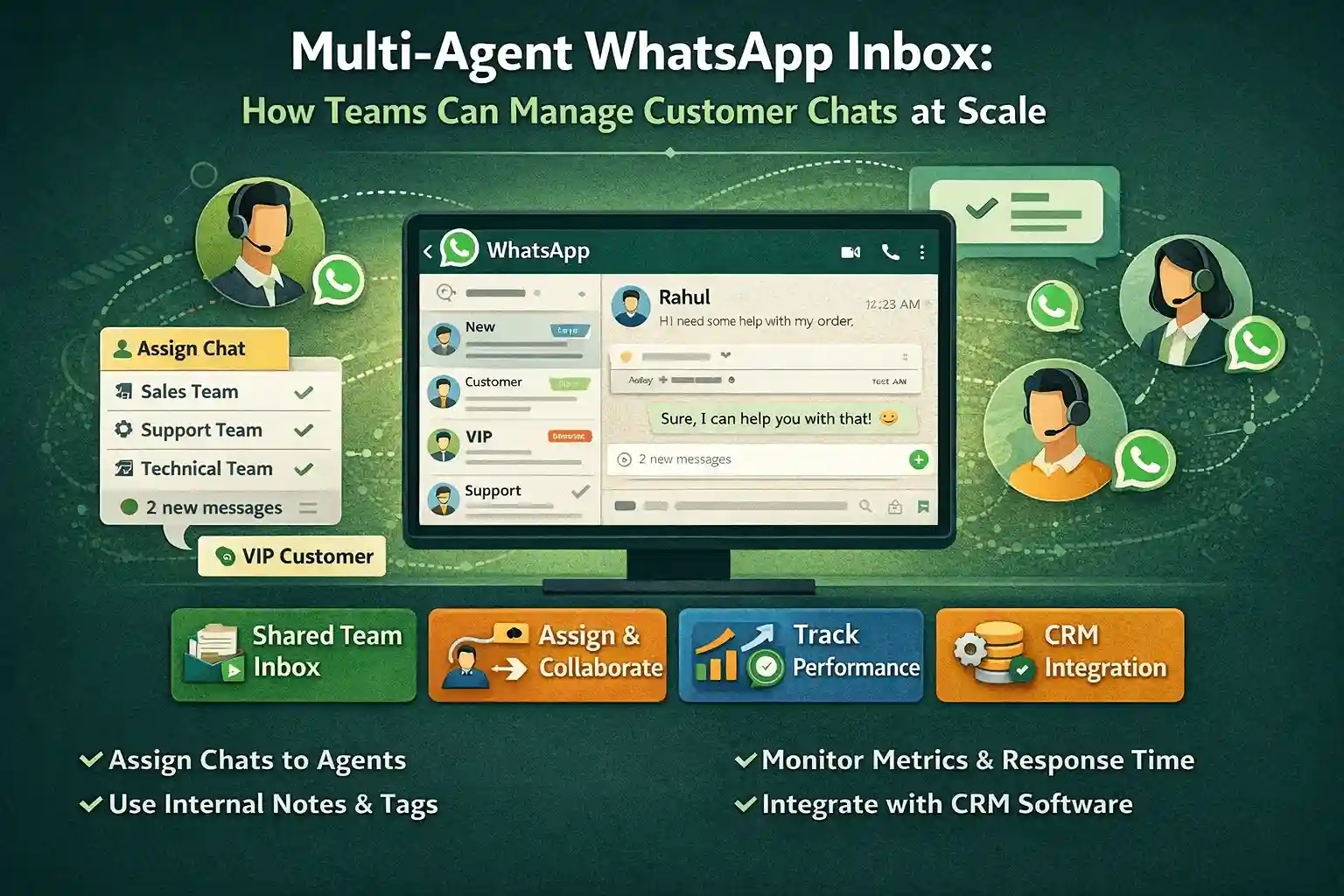
This is where a Multi-Agent WhatsApp Inbox becomes essential. Using the official WhatsApp Business API, businesses can allow multiple team members to manage conversations from one WhatsApp number simultaneously — from a centralized dashboard.
💡What's New: This updated guide includes a full step-by-step walkthrough of setting up and managing a Multi-Agent Inbox on the WABA NXCMSG platform — covering agent roles, chat routing, automation, and analytics.
SECTION 01
📑 TABLE OF CONTENTS
In today's fast-paced digital economy, customers expect instant responses. Whether it's a product inquiry, service request, or support issue — delayed replies cost businesses valuable leads. As companies grow, managing customer chats from a single device becomes inefficient and chaotic.
This is where a Multi-Agent WhatsApp Inbox becomes essential. Using the official WhatsApp Business API, businesses can allow multiple team members to manage conversations from one WhatsApp number simultaneously — from a centralized dashboard.
💡
What's New: This updated guide includes a full step-by-step walkthrough of setting up and managing a Multi-Agent Inbox on the WABA NXCMSG platform — covering agent roles, chat routing, automation, and analytics.
SECTION 01
What is a Multi-Agent WhatsApp Inbox?
A Multi-Agent WhatsApp Inbox (also called WhatsApp Shared Inbox or Team Inbox) is a centralized communication system that allows multiple support or sales agents to handle incoming WhatsApp chats from one business number.
Unlike the regular WhatsApp Business app — which supports only limited device access — the WhatsApp Business API enables integration with platforms like WABA NXCMSG that allow:
Multiple Agent LoginsEach agent has their own login — no credential sharing.
Chat AssignmentRoute conversations to the right agent or team instantly.
Internal NotesAgents collaborate privately without the customer seeing.
CRM IntegrationCustomer data auto-syncs with your CRM for full context.
Advanced AnalyticsTrack response time, agent workload, and satisfaction.
Automation & BotsAuto-route, greet, and resolve common queries automatically.
SECTION 02
A Multi-Agent WhatsApp Inbox (also called WhatsApp Shared Inbox or Team Inbox) is a centralized communication system that allows multiple support or sales agents to handle incoming WhatsApp chats from one business number.
Unlike the regular WhatsApp Business app — which supports only limited device access — the WhatsApp Business API enables integration with platforms like WABA NXCMSG that allow:
Multiple Agent Logins
Each agent has their own login — no credential sharing.
Chat Assignment
Route conversations to the right agent or team instantly.
Internal Notes
Agents collaborate privately without the customer seeing.
CRM Integration
Customer data auto-syncs with your CRM for full context.
Advanced Analytics
Track response time, agent workload, and satisfaction.
Automation & Bots
Auto-route, greet, and resolve common queries automatically.
SECTION 02
Why Businesses Need a WhatsApp Team Inbox
As businesses scale, customer communication becomes more complex. Here's why a Multi-Agent WhatsApp Inbox is critical:
As businesses scale, customer communication becomes more complex. Here's why a Multi-Agent WhatsApp Inbox is critical:
SECTION 03
SECTION 03
How a Multi-Agent WhatsApp Inbox Works
Here's the general flow of how a team inbox operates once connected to the WhatsApp Business API:
1Customer Sends a MessageThe message arrives at your WhatsApp Business number and instantly appears in the shared dashboard.
2Auto-Router Categorizes the ChatBased on keywords, language, or customer tags, the system routes the chat to the right department or queue.
3Agent is AssignedManually or automatically, a specific agent receives the conversation. They see the customer's full history and profile.
4Agent Handles the ChatThe agent replies, uses quick replies or templates, adds internal notes for teammates, and resolves the issue.
5Chat is Closed & LoggedOnce resolved, the chat is marked closed. The entire transcript is stored and available for reporting.
6Analytics Updated in Real TimeResponse time, resolution time, agent rating, and chat volume are updated in the analytics dashboard instantly.
ℹ️Result: Every conversation is organized, traceable, and accounted for — nothing falls through the cracks even during peak hours.
SECTION 04
Here's the general flow of how a team inbox operates once connected to the WhatsApp Business API:
1
Customer Sends a Message
The message arrives at your WhatsApp Business number and instantly appears in the shared dashboard.
2
Auto-Router Categorizes the Chat
Based on keywords, language, or customer tags, the system routes the chat to the right department or queue.
3
Agent is Assigned
Manually or automatically, a specific agent receives the conversation. They see the customer's full history and profile.
4
Agent Handles the Chat
The agent replies, uses quick replies or templates, adds internal notes for teammates, and resolves the issue.
5
Chat is Closed & Logged
Once resolved, the chat is marked closed. The entire transcript is stored and available for reporting.
6
Analytics Updated in Real Time
Response time, resolution time, agent rating, and chat volume are updated in the analytics dashboard instantly.
ℹ️
Result: Every conversation is organized, traceable, and accounted for — nothing falls through the cracks even during peak hours.
SECTION 04
Key Features of a Multi-Agent Inbox
Chat AssignmentManually or auto-assign conversations to specific agents or teams.
Internal NotesPrivate team comments visible only to agents — never the customer.
Auto-RoutingRoute by keyword, department, or customer tier. "Payment issue" → Billing team.
Chat Labels & TagsTag chats as New Lead, High Priority, VIP Customer, Payment Pending, etc.
CRM IntegrationAuto-sync customer data with your CRM for full context on every chat.
Analytics DashboardTrack average response time, chat volume, agent workload, CSAT scores.
Quick RepliesSave frequently used responses — answer common questions in one click.
Bot HandoffBot handles first contact; escalates to human agent when needed seamlessly.
Chat Assignment
Manually or auto-assign conversations to specific agents or teams.
Internal Notes
Private team comments visible only to agents — never the customer.
Auto-Routing
Route by keyword, department, or customer tier. "Payment issue" → Billing team.
Chat Labels & Tags
Tag chats as New Lead, High Priority, VIP Customer, Payment Pending, etc.
CRM Integration
Auto-sync customer data with your CRM for full context on every chat.
Analytics Dashboard
Track average response time, chat volume, agent workload, CSAT scores.
Quick Replies
Save frequently used responses — answer common questions in one click.
Bot Handoff
Bot handles first contact; escalates to human agent when needed seamlessly.
Auto-Routing Examples
Customer Message Contains Routes To Priority "payment", "billing", "invoice" 💳 Billing Team High "not working", "error", "bug" 🛠️ Technical Support High "price", "cost", "demo" 💼 Sales Team Normal "refund", "return", "cancel" 🔄 Returns Team High "delivery", "shipping", "track" 📦 Logistics Team Normal "hello", "hi", "start" 🤖 Welcome Bot Auto
SECTION 05 · WABA NXCMSG PLATFORM
| Customer Message Contains | Routes To | Priority |
|---|---|---|
| "payment", "billing", "invoice" | 💳 Billing Team | High |
| "not working", "error", "bug" | 🛠️ Technical Support | High |
| "price", "cost", "demo" | 💼 Sales Team | Normal |
| "refund", "return", "cancel" | 🔄 Returns Team | High |
| "delivery", "shipping", "track" | 📦 Logistics Team | Normal |
| "hello", "hi", "start" | 🤖 Welcome Bot | Auto |
SECTION 05 · WABA NXCMSG PLATFORM
Setting Up Multi-Agent Inbox on WABA NXCMSG
WABA NXCMSG provides a fully built multi-agent inbox as part of its WhatsApp Business API platform. Here is the complete step-by-step setup guide.
∞Agents you can add1WhatsApp number for all14Days free trial98%Message delivery rate
WABA NXCMSG provides a fully built multi-agent inbox as part of its WhatsApp Business API platform. Here is the complete step-by-step setup guide.
∞
Agents you can add
1
WhatsApp number for all
14
Days free trial
98%
Message delivery rate
Phase 1: Account & Number Setup
1Sign Up / Login to WABA NXCMSGGo to waba.nxccontrols.in → click "Get Started Free" to begin your 14-day trial. No credit card needed. Or login at waba.nxccontrols.in/login if you already have an account.
2Connect Your WhatsApp Business NumberGo toSettings → WhatsApp Number → Connect Number. Enter your business phone number and complete Meta's OTP verification. Your number will be WABA-approved and ready to receive chats.
3Complete Meta Business VerificationIn the dashboard go toSettings → Business Verification. Upload your business documents (GST certificate, company PAN, etc.). Meta approves in 1–3 business days. This unlocks higher messaging limits.
4Set Up Your Business ProfileGo toSettings → Business Profile. Add your company name, logo, website, address, email, and business hours. This profile appears to every customer who contacts you on WhatsApp.
1
Sign Up / Login to WABA NXCMSG
Go to waba.nxccontrols.in → click "Get Started Free" to begin your 14-day trial. No credit card needed. Or login at waba.nxccontrols.in/login if you already have an account.
2
Connect Your WhatsApp Business Number
Go toSettings → WhatsApp Number → Connect Number. Enter your business phone number and complete Meta's OTP verification. Your number will be WABA-approved and ready to receive chats.
3
Complete Meta Business Verification
In the dashboard go toSettings → Business Verification. Upload your business documents (GST certificate, company PAN, etc.). Meta approves in 1–3 business days. This unlocks higher messaging limits.
4
Set Up Your Business Profile
Go toSettings → Business Profile. Add your company name, logo, website, address, email, and business hours. This profile appears to every customer who contacts you on WhatsApp.
Phase 2: Create Teams & Departments
5Create DepartmentsGo toSettings → Departments → Add Department. Create departments that match your business structure (e.g., Sales, Support, Billing, Logistics, Technical). Each department gets its own chat queue.
6Set Department Working HoursFor each department, configure working hours and timezone. NXCMSG will auto-send an "outside hours" message when a customer contacts a closed department — and queue the chat for the next shift.
5
Create Departments
Go toSettings → Departments → Add Department. Create departments that match your business structure (e.g., Sales, Support, Billing, Logistics, Technical). Each department gets its own chat queue.
6
Set Department Working Hours
For each department, configure working hours and timezone. NXCMSG will auto-send an "outside hours" message when a customer contacts a closed department — and queue the chat for the next shift.
Phase 3: Add Agents to the Dashboard
7Invite Agents by EmailGo toSettings → Team Members → Invite Agent. Enter the agent's email address and select their department. They will receive an email invitation with a link to set their password and access the dashboard.
8Assign Agent RoleChoose from:Admin(full access),Manager(view all chats + reports),Agent(only assigned chats), orSupervisor(monitor + reassign). Role defines what each team member can see and do.
9Set Agent Availability StatusAgents can set their status toOnline,Busy, orAwayfrom the inbox. Chats are only auto-assigned to Online agents, preventing missed conversations when an agent is unavailable.
7
Invite Agents by Email
Go toSettings → Team Members → Invite Agent. Enter the agent's email address and select their department. They will receive an email invitation with a link to set their password and access the dashboard.
8
Assign Agent Role
Choose from:Admin(full access),Manager(view all chats + reports),Agent(only assigned chats), orSupervisor(monitor + reassign). Role defines what each team member can see and do.
9
Set Agent Availability Status
Agents can set their status toOnline,Busy, orAwayfrom the inbox. Chats are only auto-assigned to Online agents, preventing missed conversations when an agent is unavailable.
Phase 4: Configure the Shared Inbox
10Set Chat Assignment ModeGo toInbox Settings → Assignment Mode. Choose:Auto (Round-Robin)— chats distributed equally among online agents.Auto (Least Busy)— new chats go to the agent with fewest open conversations.Manual— supervisor assigns each chat manually.
11Configure Greeting & Away MessagesGo toSettings → Greetings. Set a welcome message sent automatically when a customer starts a new chat (e.g., "Hi! Welcome to [Brand]. An agent will join shortly. Please describe your query."). Set an away message for out-of-hours contacts.
12Enable Bot-to-Agent HandoffGo toFlows → Create Flow → Human Handoff. Configure your chatbot to handle common FAQs automatically. When a customer types "agent" or asks a complex query, the bot transfers the chat to a live agent with a full conversation summary.
🚀Pro Setup Tip: Set up a Greeting Flow + Department Menu as your bot's first message. Customers tap a button to select their department (Sales / Support / Billing), and the chat is instantly routed to the right team — no manual sorting needed.
SECTION 06 · WABA NXCMSG PLATFORM
10
Set Chat Assignment Mode
Go toInbox Settings → Assignment Mode. Choose:Auto (Round-Robin)— chats distributed equally among online agents.Auto (Least Busy)— new chats go to the agent with fewest open conversations.Manual— supervisor assigns each chat manually.
11
Configure Greeting & Away Messages
Go toSettings → Greetings. Set a welcome message sent automatically when a customer starts a new chat (e.g., "Hi! Welcome to [Brand]. An agent will join shortly. Please describe your query."). Set an away message for out-of-hours contacts.
12
Enable Bot-to-Agent Handoff
Go toFlows → Create Flow → Human Handoff. Configure your chatbot to handle common FAQs automatically. When a customer types "agent" or asks a complex query, the bot transfers the chat to a live agent with a full conversation summary.
🚀
Pro Setup Tip: Set up a Greeting Flow + Department Menu as your bot's first message. Customers tap a button to select their department (Sales / Support / Billing), and the chat is instantly routed to the right team — no manual sorting needed.
SECTION 06 · WABA NXCMSG PLATFORM
WABA NXCMSG supports a full role-based access system. Here's what each role can do:
AAdminFull Platform AccessAll permissionsMManagerReports + All ChatsView & reassignSSupervisorMonitor + ReassignTeam oversightAgAgentAssigned Chats OnlyReply & resolve
WABA NXCMSG supports a full role-based access system. Here's what each role can do:
A
Admin
Full Platform Access
All permissions
M
Manager
Reports + All Chats
View & reassign
S
Supervisor
Monitor + Reassign
Team oversight
Ag
Agent
Assigned Chats Only
Reply & resolve
Permissions Breakdown
Permission Admin Manager Supervisor Agent View all incoming chats ✓ ✓ ✓ ✗ Assign chats to agents ✓ ✓ ✓ ✗ Reply to customer chats ✓ ✓ ✓ ✓ Add internal notes ✓ ✓ ✓ ✓ View analytics & reports ✓ ✓ ✓ ✗ Manage templates ✓ ✓ ✗ ✗ Add / remove agents ✓ ✗ ✗ ✗ Configure chatbot flows ✓ ✗ ✗ ✗ Broadcast campaigns ✓ ✓ ✗ ✗ API & webhook settings ✓ ✗ ✗ ✗
| Permission | Admin | Manager | Supervisor | Agent |
|---|---|---|---|---|
| View all incoming chats | ✓ | ✓ | ✓ | ✗ |
| Assign chats to agents | ✓ | ✓ | ✓ | ✗ |
| Reply to customer chats | ✓ | ✓ | ✓ | ✓ |
| Add internal notes | ✓ | ✓ | ✓ | ✓ |
| View analytics & reports | ✓ | ✓ | ✓ | ✗ |
| Manage templates | ✓ | ✓ | ✗ | ✗ |
| Add / remove agents | ✓ | ✗ | ✗ | ✗ |
| Configure chatbot flows | ✓ | ✗ | ✗ | ✗ |
| Broadcast campaigns | ✓ | ✓ | ✗ | ✗ |
| API & webhook settings | ✓ | ✗ | ✗ | ✗ |
Agent Status Management
- Agents set status to Online when ready — new chats auto-assign only to Online agents
- Status Busy — agent is at capacity; no new auto-assignments until capacity drops
- Status Away — agent is temporarily unavailable; chats re-routed to next available
- Supervisors can see all agent statuses in real time on the Team Dashboard
- Set a Max Chat Limit per Agent (e.g., max 10 simultaneous chats) to prevent overload
SECTION 07 · WABA NXCMSG PLATFORM
- Agents set status to Online when ready — new chats auto-assign only to Online agents
- Status Busy — agent is at capacity; no new auto-assignments until capacity drops
- Status Away — agent is temporarily unavailable; chats re-routed to next available
- Supervisors can see all agent statuses in real time on the Team Dashboard
- Set a Max Chat Limit per Agent (e.g., max 10 simultaneous chats) to prevent overload
SECTION 07 · WABA NXCMSG PLATFORM
WABA NXCMSG offers multiple ways to ensure every customer chat reaches the right agent — automatically.
WABA NXCMSG offers multiple ways to ensure every customer chat reaches the right agent — automatically.
Live Inbox Dashboard View
NXCMSG Team Inbox — Live View📥 Unassigned Chats12Open👤 Rohan (Sales)8 chatsOnline👤 Priya (Support)11 chatsOnline👤 Amit (Billing)5 chatsBusy✅ Resolved Today64Closed⏱ Avg Response Time2m 14s
NXCMSG Team Inbox — Live View
📥 Unassigned Chats12Open
👤 Rohan (Sales)8 chatsOnline
👤 Priya (Support)11 chatsOnline
👤 Amit (Billing)5 chatsBusy
✅ Resolved Today64Closed
⏱ Avg Response Time2m 14s
Manual Chat Assignment
1Open Any Unassigned ChatIn the inbox, click the chat → on the right panel you will see "Assigned To: Unassigned."
2Click "Assign Agent"A dropdown appears showing all online agents and their current chat load. Select the appropriate agent.
3Optionally Add a NoteType an internal note (e.g., "Customer is a VIP — priority handling") before assigning. The agent sees this note when they open the chat.
1
Open Any Unassigned Chat
In the inbox, click the chat → on the right panel you will see "Assigned To: Unassigned."
2
Click "Assign Agent"
A dropdown appears showing all online agents and their current chat load. Select the appropriate agent.
3
Optionally Add a Note
Type an internal note (e.g., "Customer is a VIP — priority handling") before assigning. The agent sees this note when they open the chat.
Auto-Routing via Keyword Rules
1Go to Settings → Routing Rules → Add RuleClick "Create New Rule" and give it a name (e.g., "Route Billing Queries").
2Set Trigger ConditionsTrigger: "Message Contains" → enter keywords: payment, invoice, bill, refund. You can add multiple keywords per rule using OR logic.
3Set the ActionAction: "Assign to Department → Billing" or "Assign to Agent → [Specific Agent Name]." Save the rule. It activates immediately on all incoming chats.
1
Go to Settings → Routing Rules → Add Rule
Click "Create New Rule" and give it a name (e.g., "Route Billing Queries").
2
Set Trigger Conditions
Trigger: "Message Contains" → enter keywords: payment, invoice, bill, refund. You can add multiple keywords per rule using OR logic.
3
Set the Action
Action: "Assign to Department → Billing" or "Assign to Agent → [Specific Agent Name]." Save the rule. It activates immediately on all incoming chats.
Chat Labels — How to Use Them
Label Name When to Use Action Required 🔴 High Priority Angry customer / escalation / SLA breach Supervisor must review within 5 min 🟡 Follow Up Customer said "I'll confirm later" Agent sets reminder for next contact 🟢 New Lead First-time inquiry with buying intent Sales team to engage within 2 hours 🔵 VIP Customer High-value or repeat customer Senior agent assigned; white-glove service ⚪ Payment Pending Customer about to pay / awaiting payment Billing team notified automatically 🟣 Resolved Issue solved; customer confirmed satisfied Chat closed; added to CSAT report
💡Tip: On NXCMSG, you can create custom labels that match your exact business needs. Go to Settings → Labels → Add Label. Assign a colour, name, and shortcut key for speed.
SECTION 08 · WABA NXCMSG PLATFORM
| Label Name | When to Use | Action Required |
|---|---|---|
| 🔴 High Priority | Angry customer / escalation / SLA breach | Supervisor must review within 5 min |
| 🟡 Follow Up | Customer said "I'll confirm later" | Agent sets reminder for next contact |
| 🟢 New Lead | First-time inquiry with buying intent | Sales team to engage within 2 hours |
| 🔵 VIP Customer | High-value or repeat customer | Senior agent assigned; white-glove service |
| ⚪ Payment Pending | Customer about to pay / awaiting payment | Billing team notified automatically |
| 🟣 Resolved | Issue solved; customer confirmed satisfied | Chat closed; added to CSAT report |
💡
Tip: On NXCMSG, you can create custom labels that match your exact business needs. Go to Settings → Labels → Add Label. Assign a colour, name, and shortcut key for speed.
SECTION 08 · WABA NXCMSG PLATFORM
Analytics & Team Performance Dashboard
WABA NXCMSG gives managers a real-time analytics dashboard to monitor team performance, spot bottlenecks, and improve SLAs.
2mAvg. First Response18mAvg. Resolution Time94%CSAT Score1.2kChats / Day
WABA NXCMSG gives managers a real-time analytics dashboard to monitor team performance, spot bottlenecks, and improve SLAs.
2m
Avg. First Response
18m
Avg. Resolution Time
94%
CSAT Score
1.2k
Chats / Day
Key Metrics Available in NXCMSG Reports
Metric What It Tells You Ideal Target First Response Time (FRT) How fast an agent replies to a new chat < 3 minutes Average Resolution Time Total time from first message to chat close < 30 minutes Chat Volume Total incoming chats per day / week / month Track trends Agent Workload Chats handled per agent Balanced distribution Unassigned Chats Chats waiting for an agent 0 at all times CSAT Score Customer satisfaction from post-chat survey > 90% Bot Deflection Rate % of queries resolved by bot (no agent) > 40% SLA Breach Rate % of chats exceeding response SLA < 5%
| Metric | What It Tells You | Ideal Target |
|---|---|---|
| First Response Time (FRT) | How fast an agent replies to a new chat | < 3 minutes |
| Average Resolution Time | Total time from first message to chat close | < 30 minutes |
| Chat Volume | Total incoming chats per day / week / month | Track trends |
| Agent Workload | Chats handled per agent | Balanced distribution |
| Unassigned Chats | Chats waiting for an agent | 0 at all times |
| CSAT Score | Customer satisfaction from post-chat survey | > 90% |
| Bot Deflection Rate | % of queries resolved by bot (no agent) | > 40% |
| SLA Breach Rate | % of chats exceeding response SLA | < 5% |
How to Access Reports on NXCMSG
1Go to Reports in the DashboardClick the "Reports" tab in the left sidebar of your NXCMSG dashboard. You will see an overview of all key metrics.
2Filter by Date Range, Department, or AgentUse the filters at the top to drill down: Today / Last 7 Days / Last 30 Days / Custom Range. Filter by specific department (Sales, Support) or individual agent.
3View Agent-Level ReportGo to Reports → Agent Performance. See each agent's: chats handled, average first response time, resolution time, and CSAT rating. Identify top performers and those needing support.
4Export ReportsClick "Export CSV" to download any report. Use it for team reviews, client reporting, or performance reviews. Reports can also be scheduled to auto-email to managers daily or weekly.
📊Manager Insight: Set up Weekly Report Emails in NXCMSG (Reports → Schedule Report). Receive an automated summary every Monday morning with last week's team performance — so you always stay on top of KPIs without logging in manually.
SECTION 09
1
Go to Reports in the Dashboard
Click the "Reports" tab in the left sidebar of your NXCMSG dashboard. You will see an overview of all key metrics.
2
Filter by Date Range, Department, or Agent
Use the filters at the top to drill down: Today / Last 7 Days / Last 30 Days / Custom Range. Filter by specific department (Sales, Support) or individual agent.
3
View Agent-Level Report
Go to Reports → Agent Performance. See each agent's: chats handled, average first response time, resolution time, and CSAT rating. Identify top performers and those needing support.
4
Export Reports
Click "Export CSV" to download any report. Use it for team reviews, client reporting, or performance reviews. Reports can also be scheduled to auto-email to managers daily or weekly.
📊
Manager Insight: Set up Weekly Report Emails in NXCMSG (Reports → Schedule Report). Receive an automated summary every Monday morning with last week's team performance — so you always stay on top of KPIs without logging in manually.
SECTION 09
Benefits of Using a Multi-Agent Inbox
Better Customer ExperienceQuick, organized responses improve customer satisfaction and trust.
Higher Conversion RatesFaster replies increase the chances of converting leads into paying customers.
ScalabilityAdd more agents as your business grows — no new WhatsApp number needed.
Improved CollaborationTeam members coordinate internally without confusing the customer.
Data-Driven DecisionsAnalytics help optimize team performance and identify improvement areas.
Security & PrivacyEnd-to-end encryption via the official API — GDPR and WhatsApp policy compliant.
SECTION 10
Better Customer Experience
Quick, organized responses improve customer satisfaction and trust.
Higher Conversion Rates
Faster replies increase the chances of converting leads into paying customers.
Scalability
Add more agents as your business grows — no new WhatsApp number needed.
Improved Collaboration
Team members coordinate internally without confusing the customer.
Data-Driven Decisions
Analytics help optimize team performance and identify improvement areas.
Security & Privacy
End-to-end encryption via the official API — GDPR and WhatsApp policy compliant.
SECTION 10
Multi-Agent Inbox vs Single WhatsApp Business App
Feature WhatsApp Business App Multi-Agent Inbox (NXCMSG) Multiple Agents Limited (4 devices) Unlimited agents Centralized Dashboard No Yes — web + mobile Chat Assignment No Auto + manual Internal Notes No Yes Auto-Routing No Yes — keyword-based CRM Integration Basic Advanced (webhooks + API) Analytics Minimal Full team & agent reports Chatbot / Automation Limited Full flow builder Role-Based Access No Admin / Manager / Agent Chat Labels & Tags Basic Custom labels CSAT / Feedback No Automated post-chat survey Cost Free Paid (WABA provider fee)
⚠️Note: For small businesses with under 50 chats/day, the WhatsApp Business App may suffice. But growing teams handling 100+ daily conversations need WABA NXCMSG's structured system to avoid chaos.
SECTION 11
| Feature | WhatsApp Business App | Multi-Agent Inbox (NXCMSG) |
|---|---|---|
| Multiple Agents | Limited (4 devices) | Unlimited agents |
| Centralized Dashboard | No | Yes — web + mobile |
| Chat Assignment | No | Auto + manual |
| Internal Notes | No | Yes |
| Auto-Routing | No | Yes — keyword-based |
| CRM Integration | Basic | Advanced (webhooks + API) |
| Analytics | Minimal | Full team & agent reports |
| Chatbot / Automation | Limited | Full flow builder |
| Role-Based Access | No | Admin / Manager / Agent |
| Chat Labels & Tags | Basic | Custom labels |
| CSAT / Feedback | No | Automated post-chat survey |
| Cost | Free | Paid (WABA provider fee) |
⚠️
Note: For small businesses with under 50 chats/day, the WhatsApp Business App may suffice. But growing teams handling 100+ daily conversations need WABA NXCMSG's structured system to avoid chaos.
SECTION 11
Industry Use Cases
SECTION 12
SECTION 12
Best Practices for Managing WhatsApp Team Chats
✅ DO's
- Define clear roles for each agent — avoid role overlap
- Use chat labels and tags consistently across the team
- Set SLA targets for response time (e.g., first reply under 3 minutes)
- Automate greetings, FAQs, and initial routing
- Review analytics weekly to spot underperformance
- Use internal notes before transferring chats
- Set max chat limits per agent to prevent burnout
- Send post-chat CSAT surveys to track customer satisfaction
- Train new agents on NXCMSG dashboard before going live
- Schedule weekly automated reports for managers
- Define clear roles for each agent — avoid role overlap
- Use chat labels and tags consistently across the team
- Set SLA targets for response time (e.g., first reply under 3 minutes)
- Automate greetings, FAQs, and initial routing
- Review analytics weekly to spot underperformance
- Use internal notes before transferring chats
- Set max chat limits per agent to prevent burnout
- Send post-chat CSAT surveys to track customer satisfaction
- Train new agents on NXCMSG dashboard before going live
- Schedule weekly automated reports for managers
❌ DON'Ts
- Don't use unofficial WhatsApp sharing tools (risk of ban)
- Don't allow agents to respond without assignment
- Don't ignore customer data privacy policies
- Don't forget to train team members before launch
- Don't overload one agent while others are idle
- Don't skip the bot-to-human handoff configuration
- Don't let unassigned chats pile up
- Don't share Admin credentials with regular agents
- Don't send proactive messages without customer opt-in
- Don't ignore SLA breach alerts in the dashboard
SECTION 13
- Don't use unofficial WhatsApp sharing tools (risk of ban)
- Don't allow agents to respond without assignment
- Don't ignore customer data privacy policies
- Don't forget to train team members before launch
- Don't overload one agent while others are idle
- Don't skip the bot-to-human handoff configuration
- Don't let unassigned chats pile up
- Don't share Admin credentials with regular agents
- Don't send proactive messages without customer opt-in
- Don't ignore SLA breach alerts in the dashboard
SECTION 13
Common Mistakes to Avoid
❌Using unofficial sharing tools: Third-party WhatsApp multi-login apps violate Meta's terms of service and risk permanent account bans. Always use the official WABA API.
❌No assignment before replying: When agents reply without being assigned, customers get duplicate messages and confused responses. Always enforce assignment-first workflows.
❌Skipping agent training: Untrained agents misuse labels, ignore routing rules, and break chat flows. Invest 1–2 hours onboarding each new agent on the NXCMSG dashboard.
❌No SLA monitoring: Without setting and monitoring SLA targets, response times drift and customer satisfaction drops. Set SLA alerts in NXCMSG (Settings → SLA → Add Policy).
❌Ignoring the analytics: Analytics exist to improve performance. Schedule weekly reviews with your team — identify agents who need support and topics causing the most queries.
SECTION 14
❌
Using unofficial sharing tools: Third-party WhatsApp multi-login apps violate Meta's terms of service and risk permanent account bans. Always use the official WABA API.
❌
No assignment before replying: When agents reply without being assigned, customers get duplicate messages and confused responses. Always enforce assignment-first workflows.
❌
Skipping agent training: Untrained agents misuse labels, ignore routing rules, and break chat flows. Invest 1–2 hours onboarding each new agent on the NXCMSG dashboard.
❌
No SLA monitoring: Without setting and monitoring SLA targets, response times drift and customer satisfaction drops. Set SLA alerts in NXCMSG (Settings → SLA → Add Policy).
❌
Ignoring the analytics: Analytics exist to improve performance. Schedule weekly reviews with your team — identify agents who need support and topics causing the most queries.
SECTION 14
Frequently Asked Questions
SECTION 15
SECTION 15
Future of Multi-Agent WhatsApp Communication
The landscape of team-based WhatsApp communication is evolving rapidly. Here's what's coming:
- AI-powered auto-responses — GPT-integrated bots that handle 70% of queries without any agent
- Sentiment analysis — Detect frustrated customers and escalate chats automatically before they leave
- Smart chat routing — AI matches customer intent to the best available agent based on past performance
- Omnichannel inbox — WhatsApp, Instagram DM, Facebook Messenger, and SMS in one shared inbox
- Predictive customer insights — AI predicts churn and flags at-risk customers for proactive outreach
- Voice message transcription — Auto-transcribe customer voice notes to text for faster agent responses
- CSAT prediction — AI predicts customer satisfaction before the chat ends, flagging low-score conversations
🔮WABA NXCMSG is already building: AI-suggested replies, smart routing v2, and full omnichannel inbox support — rolling out in Q3 2026. Businesses that set up their multi-agent inbox now will be first to access these features.
The landscape of team-based WhatsApp communication is evolving rapidly. Here's what's coming:
- AI-powered auto-responses — GPT-integrated bots that handle 70% of queries without any agent
- Sentiment analysis — Detect frustrated customers and escalate chats automatically before they leave
- Smart chat routing — AI matches customer intent to the best available agent based on past performance
- Omnichannel inbox — WhatsApp, Instagram DM, Facebook Messenger, and SMS in one shared inbox
- Predictive customer insights — AI predicts churn and flags at-risk customers for proactive outreach
- Voice message transcription — Auto-transcribe customer voice notes to text for faster agent responses
- CSAT prediction — AI predicts customer satisfaction before the chat ends, flagging low-score conversations
🔮
WABA NXCMSG is already building: AI-suggested replies, smart routing v2, and full omnichannel inbox support — rolling out in Q3 2026. Businesses that set up their multi-agent inbox now will be first to access these features.


