
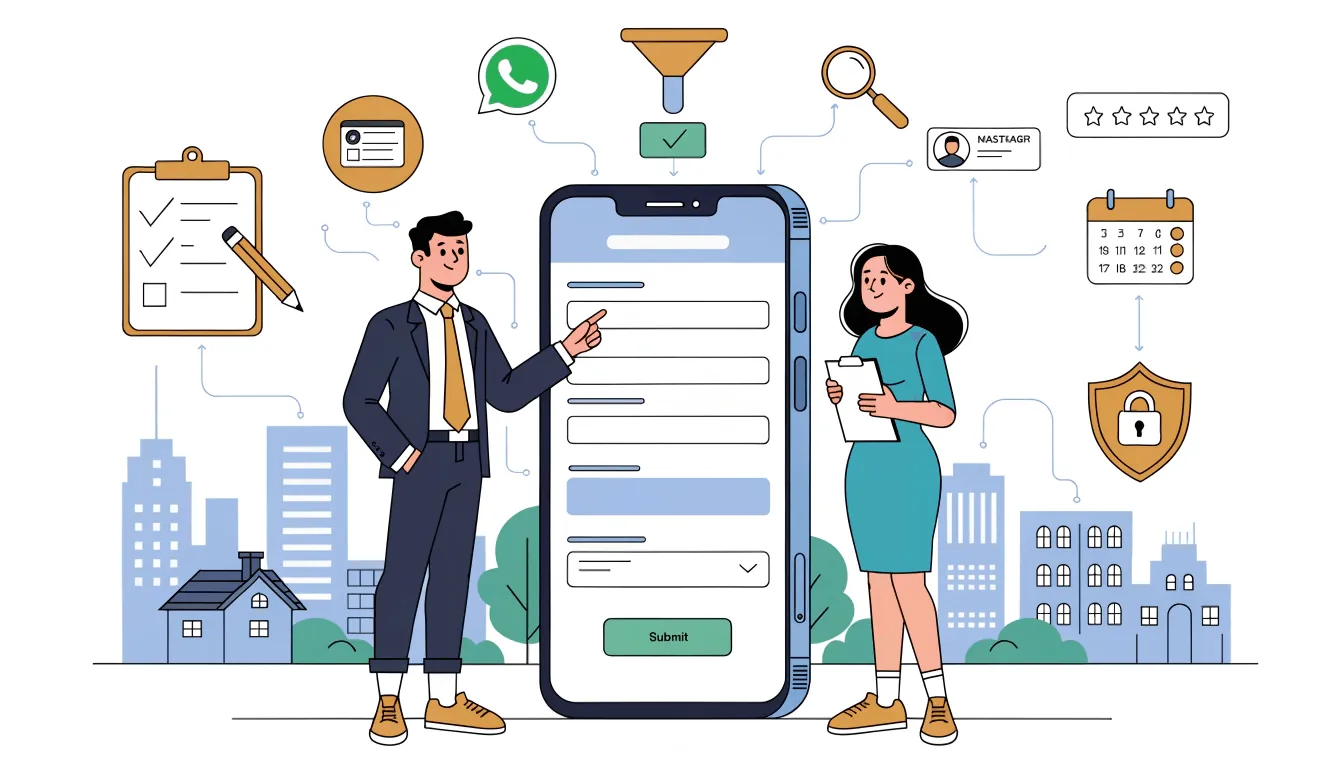
Why Indian Businesses Are Switching to WhatsApp Forms in 2026
WhatsApp Forms are no longer optional infrastructure for Indian businesses — they are the single highest-ROI upgrade you can make to your lead capture funnel in 2026.
With 535 million WhatsApp users in India and a 98% message open rate, WhatsApp is already where your customers spend their time. Yet most Indian businesses still send Meta Ad clicks to an external landing page, then ask customers to type their phone number, email, and address on a 4G connection with a tiny mobile keyboard. The result is brutal — typical landing-page form completion in India sits at 18-25%, meaning four out of every five paid clicks are wasted at the form stage.
WhatsApp Forms — known officially as WhatsApp Flows by Meta, and commonly as WA Forms in the Indian BSP ecosystem — close that gap. They open native interactive forms inside the WhatsApp chat itself, with verified phone numbers, near-zero load time, and the trust of an app the user already uses 30 times a day. The result, consistently, is 3× the completion rate and 50-70% lower cost per lead.
535 million monthly active WhatsApp users · 98% message open rate · ~45% reply rate · Meta-mandated India marketing rate of ₹0.86 per message · Utility messages at ₹0.13 · Average WhatsApp Form completion: 60-75% vs 18-25% for website forms.
What Are WhatsApp Forms? (WA Forms / WhatsApp Flows)
WhatsApp Forms are interactive, full-screen native forms that open directly inside a WhatsApp chat — built on the WhatsApp Business API, no separate app, no browser, no link redirect.
When a customer taps a button inside a WhatsApp message, a full-screen form slides up over the chat. They fill text fields, pick dropdown options, select dates, tap radio buttons, and hit Submit — and the data flows straight back into your CRM, NXCMSG dashboard, Google Sheets, or wherever you've configured. The customer never leaves WhatsApp. There is no page load, no app switch, and no typing of an unfamiliar URL on a phone keyboard.
Meta calls this feature WhatsApp Flows; most Indian BSPs and businesses call it WhatsApp Forms or WA Forms. The terms are interchangeable — the functionality is the same. To use Flows, you need an active WhatsApp Business API (also known as WhatsApp Cloud API) account, which the fastest way to get in India is through a Meta-approved Business Solution Provider like NXCMSG.
WhatsApp Forms run on Meta's encrypted infrastructure and require only that you have an active WhatsApp Business API account and a Meta Business Manager verified profile. There is no DLT registration required (unlike SMS). However, businesses must remain compliant with India's Digital Personal Data Protection (DPDP) Act 2023 when collecting customer data.
The 8 WhatsApp Form Components Every Business Should Know
WhatsApp Forms come with a rich set of native components, each handling a specific type of data collection. Understanding these helps you design forms that maximize completion while gathering exactly the information your sales or operations team needs.
Text Input
Single-line or multi-line free-text fields. Use for names, short answers, address details, or any free-form input.
Number Input
Numeric-only fields with validation. Perfect for age, quantity, pin codes, or income range. Mobile shows numeric keypad automatically.
Email Field
Email input with built-in format validation. Rejects malformed entries before submission — clean data, every time.
Dropdown Menu
Compact selection for longer lists. Ideal for choosing a city, course, product category, or service preference.
Radio Buttons
Single-choice from a short visible list. Perfect for "Online or Offline?", batch preference, or yes/no questions with context.
Checkboxes
Multi-select for preferences, interests, or add-ons. Customers can pick multiple options in one tap each.
Date & Time Pickers
Native calendar and time-slot selectors for appointment booking, callback scheduling, or event registration.
File Upload
Customers can attach photos, documents, or ID proofs directly inside the form — essential for KYC, claims, or service requests.
Beyond these components, WhatsApp Forms support multi-screen flows with conditional logic (show field B only if field A = X), pre-filled values, validation rules, and instant confirmation messages on submit. You can chain together 5+ screens to handle complex use cases like onboarding, loan applications, or insurance quotes — all inside the WhatsApp chat.
Case Study: How EduPath Coaching Cut CPL by 67% with WhatsApp Forms
A Bangalore-based UPSC, JEE, and NEET coaching institute was burning ₹187 per lead on Meta Ads → landing-page forms. After switching to WhatsApp Forms on NXCMSG, cost per lead dropped to ₹61 in 30 days. Here is the full story.
Composite case study based on real Indian education-sector patterns. Figures are representative.
The Setup: Background
EduPath Coaching runs three physical centers in Bangalore plus an online programme, with year-round Meta Ads targeting Class 11-12 students and their parents. By Q4 2025, lead capture had become the single biggest bottleneck in their growth — not awareness, not closing, but the form itself.
The Old Funnel vs The New Funnel
Here is exactly what changed in the customer journey when EduPath switched from landing-page forms to WhatsApp Forms on NXCMSG:
Meta Ad → Website → Form
- Ad click leaves WhatsApp / Instagram
- Slow page load on 3G/4G (avg 4.2s)
- 6-field form with email + address
- 22% completion rate
- 64% valid phone numbers
- 4-hour gap before callback
- 14% sales call pick-up rate
Click-to-WhatsApp Ad → WA Form
- Tap opens WhatsApp directly
- Form opens instantly inside chat
- 5 fields, takes 34 seconds total
- 67% completion rate
- 100% valid WhatsApp numbers
- Counsellor callback within 11 minutes
- 58% sales call pick-up rate
The EduPath WhatsApp Form Design
The form captured five fields, on a single screen, built in the NXCMSG visual Flow Builder in 35 minutes:
- Student name — text input
- Target exam — dropdown (UPSC / JEE / NEET / Other)
- Current class — radio (Class 11 / Class 12 / Repeater / College)
- Preferred mode — radio (Online / Offline at center)
- Best time to call — time selector
Less is more. EduPath cut their form from 9 fields (the old landing-page version) to 5 fields. The five fields they kept were the ones the counsellors actually needed to qualify and route the lead. The other four — pin code, parent name, school name, source — they collect on the sales call instead. Result: faster completion, more leads, and the counsellor builds rapport on the call by asking for the rest.
The 30-Day Results — Side by Side
Same ad budget (₹6 lakh/month). Same target audience. Same offer. Only the form changed.
| Metric | Before (Landing Page) | After (WhatsApp Form) | Change |
|---|---|---|---|
| Form completion rate | 22% | 67% | +205% |
| Avg completion time | 2 min 40 sec | 34 seconds | −79% |
| Valid phone numbers | 64% | 100% | +56% |
| Sales-call pick-up rate | 14% of clicks | 58% of clicks | +314% |
| Cost per lead | ₹187 | ₹61 | −67% |
| Cost per qualified conversation | ₹294 | ₹89 | −70% |
| Leads captured / month | ~3,200 | ~9,800 | +206% |
| Qualified conversations / month | ~2,040 | ~6,750 | +231% |
The single biggest driver was the 100% valid phone number. Because the form is filled inside WhatsApp, the phone number is automatically captured and verified — no fake numbers, no typos, no "[email protected]" emails. Every lead is a real, reachable contact ready for follow-up within minutes.
WhatsApp Forms vs Landing Page Forms — Honest Comparison
When does each one make sense? Here is the unvarnished comparison.
- You run Meta Click-to-WhatsApp ads
- You need verified phone numbers
- Your audience is on mobile (most Indian SMBs)
- Speed-to-callback matters for conversion
- You want zero infrastructure to maintain
- You want native multi-language support
- You sell to consumers (B2C / D2C)
- You need a 24/7 lead capture funnel
- You sell exclusively to enterprise IT buyers
- Your form has 20+ fields (use a 2-step funnel)
- You need complex conditional logic with backend
- You require credit-card payment in the form
- You target a niche audience without WhatsApp
- You absolutely need SEO juice from the form page
For 90% of Indian SMBs, D2C brands, coaching institutes, clinics, real estate firms, salons, and service businesses, the answer is clear: WhatsApp Forms outperform landing-page forms on virtually every conversion metric. The remaining 10% is mostly enterprise B2B with long sales cycles where the website form is part of a longer content journey.
How to Create WhatsApp Forms in NXCMSG
If you have an NXCMSG account, you can build your first WhatsApp Form in under 30 minutes. Here is the exact workflow:
- Open the Flow Builder. In your NXCMSG dashboard, go to Sidebar → Flows → New Flow. Choose "Static Flow" for simple data collection or "Dynamic Flow" if you need backend API connections (e.g. real-time slot availability).
- Add screens. Drag in screens for each step of your form. For lead capture, one screen is usually enough. For multi-step processes like onboarding or KYC, use 2-5 screens.
- Drop in components. Pull in text inputs, dropdowns, date pickers, radio buttons, checkboxes, and file uploads. Configure labels, placeholders, and validation rules for each field.
- Connect screens. Use Next and Back buttons. Add conditional logic if needed — for example, "if exam = NEET, show NEET-specific course dropdown on next screen."
- Configure the submit action. Send form data to your CRM (Zoho, HubSpot, Salesforce), NXCMSG's built-in contact manager, Google Sheets, or a custom webhook — all via native integration, no code.
- Attach the Flow to a message template. The template is the carrier message (e.g. "Hi! Tap below to book your free counselling.") with a CTA button that opens the Flow. NXCMSG provides pre-formatted templates that match Meta's policy.
- Submit for Meta approval. Like all WhatsApp templates, the carrier message needs Meta approval. Typically takes 2-24 hours; NXCMSG flags any policy issues before submission.
- Trigger the Flow. Send it as a broadcast to opted-in contacts, attach it to a Click-to-WhatsApp ad's auto-reply, or fire it from a chatbot when a customer types a keyword like "register," "demo," or "book."
For your first form, start with a "Lead Capture" template inside NXCMSG's template library — pre-built for Indian use cases. Customize the fields and labels, attach it to your existing Click-to-WhatsApp ad, and you can be live the same afternoon you sign up.
Industry Use Cases for WhatsApp Forms in India
WhatsApp Forms work across every Indian business vertical that collects customer information. Here are the highest-ROI use cases by industry:
Coaching & EdTech
Capture student leads with exam target, class, mode preference, and best call time. Replaces Google Forms and landing pages entirely.
D2C & eCommerce
Newsletter signup, product preference quiz, post-purchase NPS, return/exchange request, COD confirmation forms.
Clinics & Healthcare
Appointment booking with doctor preference, patient intake forms, symptom triage, prescription refill requests.
Real Estate
Property inquiry with budget, location, BHK preference, site visit booking, loan pre-qualification.
Salons & Beauty
Appointment booking with service, stylist, date, and time. Promotional campaign signup with treatment preferences.
Auto Dealers
Test drive booking, finance pre-qualification, trade-in valuation request, service appointment scheduling.
Hospitality & Travel
Booking inquiries, group travel quote requests, on-arrival check-in forms, guest feedback at check-out.
Financial Services
Loan applications, insurance quote requests, KYC document collection, investment risk profiling.
B2B Manufacturers
Dealer onboarding, distributor inquiry forms, RFQ submissions, warranty registration with serial number upload.
NXCMSG — The WhatsApp Business API Platform Built for India
NXCMSG by NXC Controls Private Limited is the Meta-approved WhatsApp Business Solution Provider that powers WhatsApp Forms, broadcasts, chatbots, and multi-agent inbox for 1,000+ Indian businesses — with INR billing, GST invoices, and the fastest setup in the country.
NXCMSG — WhatsApp Business API
By NXC Controls Private Limited — Ahmedabad, Gujarat14-Day Free Trial Meta Business PartnerWhatsApp Forms & DPDP Act 2023 Compliance
India's Digital Personal Data Protection (DPDP) Act 2023 sets clear rules for any business collecting personal data from Indian citizens — including via WhatsApp Forms. The good news: WhatsApp Forms are easier to make compliant than most data collection channels because Meta's infrastructure is already end-to-end encrypted.
Four DPDP Requirements You Must Meet
- State the purpose of data collection. Add a short note at the top of your form: "We collect this information to send you course details and contact you about your enrolment."
- Obtain explicit consent. Include a consent checkbox in the form. NXCMSG's Flow Builder has a built-in consent component for this.
- Provide an opt-out mechanism. Add a line: "Reply STOP at any time to remove yourself from our list." Process opt-outs automatically.
- Store the data securely. Use a CRM with encryption at rest. NXCMSG's contact manager and approved integrations (Zoho, HubSpot) are DPDP-compliant by default.
Non-compliance penalties under DPDP can run up to ₹250 crore per violation. The compliance lift for WhatsApp Forms is small — under 30 minutes of setup — and entirely worth it. NXCMSG includes a compliance checklist in every Flow Builder template.
Stop Losing Leads at the Form. Start Capturing Them Inside WhatsApp.
EduPath cut cost-per-lead by 67% with one weekend of work. The same upgrade applies to clinics, real estate firms, D2C brands, salons, and every Indian business that lives or dies by lead capture.
Explore WhatsApp Forms on NXCMSG →WhatsApp Forms are not a marketing experiment. They are the new default for lead capture in any Indian business that runs Meta Ads, has a mobile-first audience, or wants verified contacts in their CRM.
The EduPath case study shows the pattern clearly: same ad budget, same audience, same offer — only the form changed, and the cost per lead dropped 67%. That same upgrade applies to coaching institutes, clinics, real estate firms, D2C brands, salons, financial services, and every other Indian vertical that depends on incoming leads. The capability is here, it works, and Meta charges nothing extra to use it.
Why NXCMSG Is the Right Platform for Indian Businesses
NXCMSG by NXC Controls Private Limited is the Meta-approved WhatsApp Business Solution Provider built specifically for Indian businesses — with a drag-and-drop Flow Builder, native CRM integrations, INR billing with GST invoices, no per-message markup, and a support team based in Ahmedabad that speaks the language of your operations team. It is the fastest, most compliant, and most India-aware way to deploy WhatsApp Forms in 2026.



