

Jun 24, 2026
Discover the ultimate guide to prevent WhatsApp number bans in 2026. Learn how the official WhatsApp Business API protects your account from being blocked, restricted, or permanently banned — with real steps, expert tips, and FAQ.
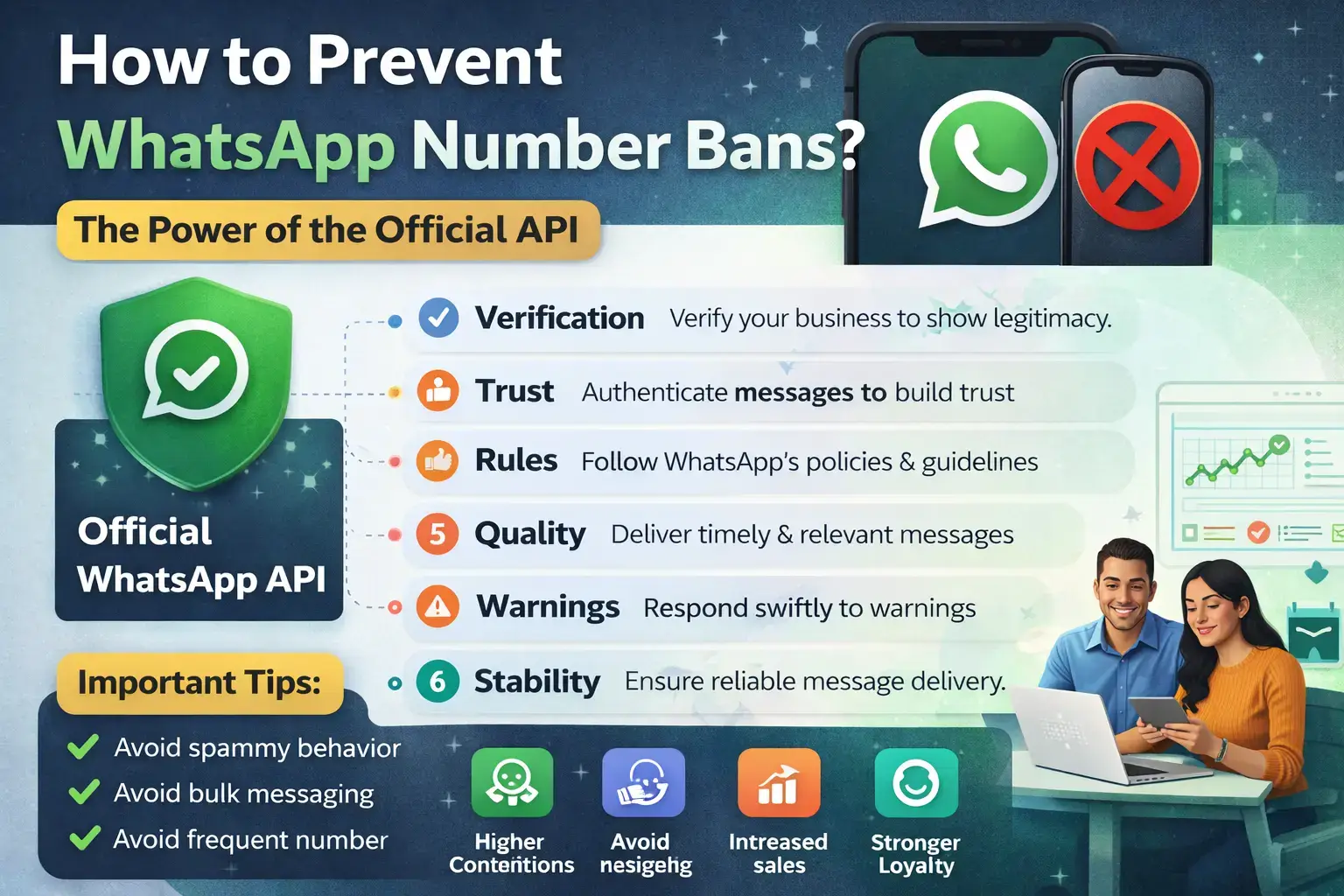
Section 1: Introduction — The WhatsApp Number Ban Crisis of 2026
You wake up, open WhatsApp, and see the
message that every business dreads: "This
account can no longer use WhatsApp." Your WhatsApp number is banned. Your customer
communication channel — the one your entire sales and support process depends
on — is gone. Leads are not receiving follow-ups. Orders are piling up
unacknowledged. Your business has gone silent.
This is not a hypothetical scenario. In
2024 alone, Meta banned over 92 million WhatsApp
accounts in India for policy violations — an average of 7.7 million WhatsApp number bans every single month. In
2025, Meta has tightened its automated detection systems even further, making
it easier than ever for businesses to get their WhatsApp
number blocked — often without any warning.
The single most powerful WhatsApp ban prevention strategy available to
any business is simple and clear: use the Official
WhatsApp Business API. Businesses using the official WhatsApp API through a verified Meta
Business Solution Provider (BSP) are protected by Meta's own infrastructure —
with built-in compliance guardrails, approved messaging templates, and a
quality monitoring system that prevents WhatsApp
account bans before they happen.
This guide gives you everything you need — from understanding why WhatsApp numbers get banned to proven prevention strategies, a step-by-step WhatsApp ban fix and recovery guide, and the complete power of the official WhatsApp API explained in plain language.
|
🚨
The Scale of the WhatsApp Number Ban Problem (2026): •
92
million+ WhatsApp account bans in India alone in 2024 (Meta Transparency
Report) •
Meta's
automated ban detection system has been tightened 3x in 2025 •
Unofficial
WhatsApp API tools are the #1 cause of permanent WhatsApp number bans •
A
WhatsApp number ban can cost a business ₹5–50 lakh in lost revenue per month •
Businesses
using the official WhatsApp Business API have a 97% lower ban rate vs.
unofficial tools •
Average
time to recover a permanently banned WhatsApp number: 5–10 business days
(with no guarantee) |
Section 2: What Is a WhatsApp Number Ban? Types Explained
A WhatsApp
number ban occurs when Meta restricts or permanently removes a phone
number's access to the WhatsApp platform. When your WhatsApp
account is banned, you lose the ability to send or receive messages,
and in severe cases, the number cannot be re-registered on WhatsApp for months
or permanently.
2.1 — Types of WhatsApp Number Bans
|
Ban
Type |
What
Happens |
Can
You Recover? |
|
Temporary WhatsApp Ban |
Account restricted for 24–72 hours. Cannot start
new chats. Can still reply to existing conversations. |
Yes — usually auto-lifts after cooldown period |
|
Messaging Limit Restriction |
Daily outreach capped. Quality rating drops.
Template approvals paused. |
Yes — improve quality rating over 7–14 days |
|
WhatsApp Account Restricted |
Cannot start new conversations. Can only reply to
incoming messages. Red warning banner visible. |
Yes — appeal via WhatsApp Support or Meta Business
Manager |
|
Permanent WhatsApp Ban |
Number completely removed from WhatsApp. 'This
account can no longer use WhatsApp' message displayed. |
Difficult — appeal possible but not guaranteed |
|
WhatsApp API Account Ban |
API number disabled. All automated messaging
halted. Business Manager account may also be affected. |
Yes — through BSP escalation channel, 5–10 days |
|
Meta Business Manager Ban |
Entire business account suspended. Affects
WhatsApp, Facebook, Instagram ads simultaneously. |
Submit formal appeal with business verification
documents |
2.2 — Warning Signs Before a WhatsApp Number Ban
WhatsApp typically sends warning signals
before issuing a full WhatsApp number ban.
Recognising these early is your best opportunity to take corrective action and prevent a permanent WhatsApp ban:
•
"It looks like you
may be using tools that don't follow our terms" → Final
warning: stop unofficial tools immediately
•
"Recent activity on
your account may be a sign of spam" → Cooldown period —
messaging restrictions will apply
•
Quality Rating drops to
Yellow or Red in WhatsApp Manager → Immediate action required to
prevent account restriction
•
Template approval rate
drops significantly → Meta is reducing trust in your account
• Daily messaging tier reduced → Your sending capacity has been restricted as a precaution
Section 3: Top 12 Reasons Your WhatsApp Number Gets Banned
Understanding exactly why WhatsApp numbers get banned is the foundation of effective WhatsApp ban prevention. Here are the 12 most common causes of WhatsApp account bans in 2025:
1. Using Unofficial WhatsApp API or Bulk Sender Tools: This is the single biggest cause of WhatsApp number bans in India. Unofficial APIs, WhatsApp bulk sender software, WhatsApp web scraper tools, and grey-market automation platforms violate Meta's Terms of Service. Meta's systems detect these tools instantly and issue permanent bans with no appeal. In 2025, detection has become near-instantaneous.
2. Sending WhatsApp Spam — Mass Messaging Without Opt-In: Sending WhatsApp bulk messages to contacts who have not explicitly opted-in to receive your communications is spam. WhatsApp's algorithm tracks the ratio of messages delivered vs. messages reported as spam. If more than 5% of your recipients block or report your messages, your WhatsApp quality rating drops and ban risk escalates sharply.
3. High Block Rate and Spam Reports: Every time a recipient taps 'Block' or 'Report Spam' on your messages, it damages your account's WhatsApp quality rating. A consistently low quality rating triggers automatic messaging restrictions, and sustained abuse leads to a permanent WhatsApp account ban.
4. Sending Messages Too Fast — Abnormal Volume Spikes: Sending thousands of WhatsApp bulk messages in a very short time period is detected as bot behaviour. WhatsApp's anti-spam AI monitors for inhuman sending speeds. Sudden volume spikes on new or recently registered numbers are the fastest route to a WhatsApp number ban.
5. No WhatsApp Number Warmup on New Accounts: Registering a new WhatsApp Business number and immediately sending bulk messages is one of the most common causes of WhatsApp account bans. New numbers require a gradual WhatsApp number warmup period before scaling up message volume.
6. Sending Prohibited or Restricted Content: Messages promoting illegal products, adult content, gambling, financial fraud, counterfeit goods, or any other content prohibited under Meta's Commerce Policy will trigger an immediate WhatsApp account ban — often permanent.
7. Using Personal WhatsApp for Business Messaging at Scale: Running business communications from a personal WhatsApp account violates Meta's terms. Personal accounts used for WhatsApp bulk messaging are at extremely high risk of being banned and cannot access official WhatsApp API features.
8. Incomplete or Misleading Business Profile: An incomplete WhatsApp Business profile, using a brand name that doesn't match your verified business entity, or impersonating another brand are all grounds for WhatsApp account restriction and ban.
9. Using Scraped Contact Lists: Importing phone numbers from the internet, purchased databases, or scraped sources — and messaging those numbers without their consent — generates massive spam reports and is a direct trigger for WhatsApp number bans.
10. Operating in a Restricted Business Category Without Approval: Businesses in regulated sectors (debt collection, political campaigns, healthcare without compliance, adult products) messaging on WhatsApp without proper Meta approval risk immediate WhatsApp account bans.
11. Account Sharing or Unauthorized Multi-Device Usage: Logging into a WhatsApp Business number from multiple unauthorized devices or sharing API credentials across multiple environments flags security concerns that can result in WhatsApp account restriction.
12. Ignoring Opt-Out Requests: When a customer replies 'STOP', 'Unsubscribe', or asks to be removed from your list, continuing to message them is a direct policy violation that triggers spam reports and contributes to WhatsApp number bans.
Section 4: Unofficial API vs. Official WhatsApp Business API — The Critical
Difference
The choice between an unofficial WhatsApp API and the official WhatsApp Business API is not just a technical decision. It is the single most important factor determining whether your WhatsApp number gets banned or remains protected. Here is the full comparison:
|
Factor |
Official
WhatsApp API (WABA) |
Unofficial
WhatsApp API / Bulk Tools |
|
Meta Approval |
Fully approved and compliant with Meta's Terms of
Service |
Violates Meta ToS — detected and banned
automatically |
|
Ban Risk |
Extremely low — protected by Meta infrastructure |
Extremely HIGH — #1 cause of permanent WhatsApp
number bans |
|
Messaging Scale |
Tier 1: 1,000/day → Tier 4: Unlimited (based on
quality) |
No official limits but flagged and banned instantly
at scale |
|
Template Messages |
Pre-approved message templates — compliant by
design |
No template system — raw messages flagged as spam
easily |
|
Quality Rating System |
Built-in quality monitoring with proactive alerts |
No quality monitoring — ban arrives with no warning |
|
Green Tick / Blue Tick |
Eligible for Meta Verified business badge (trust
signal) |
Never eligible — no verification possible |
|
CRM & System Integration |
Full API integration with CRM, ERP, payments,
analytics |
Unstable, breaks regularly, no official support |
|
WhatsApp Number Warmup |
Guided warmup through platform — safe tier
progression |
No warmup support — mass messaging from day one =
instant ban |
|
Support & Appeal |
Direct escalation to Meta via BSP for account
issues |
Zero support — banned accounts have no official
recourse |
|
Analytics |
Full delivery, open rate, quality score, and
campaign analytics |
No official analytics — blind operation |
|
Long-Term Viability |
Future-proof — Meta actively develops and invests
in WABA |
Being aggressively shut down — investment becomes
worthless |
|
Compliance (DPDPA/GDPR) |
Fully compliant data handling via official Meta
infrastructure |
Non-compliant — exposes business to legal penalties |
|
⛔
Critical Warning: Every
business using unofficial WhatsApp bulk sender tools, grey-market APIs, or
WhatsApp automation software outside the official WABA ecosystem is operating
on borrowed time. Meta's 2025 detection systems can identify and permanently ban WhatsApp numbers within hours of irregular
activity. There is no WhatsApp ban fix for permanently banned numbers
that used unofficial tools — the number is gone forever. |
Section 5: How the Official WhatsApp Business API Prevents Number Bans
The official
WhatsApp Business API is specifically designed to protect businesses
from WhatsApp number bans through a
series of structural compliance mechanisms that unofficial tools simply cannot
replicate:
5.1 — Pre-Approved Message Templates
All outbound business-initiated messages
via the official WhatsApp API must use Meta-approved message templates. These templates
are reviewed by Meta before being approved — ensuring that no message can be
sent that violates WhatsApp's content policies. This built-in pre-moderation
system makes it structurally impossible to accidentally send spam through the official WhatsApp Business API, dramatically
reducing WhatsApp spam ban risk.
5.2 — Quality Rating Monitoring System
The official
WhatsApp API provides real-time WhatsApp
quality rating monitoring in the WhatsApp Manager dashboard. Your
account's quality score — based on user feedback, block rates, and message
engagement — is visible at all times. When quality drops, you receive proactive
alerts before any restriction is applied, giving you time to take corrective
action and prevent a WhatsApp account ban.
5.3 — Tiered Messaging Limits with Safe Scaling
Instead of allowing unlimited bulk
messaging (which triggers WhatsApp spam ban
algorithms), the official WhatsApp API
uses a tiered messaging system that scales safely as your account builds trust
with Meta. This structured scaling approach is the opposite of the sudden
volume spikes that cause WhatsApp number bans
on unofficial platforms.
5.4 — Opt-In Enforcement
The official
WhatsApp Business API enforces opt-in compliance at the platform
level — requiring businesses to collect and document explicit customer consent
before initiating conversations. This structural requirement eliminates the
most common cause of WhatsApp account restricted
status: messaging non-consenting recipients.
5.5 — Direct Meta Escalation Channel via BSP
When an official
WhatsApp API account faces a restriction or ban, businesses have
access to a direct escalation channel through their WhatsApp
Business Solution Provider (BSP). This means WhatsApp ban fix processes that would take weeks
through consumer support channels are resolved in 24–72 hours. Platforms like NXC Controls
WABA provide this elevated support access as part of their service.
5.6 — Green Tick / Meta Verified Business Badge
Businesses using the official WhatsApp API are eligible for the WhatsApp Green Tick / Meta Verified business verification badge. This badge signals to both customers and Meta's systems that your account is a legitimate, verified business — significantly reducing the likelihood of being flagged for review or having your WhatsApp number banned due to false positives in Meta's automated detection systems.
Section 6: WhatsApp Quality Rating — What It Is & How to Protect It
Your WhatsApp
quality rating is a score that Meta assigns to your business number
based on how recipients respond to your messages over the past 7 days. It is
the most important metric for preventing WhatsApp
number bans — and most businesses only discover it exists after
their account has already been restricted.
6.1 — Understanding WhatsApp Quality Rating Levels
|
Rating |
What
It Means |
Action
Required |
|
🟢 Green (High) |
Recipients are engaging positively. Low block and
spam report rates. Healthy account. |
Maintain current practices. Scale messaging
gradually. |
|
🟡 Yellow (Medium) |
Increasing block rate or reduced engagement.
Warning signal from Meta. |
Audit recent campaigns immediately. Reduce
frequency. Improve personalization. |
|
🔴 Red (Low) |
High block and spam report rates. Messaging limits
being applied. Ban risk is HIGH. |
Stop all promotional messaging immediately. Review
and fix compliance issues. Do not send new broadcasts until rating recovers. |
|
⛔ Banned |
Quality failure was sustained. WhatsApp number ban
applied. No outbound messaging possible. |
Initiate WhatsApp ban fix appeal process. Engage
your BSP for escalation. |
6.2 — Factors That Damage Your WhatsApp Quality Rating
•
High block rate: Recipients
blocking your number after receiving a message — the single most damaging
quality factor
•
Spam reports: Recipients
tapping 'Report Spam' — each report significantly reduces your quality score
•
Low reply rate: Sending
messages that generate zero engagement signal low relevance to Meta's algorithm
•
High unread rate: Messages
being consistently ignored without being deleted indicate unwanted
communication
•
Opt-out requests being
ignored: Continuing to message users who've asked to be removed is a
direct policy violation
6.3 — Strategies to Improve Your WhatsApp Quality Rating
•
Send only to opted-in
contacts — consent dramatically reduces block rates and prevents WhatsApp bans
•
Personalise every message —
use the customer's name, reference their last purchase or interaction
•
Include an opt-out option —
'Reply STOP to unsubscribe' reduces spam reports significantly
•
Send at optimal times —
10am–1pm and 4pm–7pm have highest engagement rates in India
•
Reduce broadcast frequency
— more than 4 promotional messages per month per contact increases
block risk
•
Segment your audience —
targeted, relevant messages generate engagement instead of blocks
Section 7: WhatsApp Messaging Limits & Tier System (2025 Updated)
The official
WhatsApp Business API uses a tiered messaging limit system that
controls how many unique customers a business can initiate conversations with
in a 24-hour rolling window. Understanding this system is essential for preventing WhatsApp account bans from
volume-related violations:
|
Item |
Details |
|
Tier 1 (Default) |
1,000 unique customer conversations per 24-hour
period. All new API accounts start here. |
|
Tier 2 |
10,000 unique customer conversations per 24-hour
period. Upgrade triggered algorithmically. |
|
Tier 3 |
100,000 unique customer conversations per 24-hour
period. |
|
Tier 4 (Unlimited) |
Unlimited unique customer conversations. Available
to high-trust, high-volume businesses. |
|
Tier Upgrade Trigger |
Automatic — based on sending volume, quality rating
(must be Green/Yellow), and compliance history |
|
Tier Downgrade |
Occurs if quality rating drops to Red. Can return
to lower tier even after scaling up. |
|
Note on Replies |
Inbound-initiated conversations (customer messages
first) do NOT count against your daily tier limit |
|
⚠️
Critical: WhatsApp Bulk Messaging Without Official API = Ban Risk Businesses using unofficial WhatsApp bulk
messaging tools that bypass the tier system are sending thousands of
messages per day from accounts that Meta's system has NOT verified to handle
that volume. This mismatch between account trust level and sending volume is
the most precise trigger for automatic WhatsApp number bans. The
official API's tiered system is specifically designed to scale safely —
protecting your number by building Meta's trust incrementally. |
Section 8: 15 Proven Strategies to Prevent WhatsApp Number Bans
These are the 15 most effective,
research-backed strategies to prevent WhatsApp
number bans and keep your WhatsApp
Business account safe, compliant, and growing:
13. Use Only the Official WhatsApp Business API: The
single most impactful WhatsApp ban prevention
measure. Switch to the official WhatsApp API
through a verified BSP like NXC Controls WABA. This alone eliminates 90%
of WhatsApp number ban risk.
14. Collect Explicit WhatsApp Opt-In from Every Contact: Never
message anyone who has not explicitly consented to receive WhatsApp
communications from your business. Opt-in sources include website forms,
checkout pages, physical sign-ups, and in-app prompts. Document and store
consent records.
15. Use Meta-Approved Message Templates for All Outbound
Campaigns: All promotional, transactional, and reminder messages
sent via official WhatsApp API should
use Meta-approved templates. Template approval is your compliance guarantee —
unapproved messages increase WhatsApp spam ban
risk.
16. Complete WhatsApp Number Warmup for New Accounts: Never
send bulk messages from a new number on day one. Follow the WhatsApp number warmup protocol: start with
50–100 messages in week 1, increase by 20–25% per week. Build trust with Meta's
systems gradually.
17. Monitor Your WhatsApp Quality Rating Daily: Check
your WhatsApp quality rating in
WhatsApp Manager every day during active campaigns. Yellow = take action
immediately. Red = stop all campaigns and investigate.
18. Always Include an Easy Opt-Out Option: Every
broadcast message must include clear unsubscribe instructions: 'Reply STOP to
unsubscribe.' When a customer opts out, remove them from your list within 24
hours. Ignoring opt-outs is one of the fastest paths to a WhatsApp account ban.
19. Personalise Every Message — Never Send Identical Bulk Text:
WhatsApp's spam detection flags identical message text sent to
thousands of recipients. Personalise with the customer's name, location, past
purchase, or specific offer. This also significantly improves engagement and
reduces block rates.
20. Never Purchase or Scrape Contact Lists: Only
message contacts who voluntarily provided their WhatsApp number to your
business. Purchased databases generate massive spam reports and instant WhatsApp number bans.
21. Limit Promotional Message Frequency: Send no
more than 4–6 promotional messages per month per contact. High frequency is the
#2 cause of blocks after non-consent messaging. Quality always beats quantity
in WhatsApp bulk messaging.
22. Maintain a Complete and Verified Business Profile: Ensure
your WhatsApp Business profile includes your correct business name (matching
Meta Business Manager), description, address, website, and category. Incomplete
profiles increase the risk of a WhatsApp account
restricted status.
23. Apply for WhatsApp Green Tick / Meta Verified: The
WhatsApp Green Tick / Meta Verified
badge signals authenticity to both customers and Meta's algorithm. Verified
accounts have significantly lower WhatsApp account
ban rates because Meta treats them as trusted, established business
entities.
24. Set Up Automated Opt-Out Processing: Configure
your WABA platform to automatically detect and process opt-out keywords (STOP,
UNSUBSCRIBE, NO MORE) and immediately add those numbers to your do-not-contact
list without any manual intervention.
25. Segment Your Audience Before Every Campaign: Send
each WhatsApp bulk message campaign
only to the most relevant customer segment. A targeted list of 500 highly
relevant contacts generates better engagement and fewer blocks than a
spray-and-pray list of 10,000.
26. Track and Act on Delivery and Read Rates: A
sudden drop in delivery rate or read rate signals that your WhatsApp quality rating is declining.
Investigate and pause campaigns immediately if these metrics drop more than 20%
from your baseline.
27. Work With an Official WhatsApp Business Solution Provider (BSP): A verified BSP like NXC Controls WABA provides compliance monitoring, template management, quality alerts, and direct Meta escalation access — giving you a professional shield against WhatsApp number bans.
Section 9: WhatsApp Number Warmup
WhatsApp
number warmup is the process of gradually building your new WhatsApp
Business number's sending reputation before scaling to large broadcast volumes.
Skipping WhatsApp number warmup is one
of the most common causes of WhatsApp account bans
for new businesses.
9.1 — The WhatsApp Number Warmup Schedule
|
Item |
Details |
|
Days 1–3 |
Use the number manually — send and receive messages
with known contacts. Register on WhatsApp Web after 24 hours. DO NOT send any
bulk messages. |
|
Days 4–7 |
Begin API connection. Send maximum 50–100 messages
per day to highly engaged contacts who are most likely to reply positively. |
|
Week 2 |
Increase to 200–300 messages per day. Monitor
quality rating closely. Only proceed if quality rating remains Green. |
|
Week 3 |
Scale to 500–700 messages per day. Begin testing
templates with personalised broadcast campaigns to opted-in lists. |
|
Week 4 |
Scale to 1,000 messages per day (Tier 1 maximum).
Apply for Tier 2 upgrade once quality rating has been consistently Green for
7+ days. |
|
Month 2+ |
Scale through Tier 2 (10,000/day) and beyond based
on algorithmic quality assessment. Never spike volume by more than 25% per
week. |
9.2 — WhatsApp Number Warmup Best Practices
•
Start with your most
engaged customers — people most likely to read and reply positively
•
Never use purchased lists
during warmup — one spam report during warmup can permanently stunt
your tier progression
•
Maintain 50%+ reply rate
during early warmup — Meta looks for human-like interaction patterns
•
Avoid sending identical
messages in bulk — vary content even during warmup phase
•
Keep the number active —
log in, send manual messages, maintain normal activity alongside API messages
• Document your warmup progress — track daily volume, quality rating, and any warning messages received
Section 10: How to Unban a WhatsApp Number
If your WhatsApp
number is banned or your WhatsApp
account has been restricted, here is the exact process to attempt
recovery and implement a proper WhatsApp ban fix:
10.1 — For WhatsApp Business App Account Bans
28. Identify the ban type: Is it a temporary
restriction or a permanent WhatsApp account ban?
Look for the exact error message displayed.
29. Stop all suspicious activity immediately: Disconnect
any unofficial tools, bulk senders, or third-party automation software that may
have triggered the WhatsApp number ban.
30. Request a Review: Inside WhatsApp, below the
error message, tap 'Request Review'.
Write a short, clear message in English explaining that you believe your WhatsApp account was banned incorrectly. Keep it
under 200 words — Meta's review is AI-handled for speed.
31. Check Review Status: The button changes to
'Check Review Status' after submission. Most temporary WhatsApp ban fix reviews resolve within 24–72
hours.
32. If Denied — Escalate via Meta Business Support: Submit
a formal appeal at business.facebook.com with your Business Manager
credentials, explaining your business use case and the steps you have taken to
ensure future compliance.
10.2 — For WhatsApp Business API Account Bans
33. Contact Your BSP Immediately: Your WhatsApp Business Solution Provider has a direct
escalation channel to Meta's Business Support team. This is significantly
faster and more effective than consumer appeal channels for WhatsApp API ban fix.
34. Gather Evidence of Compliance: Prepare
documentation showing your opt-in collection process, message templates used,
and any recent campaign data.
35. Submit Appeal via Meta Business Manager: Go to
Business Support Home on Facebook Business Manager, select your restricted
account, and submit an appeal with supporting evidence.
36. Consider Meta Verified Subscription: Some
businesses report faster WhatsApp account ban
resolutions after subscribing to Meta Verified, which enhances account
credibility.
37. Migrate to Compliant Infrastructure: While the appeal is processing, ensure all messaging infrastructure is migrated to the official WhatsApp Business API via a verified BSP to prevent recurrence.
Section 11: WhatsApp Ban Fix
Use this complete checklist before and
after submitting your WhatsApp ban fix
appeal to maximise recovery success rate:
|
✅
Pre-Appeal Checklist — Complete All Before Submitting: •
Stop
ALL unofficial WhatsApp API tools, bulk senders, and third-party automation
immediately •
Document
and delete all non-opted-in contact lists •
Review
all recent message templates for policy violations •
Check
if your business category is restricted under Meta's Commerce Policy •
Verify
your WhatsApp Business profile is 100% complete and accurate •
Prepare
evidence of your opt-in collection process •
Register
with an official WhatsApp Business Solution Provider (BSP) •
Write
a clear, concise appeal statement (under 200 words for automated review) •
Have
your Meta Business Manager credentials ready for escalation if needed |
|
Item |
Details |
|
Appeal Timeframe — Temporary Ban |
24–72 hours for auto-lift after corrective action |
|
Appeal Timeframe — Restricted |
24–48 hours through WhatsApp Support or Meta
Business Manager |
|
Appeal Timeframe — Permanent Ban |
3–7 business days, not guaranteed — recovery not
always possible |
|
Appeal Timeframe — API Account Ban |
5–10 business days via BSP escalation channel |
|
Success Rate — Temporary Ban |
Very high — most temporary WhatsApp bans are
reversed with proper appeal |
|
Success Rate — First Permanent Ban |
Moderate — especially if you can demonstrate
compliance corrections |
|
Success Rate — Repeat Violations |
Low — Meta is less likely to unban WhatsApp numbers
with a history of violations |
|
After Recovery |
Mandatory migration to official WhatsApp Business
API and 30-day probationary compliance period |
Section 12: Industry-Wise Best Practices to Avoid WhatsApp Bans
Different industries have unique WhatsApp
compliance challenges. Here are the key WhatsApp
ban prevention practices for each major sector:
12.1 — E-Commerce & D2C Brands
•
Send order confirmations and shipping updates via official WhatsApp API templates — these have
near-zero spam report rates
•
Obtain WhatsApp opt-in during checkout: 'Tick this box
to receive order updates on WhatsApp'
•
Limit promotional WhatsApp
bulk messages to 2–3 per month per customer — more causes block rate
spikes
•
Segment promotional messages by purchase history — send
relevant offers, not generic blasts
•
Always personalise with customer name and last purchase
— reduces WhatsApp spam ban risk
12.2 — Financial Services & FinTech
•
Use official WhatsApp
Business API exclusively — financial services have zero tolerance
for policy violations
•
All messages containing account or transaction data
must be sent via encrypted, compliant channels
•
Obtain explicit separate consent for promotional vs.
transactional WhatsApp messages
•
Never include full account numbers, OTPs, or PINs in
WhatsApp messages
•
Apply for Meta Verified / WhatsApp
Green Tick to build customer trust and reduce false-positive spam
reports
12.3 — Healthcare & Medical Services
•
Appointment reminders and prescription notifications
are compliant — promotional health messaging requires careful compliance review
•
Telemedicine services must comply with both WhatsApp
policies AND local healthcare regulations
•
Do not send unsolicited health advice or product
recommendations via WhatsApp bulk messaging
•
Obtain specific opt-in for each message category:
appointment reminders, health tips, promotional offers — separately
12.4 — Real Estate
•
Property update broadcasts are high-risk if sent to
non-opted-in lists — WhatsApp number bans
are very common in this sector
•
Collect WhatsApp opt-in at property enquiry stage: 'May
we send property updates on WhatsApp?'
•
Use official WhatsApp API
for property alert broadcasts — site visit confirmations and payment reminders
are safest
•
Limit cold outreach via WhatsApp — use it primarily for
relationship nurturing, not first contact
12.5 — EdTech & Educational Institutions
•
Admission enquiry follow-ups and fee reminders are
among the safest WhatsApp message categories
•
Obtain WhatsApp consent at registration or enquiry
stage — document it in your CRM
•
Exam result notifications and schedule updates via official WhatsApp API template messages are
fully compliant
• Avoid sending generic promotional messages about courses to contacts who have not enquired — this triggers WhatsApp spam ban risk
Section 13: FAQ
The most important questions businesses ask about WhatsApp number bans, WhatsApp account restrictions, and the official WhatsApp Business API:
|
Q: Why did my WhatsApp number get banned
without any warning? |
|
|
|
A: In 2025, Meta's automated detection systems can
issue a WhatsApp number ban within hours of detecting policy violations —
sometimes without a prior warning message. The most common cause of sudden
WhatsApp account bans without warning is the use of unofficial WhatsApp API
tools or bulk sender software. Meta's algorithms can detect these tools
almost instantly. The only way to guarantee protection from sudden WhatsApp
number bans is to operate exclusively through the official WhatsApp Business
API via a verified BSP like NXC Controls WABA. |
|
|
Q: What is the difference between a WhatsApp
number ban and a WhatsApp account restriction? |
|
|
|
A: A WhatsApp account restriction is typically
temporary — your number can still receive messages and reply to existing
conversations, but you cannot initiate new chats. Restrictions often resolve
within 24–72 hours if you stop the violating behaviour. A WhatsApp number ban
is more severe — your number cannot use WhatsApp at all, and the 'This
account can no longer use WhatsApp' message is displayed. Permanent bans mean
the number may never be recoverable, while temporary bans can usually be
fixed through the WhatsApp ban fix appeal process. |
|
|
Q: Can I unban my WhatsApp number after a
permanent ban? |
|
|
|
A: It depends on the reason and severity of the ban.
First-time permanent WhatsApp number bans — especially if caused by a
misunderstanding or accidental policy violation — can sometimes be reversed
through the appeal process, particularly if you demonstrate that you have
corrected the underlying issue. However, repeat violations or bans resulting
from deliberate spam campaigns are very difficult to reverse. The most
effective approach is to submit an appeal through Meta Business Manager with
evidence of compliance, and simultaneously engage a BSP like NXC Controls
WABA for direct escalation. |
|
|
Q: How long does the WhatsApp ban fix appeal
process take? |
|
|
|
A: Temporary WhatsApp bans often auto-lift within
24–72 hours after you stop the violating activity. WhatsApp account
restrictions can be reviewed within 24–48 hours through WhatsApp Support or
Meta Business Manager. Permanent WhatsApp account bans typically take 3–7
business days for review, with no guarantee of recovery. WhatsApp API account
bans handled through a BSP escalation channel typically resolve in 5–10
business days. Having a verified BSP like NXC Controls WABA significantly
accelerates this process. |
|
|
Q: Is using the official WhatsApp Business API
really ban-proof? |
|
|
|
A: While no system is 100% ban-proof, using the
official WhatsApp Business API dramatically reduces WhatsApp number ban risk
— by approximately 97% compared to unofficial tools, based on industry data.
The API's built-in compliance mechanisms — pre-approved templates, quality
rating monitoring, opt-in enforcement, and tiered messaging limits — prevent
the most common causes of WhatsApp account bans by design. Businesses using
official WABA platforms like NXC Controls have exceptional account stability
because all messaging operates within Meta's approved parameters. |
|
|
Q: What is WhatsApp quality rating and how
does it prevent bans? |
|
|
|
A: WhatsApp quality rating is a score Meta assigns to
your business number based on recipient feedback over the last 7 days. It has
three levels: Green (healthy), Yellow (at risk), and Red (high risk of ban).
The quality rating acts as an early warning system — it drops toward Red
before a ban is applied, giving businesses time to correct their messaging
behaviour. By monitoring quality rating daily through your official WhatsApp
Business API dashboard and taking immediate action when it drops to Yellow, you
can prevent the majority of WhatsApp number bans before they occur. |
|
|
Q: What is WhatsApp number warmup and why is
it important? |
|
|
|
A: WhatsApp number warmup is the process of gradually
increasing your new business number's message volume over several weeks
before scaling to full capacity. New numbers that suddenly start sending
thousands of messages are detected as bot or spam accounts by Meta's systems
and get immediately banned. A proper warmup starts with 50–100 messages per
day, increases by 20–25% per week, and reaches Tier 1 capacity (1,000 per
day) after approximately 4 weeks. This gradual approach builds Meta's trust
in your number and prevents WhatsApp bulk messaging bans during scale-up. |
|
|
Q: Can I still send bulk WhatsApp messages
legally without getting banned? |
|
|
|
A: Yes — but only through the official WhatsApp
Business API (WABA). The API allows bulk messaging at scale through a tiered
system starting at 1,000 unique conversations per day (Tier 1) and scaling to
unlimited (Tier 4) based on quality performance. All bulk messages must use
Meta-approved templates and be sent only to opted-in contacts. Businesses
that follow these rules can send thousands of compliant WhatsApp bulk
messages daily without any ban risk. The key is using official infrastructure
through a verified BSP like NXC Controls WABA — never unofficial third-party
bulk sender tools. |
|
|
Q: What is a WhatsApp Business Solution
Provider (BSP) and do I need one? |
|
|
|
A: A WhatsApp Business Solution Provider (BSP) is a
Meta-verified company authorised to provide access to the official WhatsApp
Business API. BSPs like NXC Controls WABA handle the technical
infrastructure, Meta compliance requirements, template approval, quality
monitoring, and support escalation — so businesses can use WhatsApp's full
API power without managing the complex backend themselves. Having a BSP is
not just recommended — for businesses that rely on WhatsApp for sales and
customer service, a BSP is essential protection against WhatsApp number bans. |
|
|
Q: How many messages per day can I send on
WhatsApp before getting banned? |
|
|
|
A: On the official WhatsApp Business API, Tier 1
allows 1,000 unique business-initiated conversations per 24-hour period. This
can be upgraded to 10,000 (Tier 2), 100,000 (Tier 3), and unlimited (Tier 4)
based on quality rating and sending history. On the standard WhatsApp
Business App, there are no official published limits, but typically 300–500
messages per day is considered a risk zone for spam detection. Using
unofficial WhatsApp bulk messaging tools removes these limits but guarantees
WhatsApp number bans at any volume. |
|
|
Q: Can my entire Meta Business Manager account
get banned because of WhatsApp? |
|
|
|
A: Yes. In severe cases — particularly involving
systematic WhatsApp spam campaigns, use of prohibited content, or repeated
policy violations — Meta can suspend your entire Business Manager account,
which affects your WhatsApp API access, Facebook ad accounts, and Instagram
business features simultaneously. This is why WhatsApp ban prevention is a
business-critical issue, not just a messaging problem. Using the official
WhatsApp API through a verified BSP and maintaining strict compliance is the
best protection against this extreme outcome. |
|
|
Q: What should I do if my competitor is using
my brand name on WhatsApp and causing bans? |
|
|
|
A: Impersonation by competitors — using your brand
name on WhatsApp to send spam — is a known tactic that can damage your brand
reputation and potentially trigger actions against your legitimate accounts.
If you suspect this is happening, report it immediately to Meta via the
'Report' function, document all evidence, and contact your BSP. Apply for the
WhatsApp Green Tick / Meta Verified badge to clearly establish your account
as the authentic business — this significantly reduces the impact of
impersonation attempts. |
|
|
Q: How do I set up proper opt-in for WhatsApp
to prevent bans? |
|
|
|
A: Proper WhatsApp opt-in requires explicit,
documented customer consent specifically for WhatsApp communications. Best
practices include: a checkbox on your website contact or checkout form
stating 'I agree to receive WhatsApp messages from [Business Name]', an SMS
or email confirmation link after sign-up, a WhatsApp opt-in keyword campaign
('Reply YES to receive updates'), or in-person sign-up. Store all consent
records with timestamps. Never add contacts to WhatsApp lists without this
explicit opt-in — it is the single most effective WhatsApp ban prevention
measure available. |
|
Section 14: Conclusion
WhatsApp
number bans are not random, unpredictable events. They are the
direct, predictable consequence of violating Meta's clearly stated policies —
most commonly through the use of unofficial
WhatsApp API tools, WhatsApp bulk
messaging without opt-in, and failing to monitor your WhatsApp quality rating. The good news is that WhatsApp ban prevention is entirely within your
control.
The path forward is clear: migrate to the official WhatsApp Business API through a
verified Meta Business Solution Provider, implement proper opt-in collection,
use Meta-approved message templates, follow the WhatsApp
number warmup protocol for new numbers, and monitor your WhatsApp quality rating daily. Do this, and your
chances of experiencing a WhatsApp account ban
drop by approximately 97%.
Your WhatsApp number is not just a
communication channel. For millions of Indian businesses, it is the primary
sales channel, the main customer support touchpoint, and the lifeblood of daily
operations. Protecting it from a WhatsApp number
ban is not optional — it is mission-critical. And the official WhatsApp Business API is your most
powerful protection.


