

Jun 24, 2026
Discover hidden WhatsApp Business features most companies don’t use. Learn smart tools, automation tricks, and growth features for 2026.
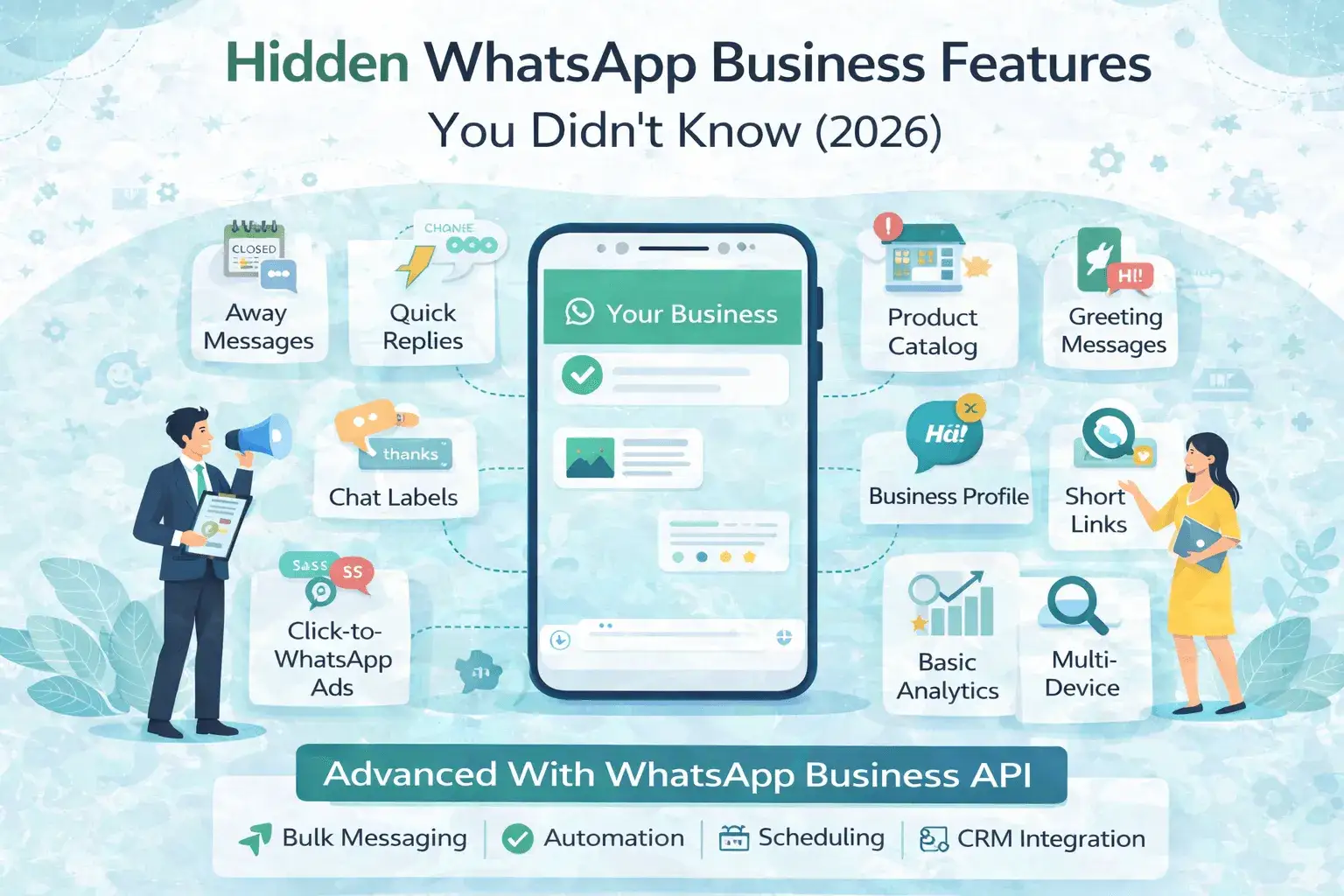
WhatsApp Business Features That You Might Not Know About
(2026 Guide)
Most businesses use WhatsApp only for basic
chatting—but WhatsApp Business offers powerful hidden features that
can significantly improve customer engagement, response time, and conversions.
In this blog, we uncover lesser-known WhatsApp Business
features that many businesses overlook and explain how to use them
effectively in 2026.
1. Away Messages (Automatic Replies After Hours)
Many businesses forget this simple but powerful feature.
Automatically replies to customers when:
What It Does
• You’re offline
• Outside business hours
• Temporarily unavailable
Why It Matters
• Sets clear expectations
• Improves customer experience
• Prevents missed leads
2. Quick Replies (Saved Message Shortcuts)
What It Does
Allows you to save frequently used responses and send them
using shortcuts like Pricing
Hidden Benefit
• Reduces response time drastically
• Maintains message consistency
• Ideal for FAQs, pricing, and policies
3. Business Profile with Rich Information
Beyond your name and number, WhatsApp Business lets you add:
• Business description
• Website link
• Email address
• Business hours
• Physical location
Why This Is Powerful
Customers instantly trust profiles that look complete and
professional.
4. Labels for Chat Organization
What It Does
Lets you tag chats with custom labels like:
• New Lead
• Pending Payment
• Order Confirmed
• Support Ticket
Hidden Advantage
• Better follow-ups
• No missed conversations
• Improves internal workflow
5. WhatsApp Catalog (Mini Store Inside Chat)
Many businesses don’t realize they can create a product
catalog directly on WhatsApp.
Features
• Product images
• Pricing
• Descriptions
• Shareable product links
Best For
• Retail
• D2C brands
• Service packages
6. Click-to-WhatsApp Ads Integration
WhatsApp Business can be connected with Facebook &
Instagram ads.
Why This Is Underused
• Drives high-intent leads
• Customers start conversations instantly
• Higher conversion rate than landing pages
7. Greeting Messages (First-Time User Automation)
Automatically welcome new customers when they message you
for the first time.
Why It Works
• Makes your business feel responsive
• Sets the conversation tone
• Perfect for onboarding flows
8. Short Business Links
Generate a custom link that opens WhatsApp chat instantly.
Use Cases
• Website CTA buttons
• Email signatures
• Social media bios
• QR codes
9. Message Statistics
WhatsApp Business shows:
• Messages sent
• Messages delivered
• Messages read
• Messages received
Even these basic metrics help improve communication
strategy.
10. Multi-Device Support
You can now use WhatsApp Business on:
• Multiple desktops
• Without keeping the phone online
Why It Matters
• Team collaboration
• Faster response
• No device dependency
Features Beyond the App: WhatsApp Business API
Many advanced features are not available in the
WhatsApp Business App.
With WhatsApp Business API, businesses unlock:
• Bulk messaging
• Message scheduling
• Automation & chatbots
• CRM integratioz
• Customer segmentation
• Blue Tick (Official Business Account)
• Advanced analytics
Platforms like NXCMSG provide easy access to these
features.
WhatsApp Business App vs WhatsApp Business API
|
Feature |
Business
App |
Business
API |
|
Bulk
Messaging |
❌ |
✅ |
|
Automation |
❌ |
✅ |
|
Scheduling |
❌ |
✅ |
|
CRM
Integration |
❌ |
✅ |
|
Blue
Tick |
❌ |
✅ |
Conclusion
WhatsApp Business is much more than a chat app. When used
correctly, its hidden features can improve efficiency, customer
satisfaction, and revenue.
For businesses looking to scale in 2026, upgrading from the basic app to WhatsApp Business API via NXCMSG is the smartest move.


