

Jun 24, 2026
To use the WhatsApp Business API, businesses cannot send promotional or outbound messages freely. All outbound messages must be sent using pre-approved message templates, as per Meta’s WhatsApp policy. Message templates help Meta maintain user trust, reduce spam, and ensure high-quality communication.
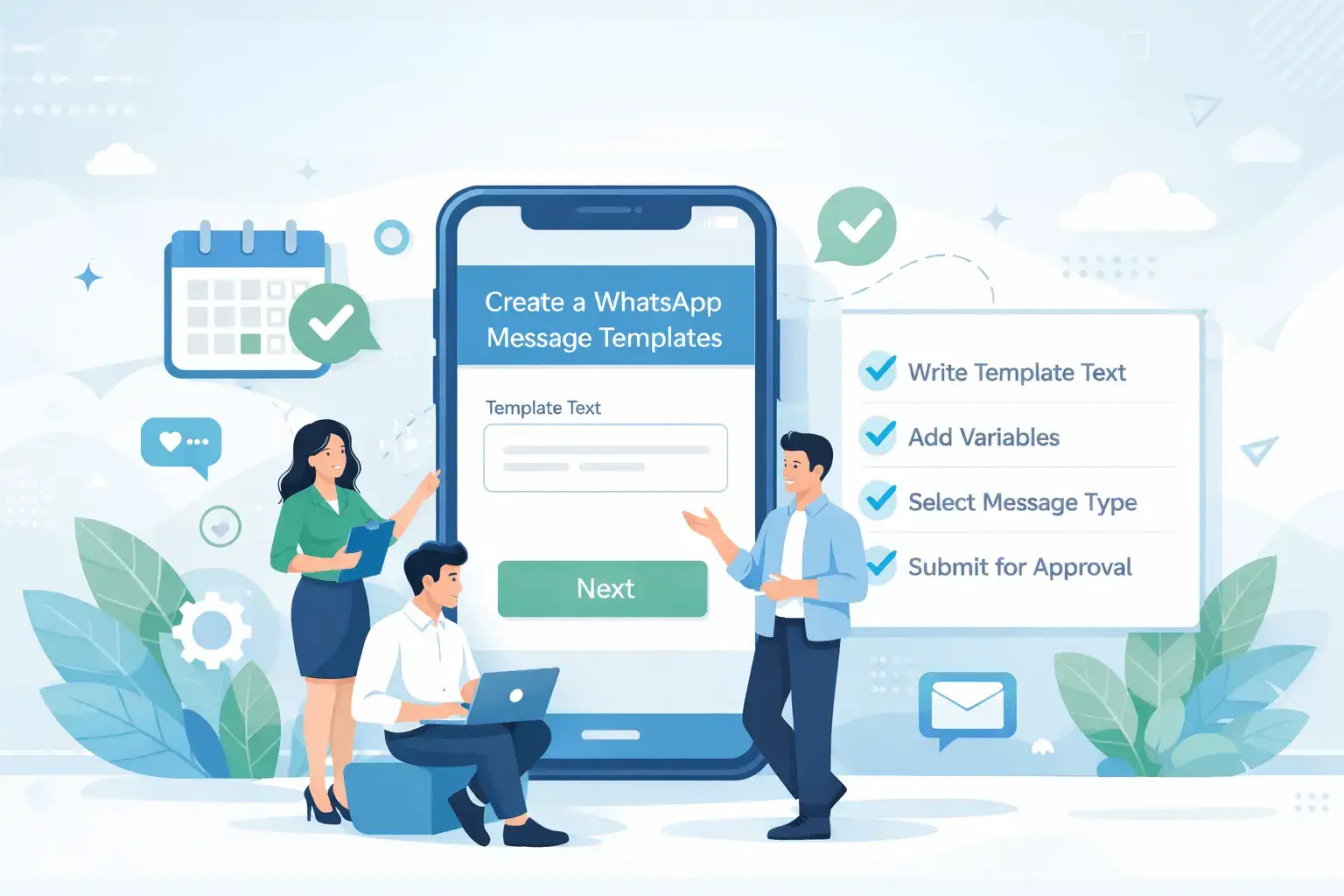
What AreWhatsApp Message Templates?
Template Messaging ensures businesses can deliver compliant WhatsApp communications for marketing and transactional use cases. Templates cover payment reminders, appointment confirmations, shipment updates, onboarding messages, reactivation campaigns, and more. With support for dynamic variables, multi-language formats, and approval management, templates guarantee policy-safe messaging with brand consistency. Templates can be reused for automation, chatbot flows, bulk campaigns, and triggered events—saving time and accelerating delivery.
WABA NXCMSG offers WhatsApp-approved message templates for transaction alerts, marketing updates, reminders, confirmations, and notifications. Templates ensure compliance, faster delivery, and consistent communication at scale with support for dynamic variables and multi-language personalization.
A WhatsApp Message Template is a pre-formatted message approved by Meta that businesses can send to users outside the 24-hour customer service window.
Templates are mandatory for:
• Notifications
• Alerts
• Promotions
• One-time passwords (OTP)
Types of WhatsApp Message Templates
1. Marketing Templates
Used for promotions and engagement.
Examples:
• New product launches
• Discounts & offers
• Webinar or event invites
• Re-engagement campaigns
Example:
Hi {{1}}, 🎉
Enjoy up to 20% off on your next purchase with us.
Offer valid till {{2}}.
Reply STOP to unsubscribe
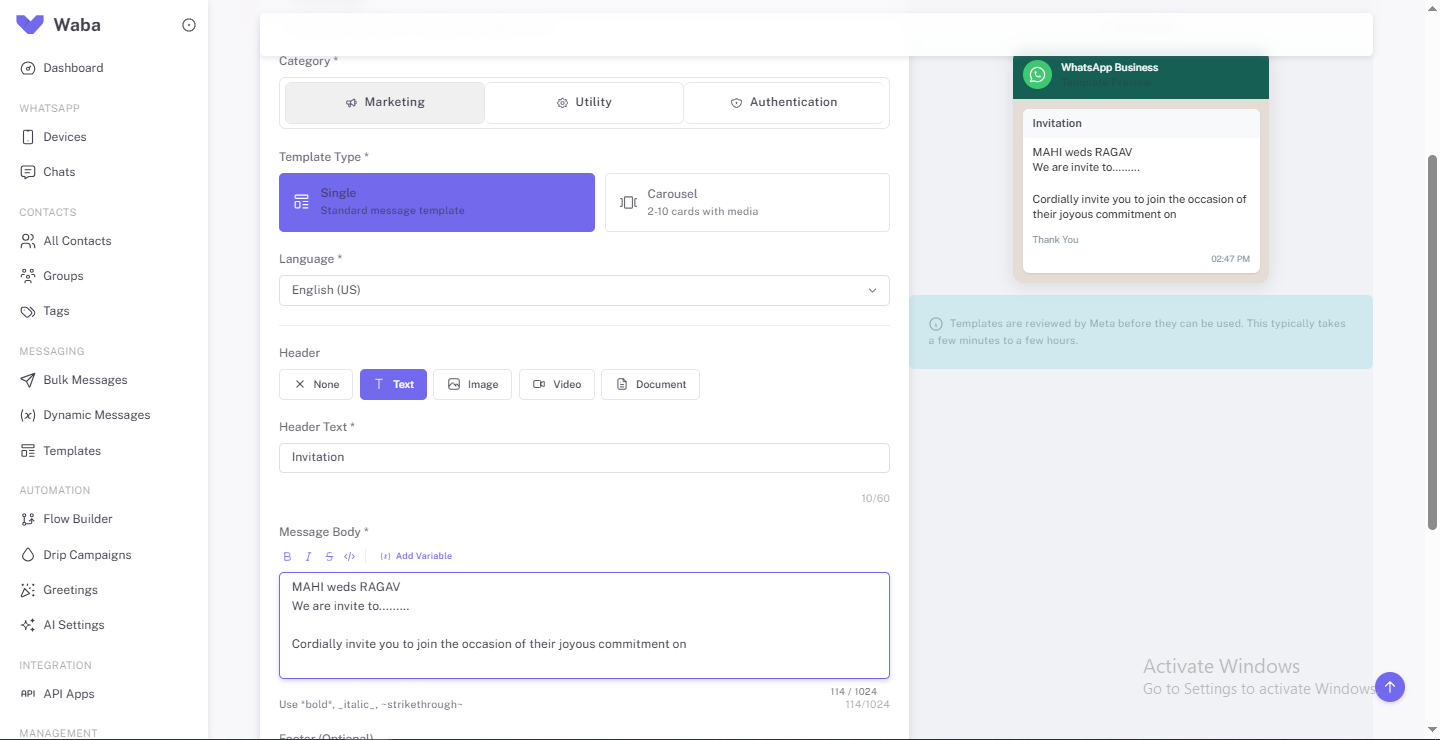
Single
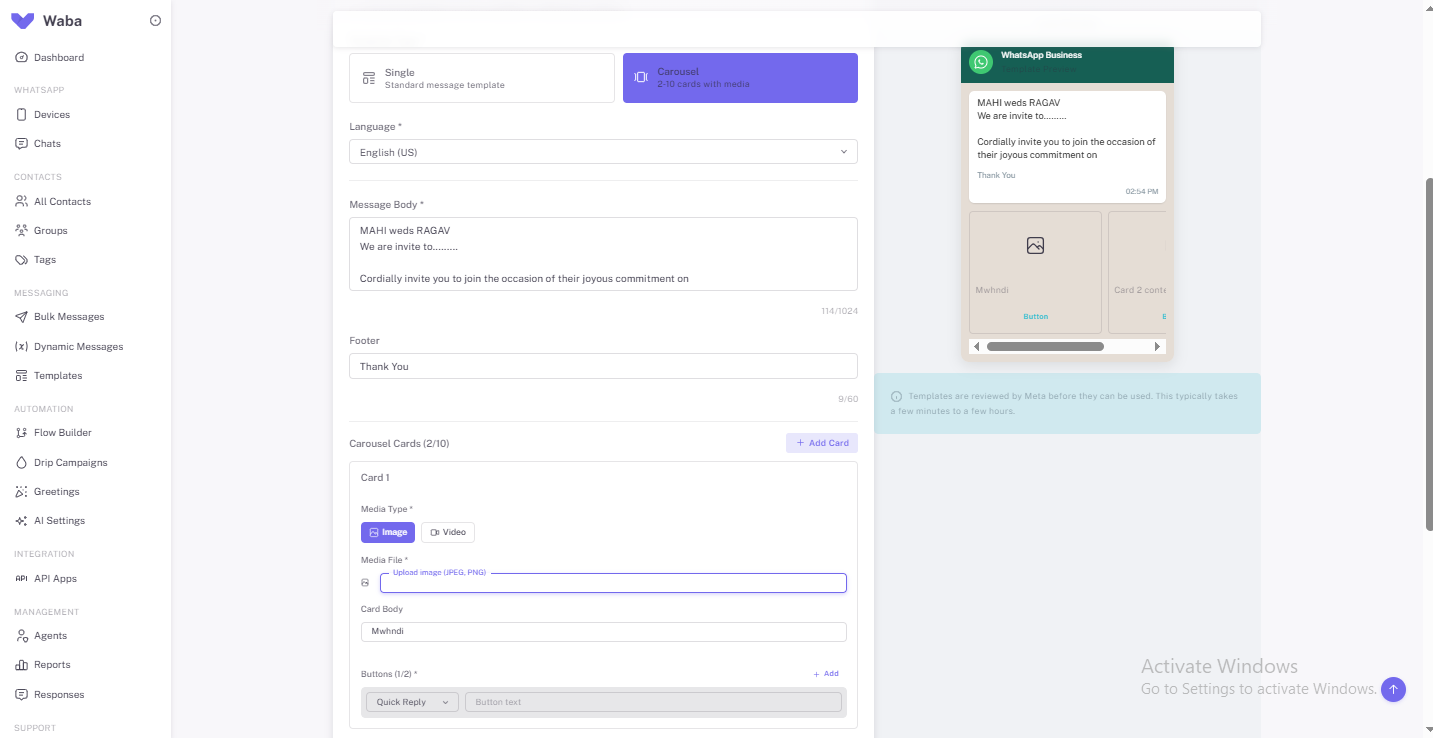 Carousel
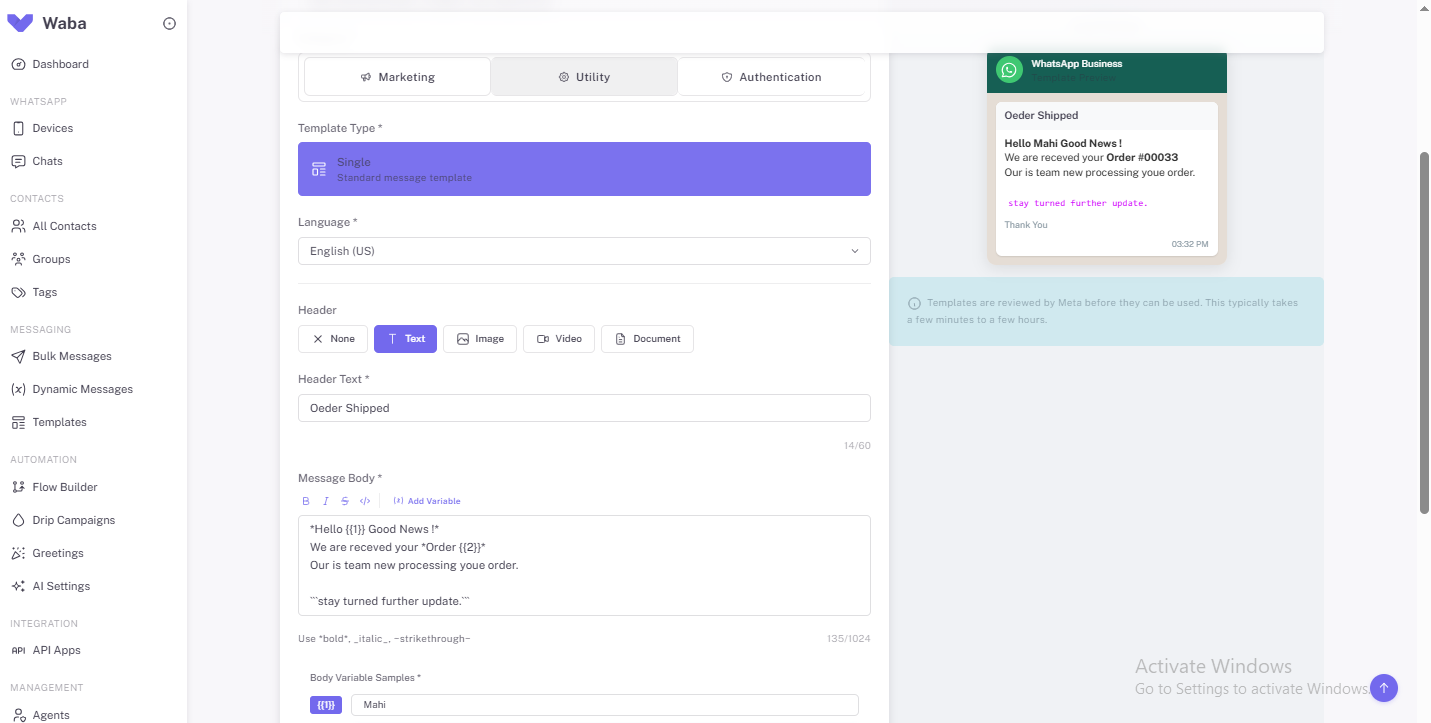
2. Utility Templates
Used for transactional or service updates.
Examples:
• Order confirmations
• Shipping updates
• Appointment reminders
• Payment alerts
Example:
Hello {{1}},
Your order {{2}} has been confirmed and will be delivered by {{3}}.
Thank you for choosing us.
3. Authentication Templates
Used for secure user verification.
Examples:
• OTP messages
• Login verification
• Account security alerts
Example:
Your verification code is {{1}}.
Do not share this code with anyone
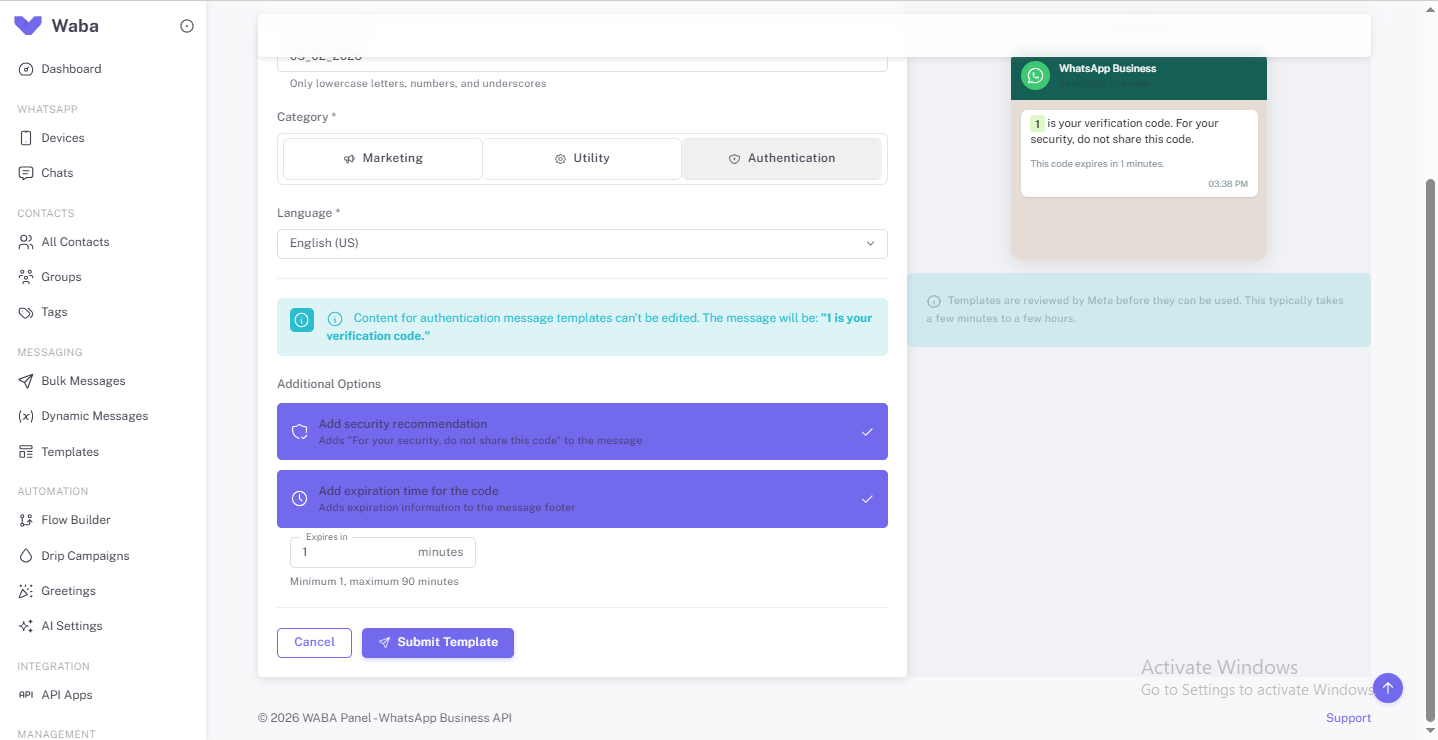
WhatsAppTemplate Approval Process (Step-by-Step)
1. Create the template inside your BSP dashboard or Meta Business Manager
2. Select template category (Marketing / Utility / Authentication)
3. Add message text with placeholders (e.g. {{1}}, {{2}})
Example:
Hi {{1}}, your order {{2}} has been shipped and will arrive by {{3}}.
Variables must match the message context.
4. Submit for Meta review
5. Wait for approval
Approval Time:
• Usually a few minutes
• Can take up to 24 hours
WhatsApp Template Rules You Must Follow
To avoid rejection:
✅ Clear, honest, and specific language
✅ Proper grammar and punctuation
✅ Emojis are allowed (use them naturally)
❌ No misleading claims
❌ No fake urgency or false promises
❌ No spammy or aggressive sales wording
Golden rule:
- Emojis are fine. Lies are not.
Common Reasons for Template Rejection
• Spam-like phrases (“Buy now!!!”, “Limited offer!!!”)
• Misleading pricing or guarantees
• Missing user context
• Incorrect category selection
• Promotional content submitted as Utility


