

Jun 24, 2026
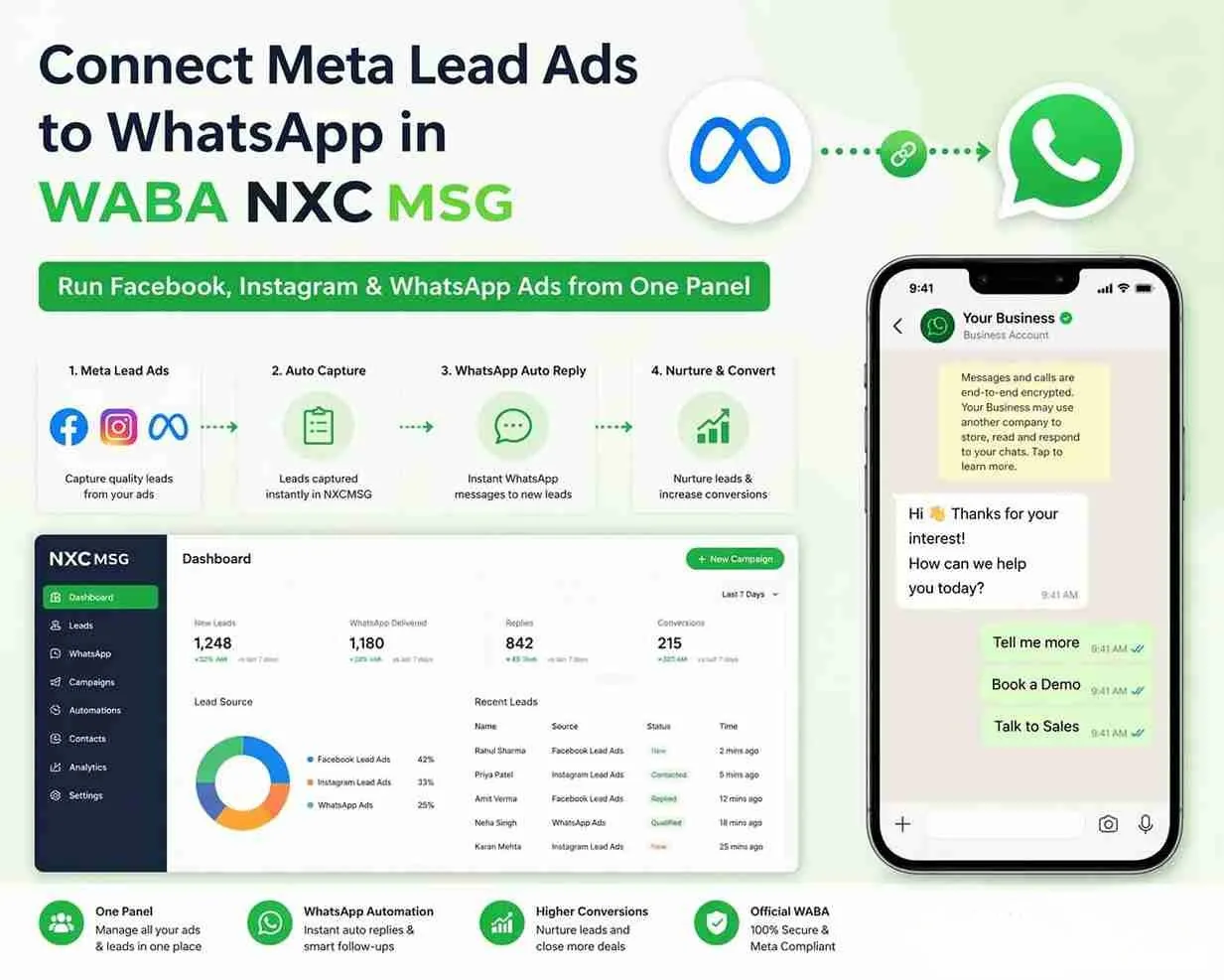
Connect Meta Lead Ads to WhatsApp in WABA NXCMSG — Run Facebook, Instagram & WhatsApp Ads from One Panel
78%of leads go cold if not reached within 5 minutes of form submission
<30sfrom Meta Lead Ad form submit to WhatsApp message received by the lead
3platforms in one integration: Facebook, Instagram, and WhatsApp ads
5 minto connect Facebook account and go live in NXCMSG Integrations panel
You're spending money running Facebook and Instagram Lead Ads. A potential customer fills out your lead form — and then waits. Your sales team finds the lead 2 hours later, calls, gets voicemail. The deal is gone. WABA NXCMSG's Meta Lead Ads integration fixes this at the root: the moment a lead submits your form — on Facebook, Instagram, or WhatsApp — they receive a personalised WhatsApp message automatically, before they've even put their phone down.
What's New: Meta Lead Ads in the NXCMSG Integrations Panel
WABA NXCMSG has added a powerful new integration to its platform: Meta Lead Ads. This integration, now live in the NXCMSG Integrations section, allows any NXCMSG customer to connect their Facebook account and automatically send WhatsApp messages to new leads from their Meta Lead Ad forms — all without any developer involvement, any third-party tool, or any manual process.
This joins NXCMSG's growing integrations ecosystem — which already includes Meta Marketing (Click-to-WhatsApp ads), Instagram Automation, WordPress, Shopify, Salesforce CRM, and Google Sheets — under a single, unified platform.
✨
New Feature — Now Live in NXCMSG
The Meta Lead Ads integration is now available to all NXCMSG customers under Setup → Integrations → Ads & Marketing → Meta Ads. No additional plan upgrade required for standard integration. Access it directly at waba.nxccontrols.in/app/user/integrations/meta-ads.
Screenshot 1: Where to Find Meta Ads in NXCMSG Integrations
The Meta Lead Ads integration is found in the NXCMSG dashboard under Setup → Integrations. Here's exactly how the Integrations page looks, with the new Meta Ads card visible in the "Ads & Marketing" section.
Instagram Automation
Automate DMs, comment replies, and story mention responses.
→
Ads & Marketing 2
← Featured
⋈
Meta Ads
Integrate directly with Meta Lead Ads.
→
📊
Meta Marketing
Create Click-to-WhatsApp ads, track conversions, and sync audiences.
→
E-commerce 2
WordPress
Seamlessly integrate with your WordPress site.
→
Shopify
Connect your Shopify store for automated notifications.
→
CRM & Leads 2
Salesforce CRM · IndiaMart · and more...
📸 Screenshot 1 — NXCMSG Integrations page (waba.nxccontrols.in/app/user/integrations) — Meta Ads highlighted with red box under "Ads & Marketing" section
How to Navigate to Meta Lead Ads
-
Log into your NXCMSG dashboard
Go to waba.nxccontrols.in and sign in with your NXCMSG credentials.
-
Click "Integrations" in the left sidebar under Setup
In the left navigation, scroll to the Setup section. Click Integrations — it's highlighted in purple as the active menu item in the screenshot.
-
Find "Ads & Marketing" section — click Meta Ads
On the Integrations page, scroll to the Ads & Marketing section (shows "2" integrations). Click the Meta Ads card — "Integrate directly with Meta Lead Ads." The card is highlighted with a red box in the screenshot.
🔗 Direct link: waba.nxccontrols.in/app/user/integrations/meta-ads
Screenshot 2: The Meta Lead Ads Page — Connect & How It Works
When you click the Meta Ads card, you land on the Meta Lead Ads integration page. The page has two clear panels: your Facebook Account connection status on the left, and a "How it works" guide on the right.
📸 Screenshot 2 — Meta Lead Ads integration page — Facebook Account (Not connected) + "How it works" 5-step guide
🔵
The "Connect Facebook" Button — What It Does
Clicking Connect Facebook opens Meta's standard OAuth login popup. You sign in with the Facebook account that manages your ad campaigns and Facebook Page. Once authorised, NXCMSG receives permission to listen for new lead form submissions via Meta's Leads API. Your Facebook account name and connection status appear on the left panel — replacing "Not connected" with a green "Connected" badge.
How the Meta Lead Ads → WhatsApp Flow Works
Once connected, the entire process from ad click to WhatsApp delivery is automatic. Here's the complete flow:
Meta Lead Ad
Facebook / Instagram
Form Submitted
Name + Phone captured
NXCMSG Webhook
Receives lead instantly
WhatsApp Sent
<30 seconds
Lead Tagged
In NXCMSG inbox
What NXCMSG Does Automatically for Every Lead
- Receives the lead instantly from Meta via webhook — the moment the form is submitted, NXCMSG knows about it
- Sends a personalised WhatsApp template to the lead's phone number — addressed by name, referencing the specific ad or offer they enquired about
- Creates a contact record in NXCMSG with the lead's name, phone, and email from the form data
- Assigns the configured tag to the new contact (e.g., "Meta-Lead-April", "HomeLoan-Lead") for team segmentation
- Opens the conversation in NXCMSG team inbox — any agent can continue the WhatsApp conversation with full lead context visible
Step-by-Step: Connect Your Facebook Account in 5 Minutes
-
Go to Integrations → Meta Ads in NXCMSG
In your NXCMSG dashboard, click Setup → Integrations from the left sidebar. Under "Ads & Marketing," click the Meta Ads card. You land on the Meta Lead Ads page as shown in Screenshot 2.
🔗 Direct URL: waba.nxccontrols.in/app/user/integrations/meta-ads -
Click "Connect Facebook" and authorise NXCMSG
Click the purple Connect Facebook button. A Meta login popup opens. Sign in with the Facebook account that manages the Facebook Page your Lead Ads are running from. Approve the permissions NXCMSG requests — these allow NXCMSG to receive lead data from your Page's Lead Ad forms via Meta's Leads API. You must be a Page admin to connect successfully.
-
Select your Facebook Page and Lead Form
After connecting, your Facebook account appears on the left with a "Connected" badge. You can now select which Facebook Page and which specific Lead Form to connect. If you run multiple campaigns with different forms, create a separate rule for each — one form per WhatsApp template rule.
-
Choose your WhatsApp device and approved template
Select which NXCMSG WhatsApp number sends the auto-reply to new leads, and which pre-approved Marketing template to use. Your template must already be approved in the NXCMSG template manager before this step — create templates here.
-
Assign a tag (optional) and activate
Optionally add contact tags (e.g., "Meta-Lead", "Campaign-April26", "HomeLoan") to auto-organise new contacts in your NXCMSG inbox. Save the rule — the integration is live. The next lead who submits your Meta Lead Ad form receives a WhatsApp in under 30 seconds, automatically.
✅ Test by submitting your own Lead Ad form — verify the WhatsApp arrives within 30 seconds
What You Can Do: Facebook, Instagram & WhatsApp Ads Together
The Meta Lead Ads integration connects to leads from all three Meta ad platforms — because Facebook Lead Ad forms work across Facebook and Instagram simultaneously, and NXCMSG's Meta Marketing integration handles WhatsApp-specific ad flows. Here's what each covers:
| Ad Platform | Integration in NXCMSG | What Happens Automatically | Best Use |
|---|---|---|---|
| Facebook Lead Ads | Meta Ads → Connect Facebook | WhatsApp template sent to lead <30 sec | Facebook campaign lead capture |
| Instagram Lead Ads | Meta Ads → Connect Facebook | Same — FB Lead Forms run on both FB & IG | Instagram campaign lead capture |
| Click-to-WhatsApp Ads | Meta Marketing integration | 72-hour free conversation window opens | Direct WhatsApp conversation from ad |
| Instagram Post Comments | Instagram Automation | Auto-DM to commenter via WhatsApp DM | Organic reel & post engagement |
| Instagram Story Mentions | Instagram Automation | Instant thank-you WhatsApp DM | Brand mention acknowledgement |
💡
The Complete Meta Ecosystem in NXCMSG — One Dashboard
NXCMSG now covers every Meta ad touchpoint: paid Lead Ad forms (Meta Ads integration), Click-to-WhatsApp ads (Meta Marketing integration), and Instagram organic automation (Instagram Automation integration). Run Facebook campaigns, Instagram campaigns, and WhatsApp-native campaigns — all leads and conversations land in the same NXCMSG team inbox, all contacts are automatically organised with tags, and all WhatsApp follow-ups happen within 30 seconds. No switching between tools, no missed leads, no manual work.
Case Study: Real Estate Company — 3× Lead Conversion with Meta Ads Integration
Residential Real Estate Developer — Ahmedabad & Surat
Facebook + Instagram Lead Ads · NXCMSG Meta Ads integration · 3 active campaigns
The Situation
This developer was generating 80–120 leads per week from Facebook and Instagram Lead Ad campaigns targeting home buyers in Ahmedabad and Surat. The sales team was calling each lead within 2–4 hours — but by then, most leads had already been contacted by competing developers. Lead-to-site-visit conversion: 8%.
What They Set Up with NXCMSG Meta Ads Integration
- Connected Facebook account in NXCMSG → Integrations → Meta Ads in under 5 minutes
- Created 3 rules — one per campaign (2BHK, 3BHK, Plot) — each using a different WhatsApp template specific to that project
- Tags applied per campaign for CRM segmentation in NXCMSG inbox
- Each new lead receives a personalised WhatsApp within 30 seconds of form submission — before the sales rep even sees the lead
Results — First 60 Days
28sAverage time from form submit to WhatsApp received
67%Leads replied to the initial WhatsApp message
3×Increase in lead-to-site-visit (8% → 26%)
₹0Additional ad spend — same budget, 3× results
"Connecting our Facebook account in NXCMSG took 4 minutes. The next morning we had 14 WhatsApp conversations already started with leads — while our sales team was still asleep. By the time they opened the NXCMSG inbox, half the leads had already replied with their property preference and budget. The conversation was half done before a human was involved."
— Sales Director, Residential Real Estate Developer, Ahmedabad
Case Study: Finance Brand — Zero Leads Missed in 30 Days
Home Loan DSA — Mumbai & Pune
Facebook Lead Ads · High competition vertical · NXCMSG integration since Q1 2026
The Situation
Home loan leads from Facebook ads are among the most competitive in India — a lead who submits a form is contacted by 5–8 competing DSAs within the first hour. This DSA's team was calling leads within 2 hours — always too late. WhatsApp messages sent manually were 1–2 hours after form submission. Conversion rate: 6%.
The NXCMSG Setup
- Connected Facebook account to NXCMSG Meta Ads integration — 5 minutes setup
- Template: "Hi {{name}}! Thanks for your interest in a Home Loan. I'm {{agent}} from {{company}}. Quick question — which city is the property in, and what loan amount are you considering? I'll prepare a personalised offer within 30 minutes 🏠" (Marketing category)
- Tag applied: "HomeLoan-Facebook-Lead" for all contacts from this campaign
- NXCMSG team inbox: 3 agents assigned to this tag — any agent can pick up the conversation with full lead context
Results — 30 Days
100%Leads contacted — including 11 PM and Sunday submissions
52%Leads replied to the initial WhatsApp (vs 18% email)
3.8×Improvement in lead-to-application conversion
0Leads missed — including weekends and after-hours
"In the home loan business, whoever reaches the customer first wins. Our competitors were reaching leads in 90 minutes. We now reach them in under 30 seconds. The WhatsApp message arrives while the lead is still looking at our ad. They haven't even closed the tab. That's why we went from 6% conversion to 23%. The NXCMSG Meta Ads integration was the only change we made."
— Head of Sales, Home Loan DSA, Mumbai
Industry Use Cases — Who Benefits Most from Meta Lead Ads + NXCMSG
Real Estate
Property enquiry Lead Ads → instant WhatsApp with project details and site visit booking link. Lead arrives pre-qualified with budget and city preference before sales rep's first call.
Finance & Loans
Loan or insurance Lead Ads → WhatsApp in under 30 seconds with personalised rate estimate and soft qualifying question. First-mover advantage in high-competition verticals.
Education
Course or admission Lead Ads → WhatsApp with batch start date, seats remaining, and free demo link. Overnight and weekend leads contacted before competitors open the next morning.
Healthcare
Health checkup or consultation Lead Ads → WhatsApp with doctor profiles and available slots. Lead books appointment directly in the WhatsApp conversation — no callback needed.
Automotive
Test drive or enquiry Lead Ads → WhatsApp with vehicle highlights, EMI calculator, and nearest dealer contact. Lead arrives at the dealership pre-warmed with full product context.
B2B & SaaS
Demo request Lead Ads → WhatsApp from the assigned sales rep with a calendar link. Lead arrives at the demo with context established. Sales cycle shortens significantly.
"We were paying ₹85,000/month on Facebook Lead Ads and converting maybe 7% of leads. After connecting the NXCMSG Meta Ads integration, same budget, same ads — but every lead gets a WhatsApp in 30 seconds. Conversion went to 24%. The integration paid for itself in the first week."
📢 New in NXCMSG — Connect Meta Lead Ads Today
Your Meta Leads Deserve Instant WhatsApp Follow-Up
Connect your Facebook account in NXCMSG in 5 minutes. Every new lead from Facebook, Instagram, and your Meta campaigns gets a WhatsApp message in under 30 seconds — automatically, 24/7, including weekends and after hours.
✔Facebook + Instagram Lead Ads
✔WhatsApp in <30 seconds
✔Connect in 5 minutes
✔Multiple campaign rules
✔Contact tagging per campaign
✔14-day free trial
+91 98079 80778 · [email protected] · Mon–Sat 9 AM–7 PM IST
Meta-approved BSP · Facebook + Instagram + WhatsApp · INR billing · India-based support


