

Jun 24, 2026
Discover WhatsApp Team Inbox in detail. Learn its features, benefits, use cases, and step-by-step setup guide to manage multi-agent WhatsApp conversations efficiently.
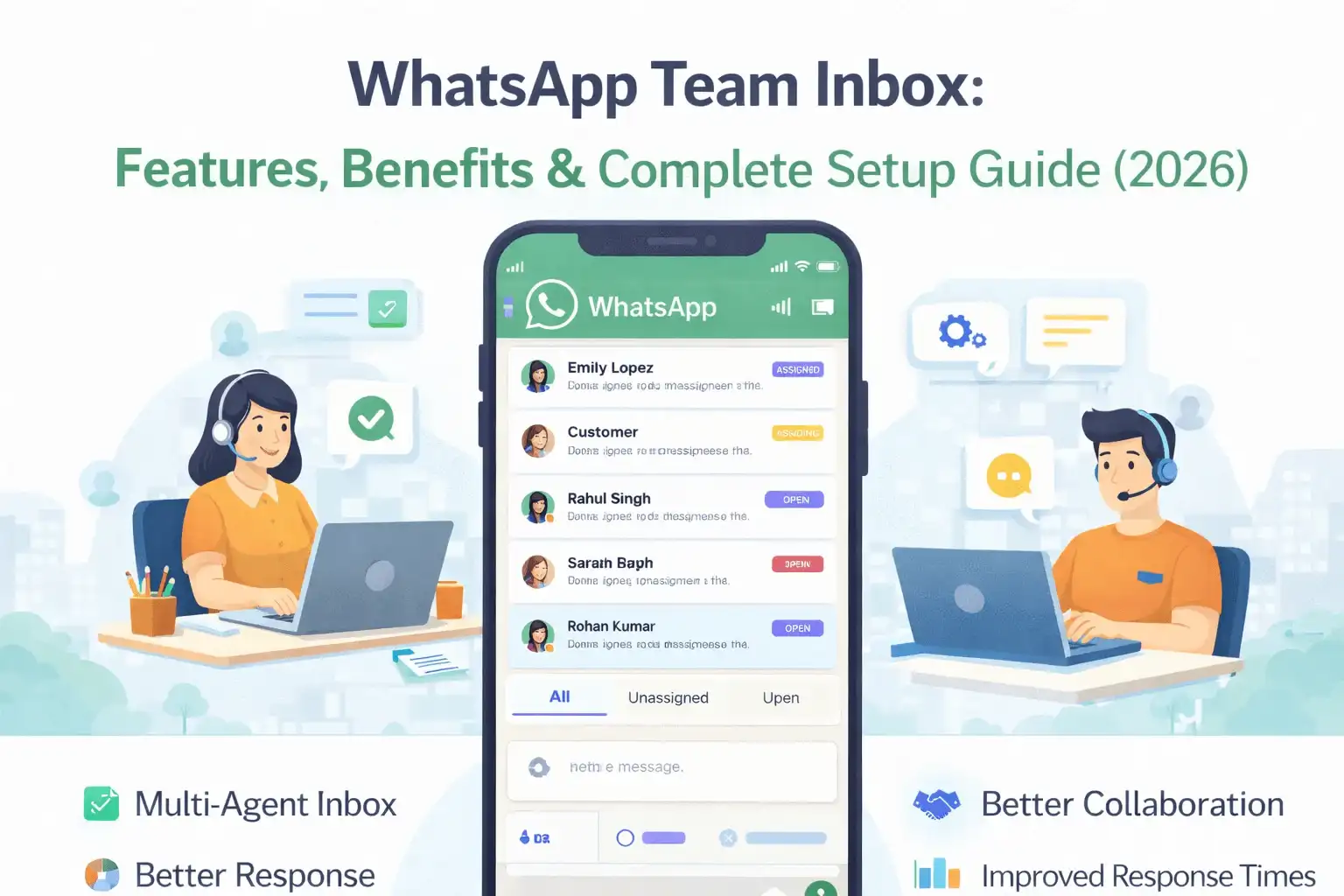
Why WhatsApp Team Inbox Is No Longer Optional for Indian Businesses in 2026
Picture this: Your business WhatsApp is
getting 300 messages a day. Three sales agents, two support staff — all trying
to reply from the same WhatsApp Business App on different phones. One customer
gets two replies. Another gets none. A hot lead goes cold because no one knew
whose responsibility it was to follow up.
This is the WhatsApp chaos that thousands of
Indian businesses are living through right now. And the solution is not more
phones or more SIM cards — it is a WhatsApp Team Inbox.
A WhatsApp Team Inbox is a shared,
cloud-based workspace where your entire team can view, assign, and respond to
all customer messages from a single WhatsApp business number — with full
visibility, accountability, and automation built in. In 2026, with WhatsApp
processing over 100 billion messages per day globally and Indian businesses
generating hundreds of conversations daily, a proper Team Inbox is the
foundation of professional WhatsApp operations.
This complete guide covers everything: what a WhatsApp Team Inbox is, all 10 key features, 7 proven benefits with real data, 5 types of chat routing, step-by-step setup in WABA NXCMSG, industry use cases, common mistakes, and 10 FAQ answers.
WhatsApp Team Inbox — 2026 Key Statistics
|
Fact |
Data |
|
WhatsApp Messages Per Day
Globally |
100
Billion+ |
|
WhatsApp Users in India
2026 |
600
Million+ |
|
Customers Expecting Reply
Within 10 Minutes |
82% of all
customers |
|
WhatsApp Click-Through Rate
vs SMS |
50% vs 25%
— 2x higher |
|
Response Rate WhatsApp vs
Email |
55% vs 20%
— 2.75x higher |
|
Lead Generation Boost with
WhatsApp API |
Up to 5x
more leads vs traditional channels |
|
WhatsApp Campaign ROI |
Up to 25x
return on investment |
|
AI Routing Resolution Time
Improvement |
From 125
minutes to seconds (McKinsey) |
|
Sales Time Wasted on Wrong
Leads |
30 to 50%
without proper routing (Zoho) |
|
WhatsApp Business App
Device Limit |
1 phone +
4 linked devices only |
|
Unlimited
agents per account |
|
|
Duplicate Reply Reduction
with Team Inbox |
Near 100%
with chat assignment |
What Is a WhatsApp Team Inbox?
A WhatsApp Team Inbox is a shared workspace
where your entire team can view, assign, and handle customer messages — all
from one WhatsApp Business number. Instead of conversations scattered across
individual phones and devices, a Team Inbox consolidates everything into one
unified dashboard that every team member can access from their computer or
phone.
Think of it like a professional customer support help desk — but for WhatsApp. Every incoming message appears in a shared queue, gets assigned to the right agent, and is tracked from first contact to resolution — with full conversation history visible to the entire team at all times.
WhatsApp Business App vs WhatsApp Team Inbox — Complete Comparison
|
Feature |
WA Business
App |
WA Business
Premium |
Team Inbox
(API) |
|
Number of
Users |
1 + 4 linked devices |
Up to 10 devices |
Unlimited
agents |
|
Chat
Assignment |
Not available |
Basic assignment |
Full auto
+ manual |
|
Internal
Notes |
Not available |
Not available |
Full
private notes |
|
Conversation
Routing |
Not available |
Not available |
Smart
rule-based |
|
Round
Robin Assignment |
Not available |
Not available |
Built-in
automated |
|
Not available |
Limited |
Full
analytics |
|
|
CRM
Integration |
Not available |
Not available |
Zoho,
HubSpot, Salesforce |
|
Conversation
History |
Device only |
Device only |
Cloud —
all agents |
|
Basic auto reply only |
Basic auto reply |
Full Flow
Builder |
|
|
Tagging
and Labels |
Basic labels |
Basic labels |
Custom
tags + priority |
|
Multi-Channel
Support |
WhatsApp only |
WhatsApp only |
WA +
Instagram + FB |
|
Monthly
Cost |
Free |
Paid Meta plan |
From Rs.
3,000/month |
10 Key Features of WhatsApp Team Inbox in 2026
Here are all the features that make WhatsApp Team Inbox the most powerful customer communication tool for Indian businesses in 2026:
|
01 |
Multi-Agent Shared
Inbox — Unlimited Agents, One Number Your entire team —
sales, support, accounts, operations — all work from a single WhatsApp
business number simultaneously. Every incoming message appears in a shared
queue visible to all authorized agents. No more passing phones around or
forwarding screenshots in WhatsApp groups. |
|
02 |
Smart Chat Assignment —
Auto and Manual Assign conversations to
specific agents automatically based on rules (keyword, department, language,
availability) or manually with one click. Every chat has a clear owner —
eliminating the most common problem of duplicate replies and missed
follow-ups. Agents only see chats assigned to them, reducing confusion. |
|
03 |
Internal Notes —
Private Team Communication Agents can leave
private notes inside any customer conversation that are visible only to the
team — not to the customer. Use internal notes to share context during
handoffs, flag urgent issues for supervisors, document customer history, or
provide instructions for the next shift. No more Slack messages or WhatsApp
group confusion for internal coordination. |
|
04 |
Conversation Routing —
5 Types of Smart Routing Route incoming messages
to the right agent automatically based on predefined rules. Skill-based
routing sends technical queries to technical agents. Language-based routing
sends Hindi messages to Hindi-speaking agents. Round-robin distributes chats
evenly. Priority routing ensures VIP customers always reach senior agents
first. Keyword routing separates sales from support automatically. |
|
05 |
Real-Time Notifications
and Alerts Every agent receives
instant notifications for new messages, unassigned chats, and escalated
conversations. Supervisors get alerts when a chat has been waiting too long
without a response. No message ever goes unnoticed — even during high-volume
peak hours when hundreds of conversations arrive simultaneously. |
|
06 |
Agent Performance
Analytics Dashboard Track every key metric
for every agent in real time: average response time, resolution time, chats
handled per day, first response rate, CSAT scores, and escalation rate.
Identify your top performers, spot agents who need support, detect peak hour
patterns, and make data-driven staffing decisions. Analytics that were
impossible with a shared phone are now available in one dashboard. |
|
07 |
Full Conversation
History — Cloud-Based Every conversation is
stored in the cloud and accessible by any authorized team member — not just
on one phone. When a customer calls back after speaking with a different
agent last week, the new agent has the complete history, context, and
previous interactions instantly. No more 'Can you tell me your issue again
from the beginning?' frustration for customers. |
|
08 |
Tagging, Labels and
Priority Flags Organize conversations
with custom tags like Payment Issue, Hot Lead, VIP Customer, Refund Request,
or Technical Bug. Filter your inbox by tag to prioritize urgent issues. Use
tags to generate reports on what types of queries are most common, which
products generate most complaints, and where your team spends the most time. |
|
09 |
CRM Integration — Zoho,
HubSpot, Salesforce and More Sync every WhatsApp
conversation automatically with your CRM. Customer details captured in
WhatsApp flow directly into your sales pipeline. New leads from WhatsApp are
created as contacts in your CRM automatically. Sales agents see the full
customer CRM profile right inside the WhatsApp conversation — without
switching tabs or tools. |
|
10 |
Quick Replies and Template Sending from Team Inbox Agents can send
pre-approved WhatsApp templates directly from the inbox with one click — no
need to go back to the template manager. Quick Replies let agents insert
pre-saved responses to common questions instantly. Both features dramatically
speed up response times while maintaining message quality and brand
consistency across all agents. |
7 Proven Benefits of WhatsApp Team Inbox for Indian Businesses
Benefit 1 — Response Time Drops from Hours to Minutes
The single biggest impact of a Team Inbox is response time. With a shared phone and manual coordination, average response time in Indian SMBs is typically 2 to 4 hours. With a Team Inbox and proper routing, the same team achieves average response time under 5 minutes — because the right agent receives the right message instantly with an alert.
Benefit 2 — Zero Missed Messages or Duplicate Replies
Without a Team Inbox, two agents might reply to the same customer with different answers — or worse, no one replies because everyone assumes someone else handled it. With chat assignment and shared visibility, every conversation has one clear owner. The inbox shows which chats are open, in progress, or resolved — so nothing slips through the cracks.
Benefit 3 — Full Agent Accountability and Performance Visibility
A shared phone gives you zero insight into who is doing what. A Team Inbox gives you complete visibility: how many chats each agent handled today, how fast they replied, how long resolution took, and what their customer satisfaction scores are. This data enables fair performance reviews, identifies training needs, and recognizes top performers — all based on facts, not assumptions.
Benefit 4 — Seamless Team Collaboration Without Chaos
Internal notes eliminate the need for WhatsApp groups, Slack messages, and shoulder taps to coordinate on customer issues. An agent handling a complex query can leave a detailed note for the supervisor. A night shift agent can read all context from the day shift and continue seamlessly. Customer handoffs become smooth, professional, and complete.
Benefit 5 — Scale Without Proportionally Increasing Headcount
A Team Inbox with proper automation handles routine queries automatically — FAQs, order status checks, appointment confirmations, payment receipts — letting human agents focus exclusively on complex, high-value conversations. This means a team of 5 agents with a Team Inbox and automation can handle the volume that previously required 10 to 15 agents manually.
Benefit 6 — Better Customer Experience Drives Loyalty
Customers who receive fast, personalized, contextual responses on WhatsApp become loyal customers. When an agent knows the customer's history, purchase details, and previous interactions from the CRM integration — without asking the customer to repeat themselves — the experience feels effortlessly professional. This is the kind of service that drives 5-star reviews and repeat purchases.
Benefit 7 — Data-Driven Decisions Replace Guesswork
With analytics tracking every conversation metric, managers can answer questions that were previously impossible: When does our peak chat volume arrive? Which agent has the fastest response time? What percentage of chats escalate to a supervisor? Which query type takes longest to resolve? These insights drive staffing decisions, training investments, and process improvements that continuously improve team performance.
|
Metric |
Without Team
Inbox |
With Team
Inbox |
|
Average
Response Time |
2 to 4 hours |
Under 5
minutes |
|
Missed
Messages |
30% go
unanswered |
Near zero
— all assigned |
|
Duplicate
Replies |
Frequent — 2
agents reply |
Zero —
clear ownership |
|
Agent
Accountability |
No visibility
at all |
Full
per-agent tracking |
|
Daily
Tickets Resolved |
35 tickets
per team |
70+
tickets per team (2x) |
|
Customer
Satisfaction |
82% average
CSAT |
94%+ CSAT
score |
|
Shift
Handover Process |
WhatsApp
group chaos |
Clean
internal notes |
|
CRM Data
Entry |
Manual —
often skipped |
Automatic
— always complete |
|
Peak Hour
Management |
Random —
overwhelmed |
Routed —
load balanced |
|
Supervisor
Visibility |
Zero
real-time insight |
Full live
dashboard |
How WhatsApp Chat Routing Works — 5 Types Explained
Chat routing is the system that automatically directs incoming WhatsApp messages to the right agent based on predefined rules. Smart routing is the difference between a team inbox that feels chaotic and one that runs like a professional customer support operation.
Type 1 — Skill-Based Routing
Route conversations to agents based on their expertise. Technical product queries go to the technical team. Billing disputes go to the accounts team. Partnership inquiries go to the business development team. Customers always reach an agent who actually knows the answer — instead of being transferred multiple times.
Type 2 — Language-Based Routing
Particularly important for Indian businesses serving customers across multiple states. Customers who write in Hindi, Gujarati, Tamil, Telugu, or other regional languages are automatically routed to agents who speak that language. This eliminates language barriers and dramatically improves customer satisfaction in regional markets.
Type 3 — Round-Robin Routing
Distribute incoming chats evenly across all available agents in a team. As new messages arrive, they are assigned in rotation — Agent A, Agent B, Agent C, then back to Agent A. This ensures no single agent is overwhelmed while others are idle, and keeps workload balanced across the entire team throughout the day.
Type 4 — Priority Routing
Identify VIP customers, high-value leads, or urgent issues and route them directly to senior agents or team leads. A customer with a large active order always reaches a senior agent first. An escalated complaint bypasses the normal queue and goes directly to the supervisor. Priority routing ensures your most important conversations always get your best people.
Type 5 — Keyword-Based Routing
When a customer's first message contains specific keywords, the conversation is automatically routed to the appropriate team. Messages containing 'complaint', 'refund', or 'unhappy' go to senior support. Messages containing 'pricing', 'demo', or 'buy' go to sales. Messages containing 'technical', 'error', or 'not working' go to the technical team. All automatic — zero manual sorting required.
Internal Notes — The Most Underused Team Inbox Feature
Internal notes are private messages that agents leave inside a customer conversation that are visible only to the team — never to the customer. They are the single most effective feature for improving team coordination and preventing the biggest source of customer frustration: having to repeat their story to every new agent.
Here is how Indian businesses use internal
notes effectively:
•
Shift Handover: Night shift agent leaves a note —
'Customer called 3 times about refund. Has proof of payment. Needs manager
approval to process.' Day shift manager sees this and resolves it in the first
interaction.
•
Escalation Context: Agent leaves note — 'Customer is
very frustrated. This is their third contact about the same issue. Handle with
extra care and offer compensation if needed.'
•
Sales Intelligence: Sales agent notes — 'Customer is
comparing us with Competitor X. Main concern is pricing. Send comparison
document and offer 10% trial discount.'
•
Technical Documentation: Support agent notes — 'Issue
is with API webhook configuration. Developer team needs to check endpoint URL.
Customer is technical and can share logs.'
• VIP Flagging: Agent notes — 'This is the owner of ABC Enterprises. High-value account. Always prioritize and escalate to senior team immediately.'
Step-by-Step: How to Set Up WhatsApp Team Inbox in WABA NXCMSG
Setting up a fully functional WhatsApp Team Inbox in WABA NXCMSG takes less than 30 minutes. Here is the complete step-by-step process:
|
STEP 1 |
Log In
to WABA NXCMSG Dashboard Visit
waba.nxccontrols.in and log in to your account. If you are new, start your
free trial — your WhatsApp API number will be connected and verified during
the onboarding process. |
|
STEP 2 |
Go to
Management and Click Agents In the left sidebar
under the MANAGEMENT section, click on 'Agents'. This is your agent
management center where you add, configure, and manage all team members who
will access the Team Inbox. |
|
STEP 3 |
Add
Your First Agent Click the 'Add New
Agent' button. Enter the agent's full name, email address, and phone number.
Select their role from the dropdown: Admin, Supervisor, or Agent. Click Save
— the agent receives an email invitation to join the platform. |
|
STEP 4 |
Configure
Agent Permissions For each agent, set
their specific permissions: which WhatsApp devices they can access, whether
they can see all chats or only assigned chats, whether they can view reports,
and whether they can modify settings. Granular permissions keep your data
secure and your workflow clean. |
|
STEP 5 |
Set Up
Routing Rules in Flow Builder Go to Flow Builder in
the Automation section. Create routing rules: set trigger keywords, define
which department or agent each trigger routes to, configure round-robin for
even distribution, and set priority rules for VIP contacts. Each rule takes 2
to 3 minutes to configure. |
|
STEP 6 |
Configure
Agent Working Hours Set each agent's
working hours and timezone in their profile. WABA NXCMSG uses this to route
conversations only to agents who are currently active — and automatically
re-routes to available agents when assigned agents go offline. |
|
STEP 7 |
Set Up
Auto-Assignment Rules In the Team Inbox
settings, enable automatic chat assignment. Choose your assignment method:
round-robin, load-balanced (goes to agent with fewest active chats), or
skill-based. Auto-assignment ensures no chat sits unassigned in the queue for
more than a few seconds. |
|
STEP 8 |
Add
Quick Replies and Templates Set up team-wide Quick
Replies for the most common responses — pricing answers, location details,
business hours, FAQ answers. All agents can access these from any
conversation with one click, ensuring consistent, fast, and error-free
responses. |
|
STEP 9 |
Connect
CRM Integration In the Integration
section, connect your CRM — Zoho, HubSpot, Salesforce, or custom via Webhook
API. Map WhatsApp contact fields to CRM fields. Enable automatic contact
creation when new customers message. Enable automatic activity logging for
all WhatsApp conversations. |
|
STEP 10 |
Train
Your Team and Go Live Share WABA NXCMSG's
agent training guide with your team. Run a 15-minute demo session showing how
to accept chats, use internal notes, send templates, and mark conversations
resolved. Then go live — your Team Inbox is fully operational. |
Agent Roles and Permission Levels in WABA NXCMSG
|
Role |
What They
Can Access |
Best For |
|
Admin |
Full access — all settings,
all chats, all reports, add/remove agents, billing |
Business owner, CTO, Head
of Customer Experience |
|
Supervisor |
View all chats, assign
conversations, access all reports — cannot change settings |
Team manager, shift lead,
customer experience manager |
|
Agent |
View and reply to assigned
chats only, use internal notes, send templates |
Customer support agents,
sales representatives |
|
Read Only |
View all conversations and
reports — cannot reply or take any action |
Quality auditors, training
managers, compliance officers |
WhatsApp Team Inbox Analytics — 8 Metrics Every Manager Should Track
|
Fact |
Data |
|
Average First Response Time |
How fast
does each agent send their first reply after a chat is assigned? |
|
Average Resolution Time |
How long
does it take to fully close a customer issue from first message to resolved? |
|
Chats Handled Per Agent Per
Day |
Which
agents are handling the most conversations? Who has capacity for more? |
|
First Contact Resolution
Rate |
What
percentage of customer issues are fully resolved in a single conversation? |
|
CSAT Score Per Agent |
What is
the customer satisfaction rating for each individual agent? |
|
Missed or Abandoned Chat
Rate |
What
percentage of incoming chats go unanswered or are abandoned by customers? |
|
Peak Hour Chat Volume |
Which
hours of the day receive the most customer messages? Use for staffing
decisions. |
|
Escalation Rate |
What
percentage of conversations escalate from agent to supervisor? Indicates
training gaps. |
WhatsApp Team Inbox — Industry Use Cases for India 2026
|
Industry |
Team Inbox
Use Case |
Key Benefit |
|
E-commerce
/ D2C |
Order queries, returns,
delivery tracking — multiple agents handle simultaneously from one number |
Zero missed orders, faster
resolution, higher review scores |
|
Real
Estate |
Leads auto-routed to
location-specific agents — Delhi lead goes to Delhi team, Mumbai to Mumbai
team |
Faster response to hot
leads — 5x higher conversion |
|
EdTech /
Coaching |
Admissions team handles new
inquiries while support team handles technical issues — same number, separate
queues |
Faster admissions + better
student support simultaneously |
|
Healthcare
/ Clinic |
Patient queries routed to
correct department — OPD, billing, diagnostics, emergency — automatically |
Patients reach right
department instantly every time |
|
BFSI /
Finance |
Loan queries go to sales
team, complaints to senior support, fraud alerts escalate to management
instantly |
Compliance maintained,
response time reduced dramatically |
|
Retail /
Salon |
Multiple product category
experts each handle their department — no cross-team confusion |
Expert answers, faster
booking, higher customer satisfaction |
|
Manufacturing
/ B2B |
Dealer queries, supply
issues, and payment follow-ups all routed to relevant account managers
automatically |
Account managers spend time
on right accounts — not inbox chaos |
7 Common Mistakes to Avoid with WhatsApp Team Inbox
|
Mistake |
Why It Hurts |
The Fix |
|
Giving all
agents Admin access |
Security risk — anyone can
change settings or delete data |
Use role-based permissions
strictly — agents get Agent role only |
|
No routing
rules configured |
All chats go to one queue —
no structure or prioritization |
Set up at least 3 routing
rules: Sales, Support, and Complaints |
|
Ignoring
analytics for weeks |
Problems compound without
data — poor agents not identified early |
Review agent analytics
every Monday — 15 minutes per week |
|
Not using
internal notes |
Agents re-ask customers
same questions — poor handover experience |
Make internal notes
mandatory for all escalated conversations |
|
Adding too
many agents at once |
Routing chaos before rules
are properly configured |
Start with 3 to 5 agents,
configure routing, then scale up |
|
No
training before going live |
Agents confused, customers
get inconsistent responses |
Run 30-minute training
session before activating Team Inbox |
|
Not
integrating CRM from Day 1 |
Manual data entry resumes —
defeats purpose of structured inbox |
Connect CRM during setup,
not after — it takes 10 minutes |
Frequently Asked Questions — WhatsApp Team Inbox 2026
Q1: What is a WhatsApp Team Inbox and how is it different from the regular
WhatsApp Business App?
A WhatsApp Team Inbox is a shared cloud-based dashboard where multiple agents can simultaneously view, assign, and respond to all customer messages from one WhatsApp business number. The regular WhatsApp Business App supports only 1 phone plus 4 linked devices with no chat assignment, routing, internal notes, or analytics — making it unsuitable for teams handling more than 50 conversations per day.
Q2: How many agents can use WhatsApp Team Inbox at the same time?
With WABA NXCMSG, there is no limit on the number of simultaneous agents. Your entire team — whether 3 agents or 300 agents — can all work from the same WhatsApp business number simultaneously. Each agent logs into the web dashboard from their own computer and handles their assigned conversations independently.
Q3: Can I use my existing WhatsApp Business number for the Team Inbox?
Yes — your existing WhatsApp Business number can be migrated to WABA NXCMSG and used as your Team Inbox number. The migration process preserves your number and business profile. Note that some previous conversation history may not transfer, but all future conversations are stored in the cloud and accessible to your entire team.
Q4: What is the difference between automatic and manual chat assignment?
Automatic assignment uses predefined rules to instantly route and assign incoming chats to the right agent without any human action needed — based on keywords, department, language, or round-robin distribution. Manual assignment means a supervisor or senior agent reviews the incoming chat queue and drags each conversation to the appropriate agent. Most businesses use a combination of both.
Q5: Can customers see internal notes that agents write?
No — internal notes are completely private and visible only to your team members inside the WABA NXCMSG dashboard. Customers see only the actual chat messages sent by your agents. Internal notes exist in a separate layer of the conversation that customers cannot access in any way.
Q6: Does WhatsApp Team Inbox work for both sales and customer support
teams?
Yes — WhatsApp Team Inbox is ideal for both. Sales teams use it to manage leads, track follow-ups, and route high-intent prospects to senior sales agents. Support teams use it to manage tickets, escalate complex issues, and track resolution times. Many businesses set up separate routing rules for their sales team and support team — both sharing the same WhatsApp number.
Q7: How does CRM integration work with WhatsApp Team Inbox?
WABA NXCMSG integrates with Zoho CRM, HubSpot, Salesforce, and custom CRMs via REST API webhooks. When a new customer messages your WhatsApp, their details are automatically created as a contact in your CRM. When an existing customer messages, their full CRM profile appears in the agent's dashboard. All conversations are logged automatically as activities in the CRM — zero manual data entry required.
Q8: Is WhatsApp Team Inbox suitable for small businesses with only 2 or 3
agents?
Absolutely — even teams of 2 or 3 agents benefit enormously from a Team Inbox. Chat assignment prevents the confusion of who is handling which customer. Shared conversation history means any agent can help any customer with full context. Analytics show which hours are busiest so you can plan shifts better. The ROI is clear even for very small teams.
Q9: What happens to conversations when an agent goes offline or is on
leave?
WABA NXCMSG automatically detects when an agent is offline based on their configured working hours. Any new conversations are re-routed to available agents automatically. Conversations already assigned to the offline agent can be manually or automatically reassigned by a supervisor with one click. No customer message is ever left unattended due to agent absence.
Q10: How long does it take to set up WhatsApp Team Inbox with WABA NXCMSG?
For a basic Team Inbox setup with 3 to 5 agents, basic routing rules, and quick replies, the setup takes approximately 30 to 45 minutes. For advanced configuration with CRM integration, complex routing flows, and full analytics setup, plan for 2 to 3 hours. WABA NXCMSG's onboarding team provides guided setup assistance included in all plans.
Why WABA NXCMSG Is the Best WhatsApp Team Inbox Platform for India
WABA NXCMSG is trusted by 32,000+ businesses across India — from small coaching institutes to large e-commerce brands. Here is what makes WABA NXCMSG the top choice for WhatsApp Team Inbox in India:
|
Fact |
Data |
|
Unlimited Agents |
No
per-agent pricing — your entire team for one flat monthly fee |
|
Smart Auto-Assignment |
Round-robin,
skill-based, and keyword routing built in |
|
Internal Notes |
Private
team notes inside every customer conversation |
|
Full Analytics Dashboard |
Response
time, resolution time, CSAT, workload per agent |
|
CRM Integration |
Zoho,
HubSpot, Salesforce, and custom webhook support |
|
Multi-Device Access |
Agents
access inbox from any computer or mobile browser |
|
Build
automated conversation flows connected to the inbox |
|
|
Manage
WhatsApp, Instagram, and Facebook from one inbox |
|
|
INR Billing |
Pay in
Indian Rupees — no USD conversion or forex charges |
|
32,000+ Businesses Trust |
India's
largest WhatsApp API user base |
|
Starting Price |
Rs. 3,000
per month — includes unlimited agents and messages |
Conclusion
A WhatsApp Team Inbox is no longer a luxury
for large enterprises — it is the essential infrastructure for any Indian
business handling more than 50 WhatsApp conversations per day in 2026. With 600
million WhatsApp users in India and customers expecting responses in minutes
rather than hours, a shared phone and manual coordination are simply not
sustainable.
The 10 features covered in this guide — from
multi-agent shared inbox and smart chat routing to internal notes, performance
analytics, and CRM integration — together create a WhatsApp customer experience
that is fast, organized, accountable, and continuously improving.
WABA NXCMSG makes setting up a professional WhatsApp Team Inbox simple, affordable, and fast — with unlimited agents starting at Rs. 3,000 per month, no per-agent fees, and full setup support included. Start your free trial today and experience the difference a proper Team Inbox makes from your very first day.


