

Jun 24, 2026
Learn how to set up automated WhatsApp birthday and anniversary greeting messages using WABA NXCMSG. Step-by-step guide with screenshots, templates and pro tips for 2026.
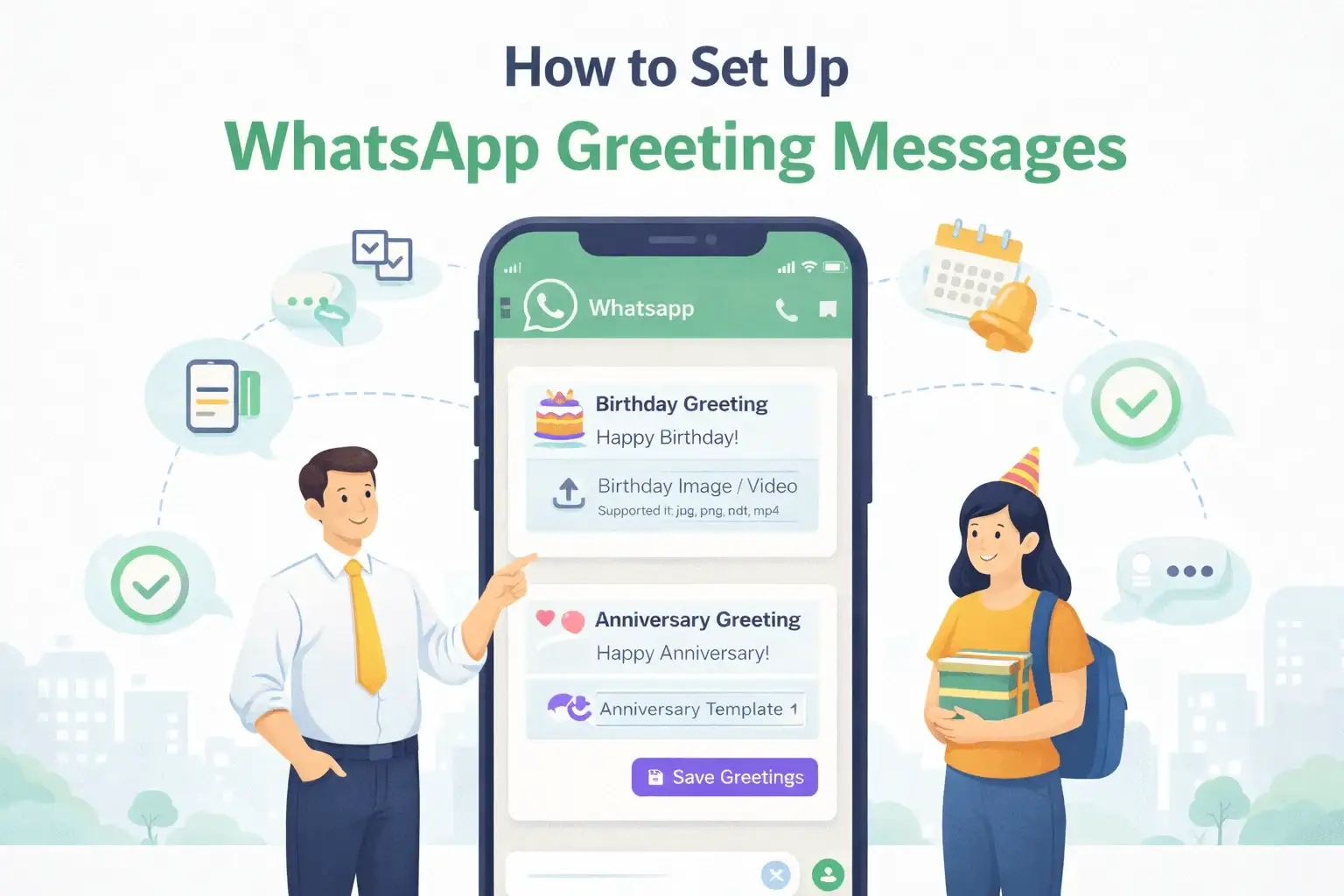
Why Automated WhatsApp Greeting Messages Are a Game-Changer in 2026
Imagine your customer waking up on their
birthday to find a warm, personalized WhatsApp message from your business —
complete with a special offer, their name, and your brand's personality. No
manual work. No reminders for your team. Just a perfectly timed message
delivered at the right moment.
That is exactly what WhatsApp Greeting
Message automation delivers. With WhatsApp's 98% open rate and 90-second
average response time, businesses that send automated birthday and anniversary
greetings are seeing real improvements in customer loyalty, repeat purchases,
and brand sentiment.
This complete step-by-step guide shows you exactly how to set up WhatsApp Birthday and Anniversary Greeting Messages using the WABA NXCMSG dashboard — with real screenshots, ready-to-use message templates, and proven tips to maximize your results.
Why WhatsApp Greeting Messages Work — 2026 Statistics
|
Metric |
Value |
|
WhatsApp Message Open Rate |
98% (vs
20% for Email) |
|
Birthday Message Redemption
Rate |
45% Higher
vs Generic Promotions |
|
Customer Retention
Improvement |
25 to 30%
with Personalized Greetings |
|
Revenue Lift from Birthday
Campaigns |
Up to 30%
Higher Average Order Value |
|
Customers Who Feel More
Loyal After Greeting |
80% Report
Increased Brand Trust |
|
Automated Greeting Delivery
Time (WABA) |
9:00 AM
Exact — Every Day, Automatically |
|
WhatsApp vs SMS Birthday
Open Rate |
98% vs 30% |
|
Manual Work Required After
Setup |
Zero —
Fully Automated |
What Is a WhatsApp Greeting Message?
A WhatsApp Greeting Message is an automated
message that your business sends on a specific date — such as a customer's
birthday or their anniversary with your brand. Unlike regular broadcasts,
greeting messages are:
•
Triggered automatically by date — no manual action
needed
•
Sent individually to each contact on their own specific
date
•
Personalized with the customer's name and relevant
details
•
Delivered at 9:00 AM on the exact date for maximum
visibility
• Supported with media like images, videos, or PDFs
WABA NXCMSG supports two greeting types:
•
Birthday Greetings — Sent automatically on the
customer's birthday every year
• Anniversary Greetings — Sent on the customer's relationship anniversary with your business
5 Key Benefits of WhatsApp Greeting Automation
|
Metric |
Value |
|
WhatsApp Message Open Rate |
98% (vs
20% for Email) |
|
Birthday Message Redemption
Rate |
45% Higher
vs Generic Promotions |
|
Customer Retention
Improvement |
25 to 30%
with Personalized Greetings |
|
Revenue Lift from Birthday
Campaigns |
Up to 30%
Higher Average Order Value |
|
Customers Who Feel More
Loyal After Greeting |
80% Report
Increased Brand Trust |
|
Automated Greeting Delivery
Time (WABA) |
9:00 AM
Exact — Every Day, Automatically |
|
WhatsApp vs SMS Birthday
Open Rate |
98% vs 30% |
|
Manual Work Required After
Setup |
Zero —
Fully Automated |
|
Benefit |
What It Does |
Business
Impact |
|
Zero
Manual Work |
Set once — runs forever
automatically |
Save hours of daily manual
follow-ups |
|
Personalized
at Scale |
Uses customer name and
specific date |
80% higher engagement than
generic messages |
|
Perfect
Timing |
Sent at 9 AM on exact date
every year |
Reaches customer at peak
emotional moment |
|
Rich Media
Support |
Send images, videos, or
PDFs with greeting |
Higher conversion and
engagement rates |
|
Customer
Retention |
Makes customers feel valued
and remembered |
25 to 30% improvement in
repeat purchases |
Step-by-Step: How to Set Up Greeting Messages in WABA NXCMSG
Follow these 5 simple steps to configure automated birthday and anniversary messages in your dashboard. The entire setup takes less than 5 minutes.
|
STEP |
Navigate to the Greetings Section Log in to your WABA
NXCMSG dashboard. In the left sidebar, scroll to the AUTOMATION section and
click 'Greetings'. The page heading reads 'Configure automated birthday and
anniversary messages'. |

Screenshot 1 — WABA NXCMSG Greetings Page: Go to Automation > Greetings in the left sidebar to begin setup
|
STEP |
Select
Your WhatsApp Device In the 'Select Device'
dropdown on the left panel, choose the WhatsApp business number you want to
configure. The Device Status panel shows all connected numbers with their
status — 'Configured' (green) or 'Not Set' (gray). |
In the dashboard example, two devices are
connected:
•
Digital Messaging Service (+15557098849) — Status:
Configured
• Adani Skill Development Centre (+15558143733) — Status: Not Set
|
STEP |
Open
the Configuration Panel After selecting a
device, the right panel displays 'Configure Greetings for [Device Name]'. You
will see two sections: Birthday Greeting and Anniversary Greeting. Each has a
Template dropdown and a Media upload field. |

Screenshot 2 — Configure Greetings Panel:
Select your Birthday Template from the dropdown and upload a Birthday Media
file for the chosen device
For each greeting type, you need to
configure:
•
Birthday Template: Select your pre-approved WhatsApp
template for birthdays from the dropdown
•
Birthday Media: Upload an image, PDF, or video to
attach to the birthday message (Supported formats: jpg, png, pdf, mp4)
• Anniversary Template: Select your pre-approved WhatsApp template for anniversaries

Screenshot 3 — Fully Configured: Birthday template 'tinsel_town_fest' selected with a custom image uploaded. Anniversary template 'carousel1' selected.
In the fully configured example shown in
Screenshot 3:
•
Birthday Template: tinsel_town_fest (a pre-approved
Meta message template)
•
Birthday Media: A custom birthday banner image uploaded
successfully
• Anniversary Template: carousel1 (a carousel-format anniversary template)
|
STEP |
Choose
Template and Upload Media Select your approved
template from the Birthday Template dropdown — only Meta-approved templates
appear in this list. Then click the upload icon next to 'Birthday Media' to
attach your greeting image or video file. |
How to Create WhatsApp Greeting Templates for Meta Approval
Before selecting a template in the Greetings
panel, it must be created and approved by Meta. Here is how to create greeting
templates in WABA NXCMSG:
1.
Go to 'Templates' in the left sidebar of your WABA
NXCMSG dashboard
2.
Click 'Create New Template'
3.
Set the Category to 'Utility' for birthday and
anniversary messages
4.
Write your template message using dynamic variableslike {{1}} for the customer name
5.
Add a header section if you want to include an image or
video at the top
6.
Submit for Meta approval — typically approved within 24
to 48 hours
7. Once approved, the template will appear in your Greetings dropdown automatically
Ready-to-Use WhatsApp Greeting Message Templates
Use these Meta-approved template formats for
your birthday and anniversary campaigns. Customize the variables with your
business name and offers before submitting for approval.
Template 1 — Birthday Greeting with Special Offer
|
STEP |
Click
Save Greetings Once you have selected
templates and uploaded media for both Birthday and Anniversary greetings,
click the 'Save Greetings' button in the bottom-right corner of the panel.
Your automation is now active and will run every day automatically. |
|
Birthday Greeting
Template — With Discount Offer Happy Birthday, {{1}}! On your special day, we
have a gift for you! Enjoy {{2}}% OFF your
next purchase. Use code: BDAY{{3}} Valid today only — treat
yourself! With warm wishes, — The {{4}} Team |
Template 2 — Birthday Greeting (Warm and Personal)
Birthday Greeting
Template — Warm Personal Style
Hey {{1}}!
The entire {{2}} family
wishes you
a very Happy Birthday!
May this year bring you
incredible
success, joy, and good
health.
Thank you for being part
of our journey.
We truly appreciate you!
— Team {{2}}
|
Birthday Greeting
Template — Warm Personal Style Hey {{1}}! The entire {{2}} family
wishes you a very Happy Birthday! May this year bring you
incredible success, joy, and good
health. Thank you for being part
of our journey. We truly appreciate you! — Team {{2}} |
Template 3 — Anniversary Greeting (Customer Loyalty)
Anniversary Greeting
Template — Customer Loyalty
Hello {{1}}!
It has been {{2}}
year(s) since you joined
the {{3}} family — and
what a journey!
Thank you for your trust
and loyalty.
You mean the world to
us!
As our thank-you gift:
Enjoy {{4}}% OFF your
next order.
Code: ANNIV{{5}} | Valid
for 7 days.
— {{3}} Team
|
Anniversary Greeting
Template — Customer Loyalty Hello {{1}}! It has been {{2}}
year(s) since you joined the {{3}} family — and
what a journey! Thank you for your trust
and loyalty. You mean the world to
us! As our thank-you gift: Enjoy {{4}}% OFF your
next order. Code: ANNIV{{5}} | Valid
for 7 days. — {{3}} Team |
Template 4 — Birthday Greeting with Carousel (E-commerce)
Birthday Carousel
Template — For E-commerce Stores
Happy Birthday {{1}}!
We picked some birthday
gifts just for you!
Check out our special
birthday collection below:
Card 1 — Product: {{2}}
| Price: {{3}}
Card 2 — Product: {{4}}
| Price: {{5}}
Card 3 — Product: {{6}}
| Price: {{7}}
Use code BDAY20 for an
extra 20% OFF!
— {{8}} Team
|
Birthday Carousel
Template — For E-commerce Stores Happy Birthday {{1}}! We picked some birthday
gifts just for you! Check out our special
birthday collection below: Card 1 — Product: {{2}}
| Price: {{3}} Card 2 — Product: {{4}}
| Price: {{5}} Card 3 — Product: {{6}}
| Price: {{7}} Use code BDAY20 for an
extra 20% OFF! — {{8}} Team |
How to Add Birthday and Anniversary Dates to Your Contacts
For greeting automation to work, your
contacts must have their birthday or anniversary dates stored in your WABA
NXCMSG contact database. Here are all the ways to add this data:
Method
How It Works
Best For
Manual
Entry
Add dates one by one in the
Contacts section
Small contact lists under
100
CSV Bulk
Import
Upload a CSV file with a
birthday or anniversary column
Migrating existing customer
data
WhatsApp
Form
Collect dates via an
in-chat WhatsApp Form
New customer onboarding
CRM
Webhook Sync
Auto-sync dates from your
CRM via API webhook
Large enterprise databases
Meta Ad
Lead Forms
Capture dates via
Click-to-WhatsApp ad lead forms
Lead generation campaigns
For greeting automation to work, your contacts must have their birthday or anniversary dates stored in your WABA NXCMSG contact database. Here are all the ways to add this data:
|
Method |
How It Works |
Best For |
|
Manual
Entry |
Add dates one by one in the
Contacts section |
Small contact lists under
100 |
|
CSV Bulk
Import |
Upload a CSV file with a
birthday or anniversary column |
Migrating existing customer
data |
|
WhatsApp
Form |
Collect dates via an
in-chat WhatsApp Form |
New customer onboarding |
|
CRM
Webhook Sync |
Auto-sync dates from your
CRM via API webhook |
Large enterprise databases |
|
Meta Ad
Lead Forms |
Capture dates via
Click-to-WhatsApp ad lead forms |
Lead generation campaigns |
Best Practices for WhatsApp Greeting Messages in 2026
•
Always use the customer first name — {{customer_name}}
makes every message feel personal, not automated
•
Include a time-limited offer valid today or for 7 days
— urgency drives redemption rates up to 3x higher
•
Upload a custom-designed image with your brand colors
and a birthday or celebration graphic
•
Keep the message concise — 3 to 5 lines on mobile is
the ideal length for greeting messages
•
Use emojis sparingly but effectively — a birthday cake
or party popper adds warmth without looking spammy
•
For anniversaries, mention the specific number of years
— '2 Years Together!' feels far more personal
•
Always include a clear call-to-action — 'Shop Now',
'Use Code', or 'Claim Your Gift' with a direct link
• Test your template on a real device before saving — confirm all variable placeholders display correctly
WhatsApp Greeting Messages — Use Cases by Industry
|
Industry |
Birthday
Greeting Idea |
Anniversary
Greeting Idea |
|
E-commerce |
20% OFF coupon valid today
only |
Loyalty reward after 1, 2,
or 3 years |
|
Real
Estate |
Warm birthday wish with
property newsletter |
Home purchase anniversary
message |
|
Healthcare |
Birthday wish with annual
checkup reminder |
Patient care anniversary
message |
|
EdTech /
Coaching |
Birthday wish with
motivational message |
Batch enrollment
anniversary gift |
|
Restaurant |
Free dessert or drink on
your birthday |
First visit anniversary
special offer |
|
Retail /
Salon |
Birthday gift voucher worth
a fixed amount |
1-year loyalty membership
upgrade |
|
Finance /
Insurance |
Birthday wish with policy
review reminder |
Policy anniversary renewal
reminder |
6 Common Mistakes to Avoid
|
Mistake |
Why It Hurts |
The Fix |
|
Template
not approved before setup |
Greeting will not send on
the actual date |
Submit templates 2 to 3
days before configuring |
|
No
birthday date in contact data |
System cannot trigger
without a stored date |
Collect dates via
onboarding form or CSV import |
|
Generic
message with no customer name |
Low engagement — feels
robotic and impersonal |
Always use the
{{customer_name}} variable |
|
No special
offer included |
Missed revenue opportunity
on a warm touchpoint |
Add an exclusive birthday
discount code |
|
No media
image attached |
Text-only messages get
lower engagement |
Upload a branded birthday
image or short video |
|
Saving
without selecting a template |
Greeting will not be
configured correctly |
Ensure both template and
media are set before saving |
Frequently Asked Questions
Q1: At what time are greeting messages sent automatically?
WABA NXCMSG sends all greeting messages automatically at 9:00 AM on the respective date, as confirmed in the dashboard note shown in Screenshot 1. This timing is fixed and ensures messages arrive when customers are beginning their day.
Q2: Can I set different templates for different WhatsApp devices?
Yes. Each WhatsApp device (business number) in your WABA NXCMSG account can have its own unique birthday and anniversary template. Simply select the device from the dropdown and configure templates separately for each number.
Q3: What media file formats are supported for greeting messages?
WABA NXCMSG supports JPG, PNG, PDF, and MP4 file formats for greeting media attachments. For best visual results, use a 1080 x 1080 pixel PNG or JPG birthday banner image with your brand colors and logo.
Q4: Does each greeting template need separate Meta approval?
Yes. Any template used in automated greetings must be pre-approved by Meta before it can be used. Submit your birthday and anniversary templates in the Templates section of your WABA NXCMSG dashboard and allow 24 to 48 hours for approval.
Q5: Can I set anniversary greetings based on the customer purchase date?
Yes. Store the customer's first purchase date or enrollment date as their anniversary date in your WABA NXCMSG contact profile. The system will then send your anniversary greeting on that date every year — perfect for loyalty and retention campaigns.
Q6: What happens if a contact does not have a birthday date saved?
If a contact does not have a birthday or anniversary date stored in their WABA NXCMSG profile, no greeting will be sent for that contact. This is why collecting and uploading customer dates via CSV import, WhatsApp Forms, or CRM integration is essential.
Q7: Can I include a payment link or product link in the greeting?
Yes. Your Meta-approved template can include button elements such as URL buttons or quick-reply buttons that link directly to a payment page, product catalog, or website. This turns a birthday greeting into a high-converting sales touchpoint.
Q8: How do I check if greeting messages were delivered successfully?
Go to the Reports section in your WABA NXCMSG dashboard to view delivery reports, read receipts, and engagement stats for all automated messages including greetings. You can filter by date range and message type for detailed performance analytics.
WABA NXCMSG Greeting Feature Summary
Metric
Value
Birthday Greeting
Automation
Set once —
runs every year for every customer automatically
Anniversary Greeting
Automation
Customer
loyalty messages sent on correct anniversary date
Supported Media Formats
JPG, PNG,
PDF, MP4 — rich greeting experience
Carousel Template Support
Send
product carousels inside birthday messages
Multi-Device Configuration
Different
greeting templates per WhatsApp business number
Template Management
Create,
submit, and manage Meta-approved templates in dashboard
Contact Date Management
CSV
import, WhatsApp Form collection, CRM webhook sync
Analytics and Reports
Track
delivery rate, open rate, and click rate per message
Setup Time
Under 5
minutes — no technical knowledge required
Platform Pricing
Starting
at Rs. 3,000 per month with unlimited messages
|
Metric |
Value |
|
Birthday Greeting
Automation |
Set once —
runs every year for every customer automatically |
|
Anniversary Greeting
Automation |
Customer
loyalty messages sent on correct anniversary date |
|
Supported Media Formats |
JPG, PNG,
PDF, MP4 — rich greeting experience |
|
Carousel Template Support |
Send
product carousels inside birthday messages |
|
Multi-Device Configuration |
Different
greeting templates per WhatsApp business number |
|
Template Management |
Create,
submit, and manage Meta-approved templates in dashboard |
|
Contact Date Management |
CSV
import, WhatsApp Form collection, CRM webhook sync |
|
Analytics and Reports |
Track
delivery rate, open rate, and click rate per message |
|
Setup Time |
Under 5
minutes — no technical knowledge required |
|
Platform Pricing |
Starting
at Rs. 3,000 per month with unlimited messages |
Conclusion
Setting up WhatsApp Greeting Messages in WABA
NXCMSG is one of the simplest and highest-impact automations your business can
implement today. In just 5 minutes, you can ensure that every customer receives
a warm, personalized birthday or anniversary message at 9:00 AM on their
special day — every year — with zero manual effort.
The result is customers who feel remembered
and valued, increased brand loyalty, higher redemption rates on birthday
offers, and a continuous stream of relationship-building touchpoints that cost
very little but deliver enormous goodwill.
Follow the 5 steps in this guide, use our
ready-made templates, upload your branded media, click Save Greetings, and your
automated greeting system will take care of everything from that point forward.


